mirror of
https://github.com/igareck/vpn-configs-for-russia.git
synced 2026-09-22 22:28:20 +03:00
 Igor Krauch
7cd7d2ad5a
Igor Krauch
7cd7d2ad5a
The README has been thoroughly revised and updated.
Auto-updating subscriptions with built-in routing (RU-DIRECT/GLOBAL) have been added for Mihomo, v2rayN, v2rayNG, Happ, Streisand, v2RayTun for iOS and Android, and V2Box for Android.
Please read the "Download VPN Configs" section carefully.
Detailed instructions, additional clients for PCs, smartphones, and routers, as well as clarifications and recommendations for VPN/TOR use, have been added.
The DNS section has been expanded and improved.
The list of mirrors has been updated.
A Telegram channel has been added.
5173 lines
258 KiB
Markdown
5173 lines
258 KiB
Markdown
<div align="center">
|
||
|
||

|
||
|
||
</div>
|
||
|
||
# <img src="https://media.giphy.com/media/v1.Y2lkPTc5MGI3NjExNTljeGk4d3lzZnU3Mm1peDBienFpbmEyb3JmaDB5N21tMW9oczIwdyZlcD12MV9zdGlja2Vyc19zZWFyY2gmY3Q9cw/8p1WPEOeDWFCksfe18/giphy.gif" width="45"> Free VPN configurations that work in Russia
|
||
|
||
[](https://github.com/igareck)
|
||
[](https://github.com/igareck/vpn-configs-for-russia/stargazers)
|
||
[](https://github.com/igareck/vpn-configs-for-russia/issues)
|
||
[](https://github.com/igareck/vpn-configs-for-russia/commits/main/)
|
||

|
||
[](mailto:igareck@proton.me)
|
||
|
||
[](https://www.patreon.com/igareck/shop)
|
||
[](https://t.me/igareq)
|
||
|
||
**🌐 Language: [Russian](README.md) | 🌐 Language: [English](README-EN-US.md) | 🌐 语言: [中文](README-ZH-CN.md) | 🌐 زبان: [فارسی](README-FA-IR.md)**
|
||
|
||
<img src="https://media.giphy.com/media/v1.Y2lkPTc5MGI3NjExa2RkeXZzdDl1Y3g4dW1xcjFxc2xsMHVsZ2RiY243OHJodjd0cHQ1NSZlcD12MV9zdGlja2Vyc19zZWFyY2gmY3Q9cw/qXp82ZL3eZbbTUrLyy/giphy.gif" width="20"> A collection of public, free, automatically updated and automatically checked VPN configurations tested to work in the Russian Federation (`VLESS` / `Trojan` / `Shadowsocks` / `Hysteria2` / `VMess` / `TUIC` and others).
|
||
|
||
**For bypassing internet blocks imposed by Roskomnadzor (RKN).**
|
||
|
||
The collection is divided into Black Lists and White Lists based on CIDR and SNI.
|
||
|
||
Each configuration list is provided as a TXT/YAML/JSON subscription that can be imported into the client of your choice (`Karing`, `Clash Verge Rev`, `Clash Mi`, `v2rayN`, `Happ`, `Streisand`, `Throne` and others).
|
||
|
||
Before publication, the configurations are automatically tested on a server in Russia every 2–4 hours. Slow and non-working configurations are filtered out; the exact interval depends on the subscription type.
|
||
|
||
The checks measure actual reachability, latency and speed — this is not merely automated aggregation and deduplication. From November 13 through December 28, 2025, I performed the entire process manually. On December 28, I completed a script that automated and accelerated the checks while preserving the same high-quality results previously achieved by hand.
|
||
|
||
The script is audited regularly to keep improving subscription quality.
|
||
|
||
Traditional VPN protocols such as OpenVPN and WireGuard have not worked reliably for a long time, regardless of whether the service is free or paid.
|
||
|
||
That is why it is important to use configurations verified specifically from inside Russia if you want to stay online.
|
||
|
||
Public configurations also need frequent updates because they tend to appear quickly and stop working just as quickly. Automatic updates and testing ensure that users in Russia can always obtain a current list of high-quality VPN configurations without unnecessary clutter.
|
||
|
||
## 🔴 ATTENTION FOR USERS OUTSIDE RUSSIA!
|
||
|
||
<details>
|
||
<summary><em><code> Click the arrow </code></em></summary>
|
||
|
||
❗❗❗ IF YOU ARE NOT IN RUSSIA (CHINA, IRAN, OR ANY OTHER COUNTRY), USE ONLY CONFIGURATIONS FROM THE "BLACK LIST".
|
||
|
||
The "WHITE LIST" will NOT help you, because the "WHITE LIST" is configured ONLY to bypass specific and the strongest restrictions INSIDE Russia! For other countries, the "WHITE LIST" will be a practically non-working, slow, and useless option!
|
||
|
||
The "BLACK LIST" is an "International VPN option" and contains the fastest public configurations available on the internet, but working inside Russia as well!
|
||
|
||
THANK YOU FOR YOUR ATTENTION!
|
||
|
||
</details>
|
||
|
||
---
|
||
|
||
<h2><code> TOPIC №1 </code></h2>
|
||
|
||
### Follow the Telegram channel: https://t.me/igareq <img src="https://thumb.wikimedia.org/wikipedia/commons/thumb/8/83/Telegram_2019_Logo.svg/960px-Telegram_2019_Logo.svg.png" width="25" align="absmiddle">
|
||
|
||
---
|
||
|
||
<h2><code> TOPIC №2 </code></h2>
|
||
|
||
### Dear friends!
|
||
### Due to the possible blocking of GitHub in Russia, please save mirror links!
|
||
|
||
<details>
|
||
<summary><em><code> Click the arrow for details </code></em></summary>
|
||
|
||
㋡
|
||
|
||
Mirrors will be updated synchronously with the main channel.
|
||
|
||
**The blocking will not affect GitHub itself; the original repository will continue to work under any conditions!**
|
||
|
||
I strongly recommend replacing the original RAW links with subscriptions right now `https://raw.githubusercontent.com/` in your clients to the RAW links of one of the mirrors: see `table` or section `MIRRORS 🪞`!
|
||
|
||
**How to get a RAW file from a mirror?** Find there the txt subscription you are interested in under the same name, follow the link to it, and at the top above it find a button with the inscription `RAW`, `Open Raw`, `View Raw` or `Source`, click on this button and then copy the link from the address bar. **Or take ready-made links from the section `MIRRORS 🪞`.**
|
||
|
||
**Subscriptions and QR codes in the README description in the original GitHub have already been replaced with `GitHub-RAW` on a proxy `GitHack-RAW` And `CDN.jsDelivr`**.
|
||
|
||
List of mirrors:
|
||
|
||
| | | |
|
||
|---:|---|---|
|
||
| **GitLab** | https://gitlab.com/igareck/vpn-configs-for-russia/ | Git mirror / open-core SaaS |
|
||
| **Codeberg** | https://codeberg.org/igareck/vpn-configs-for-russia | Git mirror/FOSS |
|
||
| **Gitea** | https://gitea.com/igareck/vpn-configs-for-russia | Git mirror / FOSS-based |
|
||
| **SourceHut** | https://git.sr.ht/~igareck/vpn-configs-for-russia | Git mirror/FOSS |
|
||
| **Bitbucket** | https://bitbucket.org/igareck/vpn-configs-for-russia/ | Git mirror / commercial |
|
||
| **GitHack** | https://raw.githack.com/| Live RAW proxy |
|
||
| **Yandex+BB** | https://translate.yandex.ru/translate?url=https://bitbucket.org/igareck/vpn-configs-for-russia/raw/main/WHITE-CIDR-RU-all.txt&lang=de-de | Whitelist RAW proxy Yandex+Bitbucket |
|
||
| | | |
|
||
|
||
✦ **GitLab/Codeberg/Gitea/SourceHut/Bitbucket** - these are full copies of GitHub, all the information is there (README and subscriptions) identical to the original and most **will work without VPN**.
|
||
|
||
✦ **GitLab** - the best mirror of all.
|
||
|
||
✦ **GitHack** mirror for RAW links - works even for those who get the message “You are currently viewing from a blocked IP address or country” when trying to access other mirrors.
|
||
|
||
✦ **Yandex+Bitbucket** mirror for RAW links **in whitelist mode**.
|
||
|
||
**Please note that it is the Yandex+Bitbucket combination that works**, all any other connections with Yandex break the configurations!
|
||
|
||
**The performance of configurations downloaded via Yandex+Bitbucket has been tested by subscribers under drone-threat restrictions in Karing, Clash Mi and v2rayN/v2rayNG.**
|
||
|
||
> There were many questions about posting a copy of the repository on the Russian analogues of GitHub.
|
||
>
|
||
> Let me clarify: sites that directly/indirectly promote censorship in the Russian Federation and/or are subordinate to Roskomnadzor are extremely undesirable for inclusion in the official list of mirrors of this repository for objective reasons. If you want to get configurations in White List mode, use the working proxy link Yandex+Bitbucket (chapter `MIRRORS 🪞`). Yandex+Bitbucket is exactly the exception to the rule, which allows you not to place repository resources directly on unwanted sites, but to download them even in drone-threat restrictions!
|
||
|
||
</details>
|
||
|
||
---
|
||
|
||
<h2><code> TOPIC №3 </code></h2>
|
||
|
||
### For those who are here for the first time and don’t understand which client and VPN subscription to choose at the start
|
||
|
||
<details>
|
||
<summary><em><code> Click the arrow for details </code></em></summary>
|
||
|
||
㋡
|
||
|
||
```diff
|
||
Please note!
|
||
|
||
Peak loads and blocking occur during the daytime.
|
||
The two subscriptions that have proven most resilient during the day are
|
||
BLACK_SS+All_RUS (in standard or Clash format), and especially TOR BRIDGES!
|
||
Due to the increased load and intensified mass blocking,
|
||
the other subscriptions have become very unstable since September 1.
|
||
For everything else and VPNs in general the best time to use them is now
|
||
from 11:00 p.m. to 11:00 a.m. Moscow time. Based on my personal observations,
|
||
public configurations behave more predictably during this period.
|
||
```
|
||
|
||
**Only client/subscription combinations with an automatic health check are recommended!**
|
||
|
||
In this repository, all subscription formats are divided into “universal” (proxy list only) and "linked to specific clients" (with already built-in automatic health check and routing).
|
||
|
||
✦ **`Universal/standard format (proxy list only):`**
|
||
|
||
**Works stably with Karing, Shadowrocket, Exclave and V2Box(iOS), where the automatic health check function is configured in the clients themselves.**
|
||
|
||
✦ **`Clash format with built-in automatic health check (I recommend it as the most stable option):`**
|
||
|
||
**Works through any Clash/Mihomo clients (Clash Verge Rev / Clash Mi / ClashMetaforAndroid and others).**
|
||
|
||
✦ **`Special format for a separate client with built-in automatic health check:`**
|
||
|
||
**Works via v2rayN / v2rayNG / Streisand / Happ / v2RayTun.**
|
||
|
||
*Subscriptions for clients v2rayNG/Streisand/Happ/v2RayTun/V2Box are a one-button single connection, which automatically selects the server itself; there will not be a list of configs, as in other subscriptions. v2rayN - automatic configuration of PolicyGroup, but along with a complete list of servers.*
|
||
|
||
*If the connection of a subscription with automatic health checking suddenly breaks during operation, and this sometimes happens when the configuration fails, in order not to wait for the automation, simply restart the connection, wait 5-20 seconds, the application will re-select the best proxy and the connection will appear again. If you work in Mihomo clients, you can manually select from the list (comfortable), without waiting for automation and complete reconnection.*
|
||
|
||
| | |
|
||
|:---|:---|
|
||
| **For Black Lists** | **For White Lists (White List)** |
|
||
| **Standard format** **[BLACK_VLESS_RUS_mobile.txt](https://raw.githack.com/igareck/vpn-configs-for-russia/main/BLACK_VLESS_RUS_mobile.txt)** (mobile Black List, 150 configs) + **Karing (PC/iOS/Android), Exclave (Android), Shadowrocket (iOS) or V2Box (iOS)** | **Universal/standard format** **[Vless-Reality-White-Lists-Rus-Mobile.txt](https://translate.yandex.ru/translate?url=https://bitbucket.org/igareck/vpn-configs-for-russia/raw/main/Vless-Reality-White-Lists-Rus-Mobile.txt&lang=de-de)** (mobile White List, 150 configs) or **[WHITE-CIDR-RU-all.txt](https://translate.yandex.ru/translate?url=https://bitbucket.org/igareck/vpn-configs-for-russia/raw/main/WHITE-CIDR-RU-all.txt&lang=de-de)** (full White List) + **Karing (PC/iOS/Android), Shadowrocket (iOS) or V2Box (iOS)** |
|
||
| or | or |
|
||
| **Clash format** **[BLACK_VLESS_RUS_mobile_clash_global.yaml](https://raw.githack.com/igareck/vpn-configs-for-russia/main/Export/Clash/GLOBAL/BLACK_VLESS_RUS_mobile_clash_global.yaml)** (mobile Black List, 150 configs) + **Clash/Mihomo clients** | **Clash format** **[Vless-Reality-White-Lists-Rus-Mobile-clash-global.yaml](https://translate.yandex.ru/translate?url=https://bitbucket.org/igareck/vpn-configs-for-russia/raw/main/Export/Clash/GLOBAL/Vless-Reality-White-Lists-Rus-Mobile-clash-global.yaml&lang=de-de)** (mobile White List, 150 configs) or **[WHITE-CIDR-RU-all-clash-global.yaml](https://translate.yandex.ru/translate?url=https://bitbucket.org/igareck/vpn-configs-for-russia/raw/main/Export/Clash/GLOBAL/WHITE-CIDR-RU-all-clash-global.yaml&lang=de-de)** (full White List) + **Clash/Mihomo clients** |
|
||
| | |
|
||
|
||
TOP 150 Black List and White List subscriptions are lightweight, optimized and compatible with most clients, making them the best choice for mobile devices or first-time use.
|
||
|
||
**If mobile Black List subscriptions are unstable, try full sets (from approximately 11:00 a.m. to 11:00 p.m., the BLACK_SS+All_RUS subscription works best):**
|
||
|
||
**[BLACK_SS+All_RUS.txt](https://raw.githack.com/igareck/vpn-configs-for-russia/main/BLACK_SS%2BAll_RUS.txt) or [BLACK_SS+All_RUS_clash_global.yaml](https://raw.githack.com/igareck/vpn-configs-for-russia/main/Export/Clash/GLOBAL/BLACK_SS%2BAll_RUS_clash_global.yaml)**
|
||
|
||
**[BLACK_VLESS_RUS.txt](https://raw.githack.com/igareck/vpn-configs-for-russia/main/BLACK_VLESS_RUS.txt) or [BLACK_VLESS_RUS_clash_global.yaml](https://raw.githack.com/igareck/vpn-configs-for-russia/main/Export/Clash/GLOBAL/BLACK_VLESS_RUS_clash_global.yaml)**
|
||
|
||
**For Karing or Mihomo clients.**
|
||
|
||
You will find links and QR codes to all subscriptions, as well as a list of all clients for PC/Routers/iOS/Android with detailed instructions below.
|
||
|
||
</details>
|
||
|
||
---
|
||
|
||
<h2><code> TOPIC №4 </code></h2>
|
||
|
||
**Attention to those users who do NOT have White Lists (cable and mobile internet without restrictions), and you need a free VPN Blacklist alternative at home or work - use the bundle** <img src="https://upload.wikimedia.org/wikipedia/commons/d/df/Tor_Browser_icon_%28New%29.png" width="20" align="absmiddle"> `Tor Bridges` **+** `Tor client OnionHop V3` or `OnionFruit Tor client` or `Tor Browser` **(details in the section** `What is the difference between black and white lists` ➞ `With regular Black Lists` ➞ `TOR BRIDGES`).
|
||
|
||
**If suddenly VPN Black Lists are unstable, then use this method. Always helps out in moments of drawdown. According to observations, TOR is many times more stable than VPN; the connection lasts for many days.**
|
||
|
||
**All [TOR BRIDGES](https://github.com/igareck/vpn-configs-for-russia/tree/main/TOR-BRIDGES) in this repository, they are tested every 4 hours specifically for working in Russia, their latency, speed and full availability are checked.** Do not confuse it with a regular ping; it does not show real performance.
|
||
|
||
Since September 1, VPN connections have been highly unreliable during the day, roughly between 11 a.m. and 11 p.m. Moscow time. The worst time is around 1 p.m., when many public VPN nodes become unreachable at once; VLESS nodes are affected the most. Things do not start to recover until after 7–8 p.m. For now, VPN access is reasonably stable only overnight, from around 11 p.m. to 11 a.m.
|
||
|
||
So during the day, use TOR instead, it remains reliable anytime!
|
||
|
||
---
|
||
|
||
<h2><code> TOPIC №5 </code></h2>
|
||
|
||
### Important notes about DNS
|
||
|
||
<details>
|
||
<summary><em><code> Click the arrow for details </code></em></summary>
|
||
|
||
㋡
|
||
|
||
**DNS in the client**
|
||
|
||
Lately I've come across configurations that pass the test, connect, but subsequently refuse to work.
|
||
|
||
That is, their ping is successful, but traffic stops passing over time.
|
||
|
||
This was all resolved through the DNS settings in the client.
|
||
|
||
Let me give you examples:
|
||
|
||
<details>
|
||
<summary><strong><code> Karing </code></strong> ⬅ Click to open </summary>
|
||
|
||
㋡
|
||
|
||
```diff
|
||
Path: "Settings" ⚙️ → "DNS" → "Server" → Click on "Traffic Proxy" → Uncheck all boxes except:
|
||
|
||
https://doh.pub/dns-query
|
||
https://dns.alidns.com/dns-query
|
||
https://cloudflare-dns.com/dns-query
|
||
https://dns.google/dns-query
|
||
|
||
Or, alternatively, try one, for example: https://dns.google/dns-query.
|
||
|
||
Other items in the "DNS" menu → There is no need to touch the "Server".
|
||
```
|
||
|
||
</details>
|
||
|
||
<details>
|
||
<summary><strong><code> v2rayN </code></strong> ⬅ Click to open </summary>
|
||
|
||
㋡
|
||
|
||
```diff
|
||
Path: "Settings" -> "DNS Settings" -> "Basic DNS Settings"
|
||
|
||
Replace the contents of "Remote DNS" (Remote DNS) per line:
|
||
|
||
https://dns.google/dns-query,https://dns.quad9.net/dns-query,https://dns.adguard-dns.com/dns-query,https://freedns.controld.com/p0,https://dns.mullvad.net/dns-query,https://cloudflare-dns.com/dns-query,https://doh.opendns.com/dns-query
|
||
```
|
||
|
||
</details>
|
||
|
||
<details>
|
||
<summary><strong><code> Exclave </code></strong> ⬅ Click to open </summary>
|
||
|
||
㋡
|
||
|
||
```diff
|
||
In the section "☰" → "Settings" find the line/item called "Remote DNS".
|
||
Instead of the default value, put: https://dns.google/dns-query
|
||
```
|
||
|
||
</details>
|
||
|
||
▷ For **`Shadowrocket`** download the configuration file in the section **Instructions for each client separately**.
|
||
|
||
▷ For special client subscriptions **`Clash-Mihomo / v2rayNG / Happ / Streisand / V2rayTun / V2Box`** no need to configure anything, **everything comes with automatic subscriptions**.
|
||
|
||
━━━
|
||
|
||
**DNS on device (router, PC or phone)**
|
||
|
||
Replace the provider/automatic DNS on the device with encrypted DNS-over-HTTPS (DoH).
|
||
|
||
**There are real cases (and there are more and more of them), when DoH installed on a device/router resolves issues with the performance of configurations, connection breaks occur much less frequently, traffic becomes more stable and predictable.**
|
||
|
||
Lists of recommended DNS-over-HTTPS (DoH) look at the very bottom of the README section **DNS-over-HTTPS**.
|
||
|
||
**After a large wave of Roskomnadzor blockings from August 17 to August 23, 2026, DNS-over-HTTPS restrictions began in Russia (DoH)**. But this does not mean that now no foreign DoHs work at all. They work, it’s just that now each operator works selectively with its own DoHs, and not all in a row, as before.
|
||
|
||
For example, one provider may only have Google DoH, while another may have Cloudflare and OpenDNS DoH, while Quad9 DoH refused to work everywhere for me. You can only find out for sure by checking with your operator. We connected DoH - we turned on the network: the browser loads sites - that means DoH is working, it doesn’t load - that means we take the next DoH and check further.
|
||
|
||
Take some time and find a working DoH, it will add stability to your connection.
|
||
|
||
━━━
|
||
|
||
**During the White List regime (drone-threat restrictions) no foreign DNS providers work (no Google, no Cloudflare, no Quad9, no Alibaba, no OpenDNS, no). In this case, use either automatic DNS from your provider or DNS/DNS-over-HTTPS from Yandex. Otherwise, VPN configurations for the White List simply will not work.**
|
||
|
||
━━━
|
||
|
||
**DoH is not a panacea or a magic cure for all problems, but it is a very important detail when setting up your network and your clients.**
|
||
|
||
</details>
|
||
|
||
---
|
||
|
||
<h2><code> TOPIC №6 </code></h2>
|
||
|
||
### THIS IS IMPORTANT NEWS FOR EVERYONE WHO USES VPN ON A SMARTPHONE
|
||
|
||
**A very important analysis of the critical vulnerability of mobile clients based on xray/sing-box was published on Habr, and a mini-rating of the most secure ones was compiled.**
|
||
|
||
**An analysis of the identified surveillance methods in Russian applications was carried out.**
|
||
|
||
**We have also drawn up a minimum-maximum plan for the security of your devices so that the VPN continues to work properly.**
|
||
|
||
<details>
|
||
<summary><em><code> Click the arrow for details </code></em></summary>
|
||
|
||
㋡
|
||
|
||
A very important analysis of a critical vulnerability has been published on Habr **mobile** clients based on xray/sing-box. The essence of the problem is that the client raises a local SOCKS5 proxy without authorization, and the malicious application (that is, any RU application: MAX, Yandex, Wildberries, Ozon, Gosuslugi, Rzd, any banking software (Sber, T-Bank), Kaspersky and other large Russian IT companies) on **same device** can connect to it bypassing it `VpnService`, determine your output IP and thereby hand over your proxy/server. The author writes separately that `private space`, `Shelter`, `Island` and per-app split tunneling does not help here.
|
||
|
||
Article: https://habr.com/ru/articles/1020080/
|
||
|
||
Mirror: https://web.archive.org/web/https://habr.com/ru/articles/1020080/
|
||
|
||
A PDF was published online describing the identified surveillance methods in Russian applications:
|
||
|
||
PDF file: **[Russian_apps_spy_for_vpn.pdf](https://github.com/igareck/GoldCaviar/blob/main/Files/Russian_apps_spy_for_vpn.pdf)**
|
||
|
||
**Which clients solved the problem indicated by the author of the article** @runetfreedom **on Habré (verified):**
|
||
|
||
1. **Karing** ✅ - added **manual authorization** (Add authorization settings for mixed type inbound connections(Settings-Mixed)), as mentioned by the author in the article on Habré. A fix has been released for Android in Github, for iOS in the AppStore. Tested on all clients! **The developer has solved the problem!**
|
||
|
||
2. **Throne** ✅ - **Add inbound authorization support** in the update. Versions for PC only. I checked that there is "Inbound Authorization Username/Password" in the settings. **The developer has solved the problem!**
|
||
|
||
3. **Happ** ✅ - **Removed HandlerService on Android; on Android, on iOS, on the PC version, “Authorization inbound” is made**.
|
||
|
||
4. **v2rayNG** ✅ - **"Local proxy user/password" in settings** versions for Android. On **PC versions** (**v2rayN**❌) the problem is not solved.
|
||
|
||
5. **v2raytun** - on **Android** ✅ added login/password for local socks5 proxy, for **iOS** ❌ nothing was done.
|
||
|
||
6. **Exclave** ✅ - **"Local proxy user/password" in settings** versions for Android (Exclave has no other platforms).
|
||
|
||
7. **Hiddify** ❌ - the last update was on March 5th. **The localhost port authorization problem has not been resolved.**
|
||
|
||
8. **Streisand, NekoBox, V2Box** ❌ - I didn’t see a solution to the problem indicated by the author either in the changelog or in the settings of the applications themselves. **The localhost port authorization problem has not been resolved.**
|
||
|
||
|
||
**What follows from this in practice:**
|
||
|
||
✦ You can no longer consider the output IP of your proxy to be “protected by default” if there is untrusted/malicious software on the device (that is, any RU application: MAX, Yandex, Wildberries, Ozon, Gosuslugi, Rzd, VK, any banking software (Sber, T-Bank), Kaspersky and other large Russian IT companies);
|
||
|
||
✦ private space and split tunneling do not provide the protection that many expected;
|
||
|
||
✦ if you have a VPN client and a bunch of Russian software mixed in on your smartphone, this is a bad security model;
|
||
|
||
✦ if you don’t have RU software at all on your smartphone or PC, then you don’t have to worry, these vulnerabilities won’t affect you.
|
||
|
||
**WHAT TO DO RIGHT NOW**
|
||
|
||
**Minimum plan:**
|
||
|
||
✦ if you have any RU software on your smartphone or PC - **use only Karing (Android+iOS+PC), Throne (PC), v2rayNG (Android), v2rayTun (Android), Happ (Android+iOS) and be sure to set a login/password** for "Settings-Mixed" (Karing), for "Inbound Authorization" (Throne, Happ), "Local proxy user/password" (v2rayNG, v2rayTun) in settings;
|
||
|
||
✦ monitor updates from other clients and install them immediately;
|
||
|
||
✦ use split routing `geoip:ru -> direct`, `other -> proxy`;
|
||
|
||
✦ option for Android: a full-fledged second profile and switching between them.
|
||
|
||
Official instructions from Google: https://support.google.com/android/answer/2865483?hl=ru
|
||
|
||
`Main profile` — VPN/Tor, browser, GitHub, Telegram, mail, passwords;
|
||
|
||
`Second RU profile` - banks, State Services, Yandex, Ozon, WB, Russian Railways and other Russian software.
|
||
|
||
But this is not guaranteed protection against localhost leaks. This is better data segregation than isolating the application in one account, but still does not isolate the loopback/localhost between users. An inactive user can continue to work in the background while another is active. Within a single device, this is the best protection so far.
|
||
|
||
✦ you need to understand that this is not “full protection”, but only a reduction in “damage”.
|
||
|
||
**Maximum plan (here the insulation guarantee is closer to 100%):**
|
||
|
||
✦ **Main mob. device**: any non-RU applications, VPN, Tor and sensitive tasks;
|
||
|
||
✦ **Additional mob. device**: for Russian software, buy the cheapest used phone for RU applications.
|
||
|
||
✦ **Computer**: do not install Russian applications (at all), or install only in a virtual machine (VirtualBox).
|
||
|
||
Now any RU application should be perceived as potentially malicious and should be isolated!
|
||
|
||
✦ **Browsers on PC**: for Russian sites, select a separate browser with the uBlock Origin extension and the “Block Outsider Intrusion into LAN” filter enabled, or run it in a virtual machine.
|
||
|
||
**Main conclusion:**
|
||
If you use public configs or your own server, assume that in the worst case scenario, your output IP will be found out. Now the infrastructure and habits need to be built more strictly: updates, pure/separate device, separate routing, separation of input and output IP (for server owners), isolation of malicious software.
|
||
|
||
</details>
|
||
|
||
---
|
||
|
||
## `MUST READ!`
|
||
|
||
**If you want to successfully launch the configs, download the correct subscription and understand what's what, read the following sections carefully!**
|
||
|
||
**Below you will find out:**
|
||
|
||
`1. What is the difference between black and white lists;`
|
||
|
||
`2. What types of subscriptions are there and how they differ from each other.`
|
||
|
||
`Please note that there are alternative links in the Readme (mirrors), which work even in White List mode;`
|
||
|
||
`3. What applications to download, where to download and how to use;`
|
||
|
||
`4. What combinations of applications and subscriptions should be used for the smoothest and most automatic operation of configurations;`
|
||
|
||
`5. Other useful information about how the Internet works in “plain language”, what the provider sees when you are online, which browsers are better, etc.;`
|
||
|
||
**Additionally, read the "Issues" section at the top of the repository, ask questions, comment, and share experiences.**
|
||
|
||
**The configs that are posted here are released after real checks, that is, most will be live at the time of publication!**
|
||
|
||
**Each subscription is updated approximately once every 2-4 hours so as not to lose its relevance!**
|
||
|
||
---
|
||
|
||
## <img src="https://raw.githubusercontent.com/igareck/GoldCaviar/refs/heads/main/Files/Download-VPN-configs-banner-EN-US.svg" width="600">
|
||
|
||
✦ *Subscription names (highlighted in blue) are clickable and contain a link to the RAW subscription format!*
|
||
|
||
✦ *The repository contains **Standard**, **Base64**, **Clash/Mihomo and special formats** for individual clients (Export folder).*
|
||
|
||
✦ *Enable auto-update in your VPN client once every 1 hour!*
|
||
|
||
✦ *For Black Lists: if you are in Russia and you need RU-DIRECT routing (where Russian sites go directly without VPN):*
|
||
|
||
* *Either go to the README format in Russian to the corresponding section "Download VPN-configs", there are links with RU-DIRECT routing.*
|
||
|
||
* *Or look for RU-DIRECT configurations in the Export folder.*
|
||
|
||
---
|
||
|
||
<details>
|
||
|
||
<summary><h2> 🧾 <code> BLACK LIST ⚫ </code></h2></summary>
|
||
|
||
---
|
||
|
||
### TOP 150 for phone (best 150 configs in subscription, mix of protocols):
|
||
|
||
<details>
|
||
<summary><strong><code> Open </code></strong></summary>
|
||
|
||
㋡
|
||
|
||
| | | | | | | | | | | |
|
||
|:---:|:---:|:---:|:---:|:---:|:---:|:---:|:---:|:---:|:---:|:---:|
|
||
| **Subscription format** | **Universal (standard format)** | **Universal (Base64 format)** | **Clash/Mihomo (PC/iOS/Android)** | **v2rayN (PC)** | **v2rayNG (Android)** | **Streisand (iOS)** | **Happ (PC/iOS/Android)** | **V2Box (Android)** | **v2RayTun (Android)** | **v2RayTun (iOS)** |
|
||
| **Link** | [BLACK_VLESS_RUS_mobile](https://raw.githack.com/igareck/vpn-configs-for-russia/main/BLACK_VLESS_RUS_mobile.txt) | [BLACK_VLESS_RUS_mobile](https://raw.githack.com/igareck/vpn-configs-for-russia/main/Export/Base64/PROXIES_ONLY/BLACK_VLESS_RUS_mobile_base64.txt) | [BLACK_VLESS_RUS_mobile](https://raw.githack.com/igareck/vpn-configs-for-russia/main/Export/Clash/GLOBAL/BLACK_VLESS_RUS_mobile_clash_global.yaml) | [BLACK_VLESS_RUS_mobile](https://raw.githack.com/igareck/vpn-configs-for-russia/main/Export/v2rayN_PC/BLACK_VLESS_RUS_mobile_v2rayN.txt) | [BLACK_VLESS_RUS_mobile](https://raw.githack.com/igareck/vpn-configs-for-russia/main/Export/v2rayNG_Android/GLOBAL/BLACK_VLESS_RUS_mobile_v2rayNG_global.json) | [BLACK_VLESS_RUS_mobile](https://raw.githack.com/igareck/vpn-configs-for-russia/main/Export/Streisand_iOS/GLOBAL/BLACK_VLESS_RUS_mobile_Streisand_global.json) | [BLACK_VLESS_RUS_mobile](https://raw.githack.com/igareck/vpn-configs-for-russia/main/Export/Happ/GLOBAL/BLACK_VLESS_RUS_mobile_Happ_global.json) | [BLACK_VLESS_RUS_mobile](https://raw.githack.com/igareck/vpn-configs-for-russia/main/Export/V2Box_Android/GLOBAL/BLACK_VLESS_RUS_mobile_V2Box_Android_global.json) | [BLACK_VLESS_RUS_mobile](https://raw.githack.com/igareck/vpn-configs-for-russia/main/Export/v2RayTun_Android/GLOBAL/BLACK_VLESS_RUS_mobile_v2RayTun_Android_global.json) | [BLACK_VLESS_RUS_mobile](https://raw.githack.com/igareck/vpn-configs-for-russia/main/Export/v2RayTun_iOS/GLOBAL/BLACK_VLESS_RUS_mobile_v2RayTun_iOS_global.json) |
|
||
| **QR code** | <div style="width:200px;"><img src="https://cdn.jsdelivr.net/gh/igareck/vpn-configs-for-russia@refs/heads/main/QR-codes/Standard/PROXIES_ONLY/BLACK_VLESS_RUS_mobile_standard_GitHack_QR.png" style="max-width:100%; height:auto;" /></div> | <div style="width:200px;"><img src="https://cdn.jsdelivr.net/gh/igareck/vpn-configs-for-russia@refs/heads/main/QR-codes/Base64/PROXIES_ONLY/BLACK_VLESS_RUS_mobile_base64_GitHack_QR.png" style="max-width:100%; height:auto;" /></div> | <div style="width:200px;"><img src="https://cdn.jsdelivr.net/gh/igareck/vpn-configs-for-russia@refs/heads/main/QR-codes/Clash/GLOBAL/BLACK_VLESS_RUS_mobile_clash_global_GitHack_QR.png" style="max-width:100%; height:auto;" /></div> | <div style="width:200px;"><img src="https://cdn.jsdelivr.net/gh/igareck/vpn-configs-for-russia@refs/heads/main/QR-codes/v2rayN_PC/BLACK_VLESS_RUS_mobile_v2rayN_GitHack_QR.png" style="max-width:100%; height:auto;" /></div> | <div style="width:200px;"><img src="https://cdn.jsdelivr.net/gh/igareck/vpn-configs-for-russia@refs/heads/main/QR-codes/v2rayNG_Android/GLOBAL/BLACK_VLESS_RUS_mobile_v2rayNG_global_GitHack_QR.png" style="max-width:100%; height:auto;" /></div> | <div style="width:200px;"><img src="https://cdn.jsdelivr.net/gh/igareck/vpn-configs-for-russia@refs/heads/main/QR-codes/Streisand_iOS/GLOBAL/BLACK_VLESS_RUS_mobile_Streisand_global_GitHack_QR.png" style="max-width:100%; height:auto;" /></div> | <div style="width:200px;"><img src="https://cdn.jsdelivr.net/gh/igareck/vpn-configs-for-russia@refs/heads/main/QR-codes/Happ/GLOBAL/BLACK_VLESS_RUS_mobile_Happ_global_GitHack_QR.png" style="max-width:100%; height:auto;" /></div> | <div style="width:200px;"><img src="https://cdn.jsdelivr.net/gh/igareck/vpn-configs-for-russia@refs/heads/main/QR-codes/V2Box_Android/GLOBAL/BLACK_VLESS_RUS_mobile_V2Box_Android_global_GitHack_QR.png" style="max-width:100%; height:auto;" /></div> | <div style="width:200px;"><img src="https://cdn.jsdelivr.net/gh/igareck/vpn-configs-for-russia@refs/heads/main/QR-codes/v2RayTun_Android/GLOBAL/BLACK_VLESS_RUS_mobile_v2RayTun_Android_global_GitHack_QR.png" style="max-width:100%; height:auto;" /></div> | <div style="width:200px;"><img src="https://cdn.jsdelivr.net/gh/igareck/vpn-configs-for-russia@refs/heads/main/QR-codes/v2RayTun_iOS/GLOBAL/BLACK_VLESS_RUS_mobile_v2RayTun_iOS_global_GitHack_QR.png" style="max-width:100%; height:auto;" /></div> |
|
||
| **Automatic health check?** | **No automatic health check.** Configured in the client | **No automatic health check.** Configured in the client | **Yes, built into the subscription** | **Yes, built into the subscription** | **Yes, built into the subscription** | **Yes, built into the subscription** | **Yes, built into the subscription** | **Yes, built into the subscription** | **Yes, built into the subscription** | **Yes, built into the subscription** |
|
||
| **Routing, GLOBAL** | **No GLOBAL routing.** Configured in the client | **No GLOBAL routing.** Configured in the client | **Yes, GLOBAL is built into the subscription** | **No GLOBAL routing.** Configured in v2rayN | **Yes, GLOBAL is built into the subscription** | **Yes, GLOBAL is built into the subscription** | **Yes, GLOBAL is built into the subscription** | **Yes, GLOBAL is built into the subscription** | **Yes, GLOBAL is built into the subscription** | **Yes, GLOBAL is built into the subscription** |
|
||
| **Purpose** | Universal subscription in the standard format, with no client-specific settings or routing; contains only a proxy list. Ideal for Karing, Exclave, Shadowrocket and V2Box (iOS) | The same universal proxy-only subscription in Base64 format, provided as a compatibility fallback for other clients | Clash/Mihomo subscription with a built-in health check for Mihomo clients: Clash Verge Rev, Clash Mi, Clash Lite, Stash, Clash Meta for Android and FlClash | v2rayN subscription with a built-in health check. Select the `PolicyGroup` configuration at the bottom of the list to use automatic selection | v2rayNG subscription with a built-in health check and routing for Android | Streisand subscription with a built-in health check and routing for iOS | Happ subscription with a built-in health check and routing for PC, iOS and Android | V2Box subscription with a built-in health check and routing for Android; the iOS version uses standard subscriptions | v2RayTun subscription with a built-in health check and routing for Android | v2RayTun subscription with a built-in health check and routing for iOS |
|
||
| | | | | | | | | | | |
|
||
|
||
</details>
|
||
|
||
`Concise, lightweight phone subscription for Black Lists. Contains 150 of the fastest configs from full VLESS and SHADOWSOCKS+ALL subscriptions (mix of protocols).`
|
||
|
||
---
|
||
|
||
### VLESS:
|
||
|
||
<details>
|
||
<summary><strong><code> Open </code></strong></summary>
|
||
|
||
㋡
|
||
|
||
| | | | | | | | | | | |
|
||
|:---:|:---:|:---:|:---:|:---:|:---:|:---:|:---:|:---:|:---:|:---:|
|
||
| **Subscription format** | **Universal (standard format)** | **Universal (Base64 format)** | **Clash/Mihomo (PC/iOS/Android)** | **v2rayN (PC)** | **v2rayNG (Android)** | **Streisand (iOS)** | **Happ (PC/iOS/Android)** | **V2Box (Android)** | **v2RayTun (Android)** | **v2RayTun (iOS)** |
|
||
| **Link** | [BLACK_VLESS_RUS](https://raw.githack.com/igareck/vpn-configs-for-russia/main/BLACK_VLESS_RUS.txt) | [BLACK_VLESS_RUS](https://raw.githack.com/igareck/vpn-configs-for-russia/main/Export/Base64/PROXIES_ONLY/BLACK_VLESS_RUS_base64.txt) | [BLACK_VLESS_RUS](https://raw.githack.com/igareck/vpn-configs-for-russia/main/Export/Clash/GLOBAL/BLACK_VLESS_RUS_clash_global.yaml) | [BLACK_VLESS_RUS](https://raw.githack.com/igareck/vpn-configs-for-russia/main/Export/v2rayN_PC/BLACK_VLESS_RUS_v2rayN.txt) | [BLACK_VLESS_RUS](https://raw.githack.com/igareck/vpn-configs-for-russia/main/Export/v2rayNG_Android/GLOBAL/BLACK_VLESS_RUS_v2rayNG_global.json) | [BLACK_VLESS_RUS](https://raw.githack.com/igareck/vpn-configs-for-russia/main/Export/Streisand_iOS/GLOBAL/BLACK_VLESS_RUS_Streisand_global.json) | [BLACK_VLESS_RUS](https://raw.githack.com/igareck/vpn-configs-for-russia/main/Export/Happ/GLOBAL/BLACK_VLESS_RUS_Happ_global.json) | [BLACK_VLESS_RUS](https://raw.githack.com/igareck/vpn-configs-for-russia/main/Export/V2Box_Android/GLOBAL/BLACK_VLESS_RUS_V2Box_Android_global.json) | [BLACK_VLESS_RUS](https://raw.githack.com/igareck/vpn-configs-for-russia/main/Export/v2RayTun_Android/GLOBAL/BLACK_VLESS_RUS_v2RayTun_Android_global.json) | [BLACK_VLESS_RUS](https://raw.githack.com/igareck/vpn-configs-for-russia/main/Export/v2RayTun_iOS/GLOBAL/BLACK_VLESS_RUS_v2RayTun_iOS_global.json) |
|
||
| **QR code** | <div style="width:200px;"><img src="https://cdn.jsdelivr.net/gh/igareck/vpn-configs-for-russia@refs/heads/main/QR-codes/Standard/PROXIES_ONLY/BLACK_VLESS_RUS_standard_GitHack_QR.png" style="max-width:100%; height:auto;" /></div> | <div style="width:200px;"><img src="https://cdn.jsdelivr.net/gh/igareck/vpn-configs-for-russia@refs/heads/main/QR-codes/Base64/PROXIES_ONLY/BLACK_VLESS_RUS_base64_GitHack_QR.png" style="max-width:100%; height:auto;" /></div> | <div style="width:200px;"><img src="https://cdn.jsdelivr.net/gh/igareck/vpn-configs-for-russia@refs/heads/main/QR-codes/Clash/GLOBAL/BLACK_VLESS_RUS_clash_global_GitHack_QR.png" style="max-width:100%; height:auto;" /></div> | <div style="width:200px;"><img src="https://cdn.jsdelivr.net/gh/igareck/vpn-configs-for-russia@refs/heads/main/QR-codes/v2rayN_PC/BLACK_VLESS_RUS_v2rayN_GitHack_QR.png" style="max-width:100%; height:auto;" /></div> | <div style="width:200px;"><img src="https://cdn.jsdelivr.net/gh/igareck/vpn-configs-for-russia@refs/heads/main/QR-codes/v2rayNG_Android/GLOBAL/BLACK_VLESS_RUS_v2rayNG_global_GitHack_QR.png" style="max-width:100%; height:auto;" /></div> | <div style="width:200px;"><img src="https://cdn.jsdelivr.net/gh/igareck/vpn-configs-for-russia@refs/heads/main/QR-codes/Streisand_iOS/GLOBAL/BLACK_VLESS_RUS_Streisand_global_GitHack_QR.png" style="max-width:100%; height:auto;" /></div> | <div style="width:200px;"><img src="https://cdn.jsdelivr.net/gh/igareck/vpn-configs-for-russia@refs/heads/main/QR-codes/Happ/GLOBAL/BLACK_VLESS_RUS_Happ_global_GitHack_QR.png" style="max-width:100%; height:auto;" /></div> | <div style="width:200px;"><img src="https://cdn.jsdelivr.net/gh/igareck/vpn-configs-for-russia@refs/heads/main/QR-codes/V2Box_Android/GLOBAL/BLACK_VLESS_RUS_V2Box_Android_global_GitHack_QR.png" style="max-width:100%; height:auto;" /></div> | <div style="width:200px;"><img src="https://cdn.jsdelivr.net/gh/igareck/vpn-configs-for-russia@refs/heads/main/QR-codes/v2RayTun_Android/GLOBAL/BLACK_VLESS_RUS_v2RayTun_Android_global_GitHack_QR.png" style="max-width:100%; height:auto;" /></div> | <div style="width:200px;"><img src="https://cdn.jsdelivr.net/gh/igareck/vpn-configs-for-russia@refs/heads/main/QR-codes/v2RayTun_iOS/GLOBAL/BLACK_VLESS_RUS_v2RayTun_iOS_global_GitHack_QR.png" style="max-width:100%; height:auto;" /></div> |
|
||
| **Automatic health check?** | **No automatic health check.** Configured in the client | **No automatic health check.** Configured in the client | **Yes, built into the subscription** | **Yes, built into the subscription** | **Yes, built into the subscription** | **Yes, built into the subscription** | **Yes, built into the subscription** | **Yes, built into the subscription** | **Yes, built into the subscription** | **Yes, built into the subscription** |
|
||
| **Routing, GLOBAL** | **No GLOBAL routing.** Configured in the client | **No GLOBAL routing.** Configured in the client | **Yes, GLOBAL is built into the subscription** | **No GLOBAL routing.** Configured in v2rayN | **Yes, GLOBAL is built into the subscription** | **Yes, GLOBAL is built into the subscription** | **Yes, GLOBAL is built into the subscription** | **Yes, GLOBAL is built into the subscription** | **Yes, GLOBAL is built into the subscription** | **Yes, GLOBAL is built into the subscription** |
|
||
| **Purpose** | Universal subscription in the standard format, with no client-specific settings or routing; contains only a proxy list. Ideal for Karing, Exclave, Shadowrocket and V2Box (iOS) | The same universal proxy-only subscription in Base64 format, provided as a compatibility fallback for other clients | Clash/Mihomo subscription with a built-in health check for Mihomo clients: Clash Verge Rev, Clash Mi, Clash Lite, Stash, Clash Meta for Android and FlClash | v2rayN subscription with a built-in health check. Select the `PolicyGroup` configuration at the bottom of the list to use automatic selection | v2rayNG subscription with a built-in health check and routing for Android | Streisand subscription with a built-in health check and routing for iOS | Happ subscription with a built-in health check and routing for PC, iOS and Android | V2Box subscription with a built-in health check and routing for Android; the iOS version uses standard subscriptions | v2RayTun subscription with a built-in health check and routing for Android | v2RayTun subscription with a built-in health check and routing for iOS |
|
||
| | | | | | | | | | | |
|
||
|
||
|
||
</details>
|
||
|
||
`VLESS subscription for Black Lists.`
|
||
|
||
---
|
||
|
||
### SHADOWSOCKS+ALL:
|
||
|
||
<details>
|
||
<summary><strong><code> Open </code></strong></summary>
|
||
|
||
㋡
|
||
|
||
| | | | | | | | | | | |
|
||
|:---:|:---:|:---:|:---:|:---:|:---:|:---:|:---:|:---:|:---:|:---:|
|
||
| **Subscription format** | **Universal (standard format)** | **Universal (Base64 format)** | **Clash/Mihomo (PC/iOS/Android)** | **v2rayN (PC)** | **v2rayNG (Android)** | **Streisand (iOS)** | **Happ (PC/iOS/Android)** | **V2Box (Android)** | **v2RayTun (Android)** | **v2RayTun (iOS)** |
|
||
| **Link** | [BLACK_SS+All_RUS](https://raw.githack.com/igareck/vpn-configs-for-russia/main/BLACK_SS%2BAll_RUS.txt) | [BLACK_SS+All_RUS](https://raw.githack.com/igareck/vpn-configs-for-russia/main/Export/Base64/PROXIES_ONLY/BLACK_SS%2BAll_RUS_base64.txt) | [BLACK_SS+All_RUS](https://raw.githack.com/igareck/vpn-configs-for-russia/main/Export/Clash/GLOBAL/BLACK_SS%2BAll_RUS_clash_global.yaml) | [BLACK_SS+All_RUS](https://raw.githack.com/igareck/vpn-configs-for-russia/main/Export/v2rayN_PC/BLACK_SS%2BAll_RUS_v2rayN.txt) | [BLACK_SS+All_RUS](https://raw.githack.com/igareck/vpn-configs-for-russia/main/Export/v2rayNG_Android/GLOBAL/BLACK_SS%2BAll_RUS_v2rayNG_global.json) | [BLACK_SS+All_RUS](https://raw.githack.com/igareck/vpn-configs-for-russia/main/Export/Streisand_iOS/GLOBAL/BLACK_SS%2BAll_RUS_Streisand_global.json) | [BLACK_SS+All_RUS](https://raw.githack.com/igareck/vpn-configs-for-russia/main/Export/Happ/GLOBAL/BLACK_SS%2BAll_RUS_Happ_global.json) | [BLACK_SS+All_RUS](https://raw.githack.com/igareck/vpn-configs-for-russia/main/Export/V2Box_Android/GLOBAL/BLACK_SS%2BAll_RUS_V2Box_Android_global.json) | [BLACK_SS+All_RUS](https://raw.githack.com/igareck/vpn-configs-for-russia/main/Export/v2RayTun_Android/GLOBAL/BLACK_SS%2BAll_RUS_v2RayTun_Android_global.json) | [BLACK_SS+All_RUS](https://raw.githack.com/igareck/vpn-configs-for-russia/main/Export/v2RayTun_iOS/GLOBAL/BLACK_SS%2BAll_RUS_v2RayTun_iOS_global.json) |
|
||
| **QR code** | <div style="width:200px;"><img src="https://cdn.jsdelivr.net/gh/igareck/vpn-configs-for-russia@refs/heads/main/QR-codes/Standard/PROXIES_ONLY/BLACK_SS%2BAll_RUS_standard_GitHack_QR.png" style="max-width:100%; height:auto;" /></div> | <div style="width:200px;"><img src="https://cdn.jsdelivr.net/gh/igareck/vpn-configs-for-russia@refs/heads/main/QR-codes/Base64/PROXIES_ONLY/BLACK_SS%2BAll_RUS_base64_GitHack_QR.png" style="max-width:100%; height:auto;" /></div> | <div style="width:200px;"><img src="https://cdn.jsdelivr.net/gh/igareck/vpn-configs-for-russia@refs/heads/main/QR-codes/Clash/GLOBAL/BLACK_SS%2BAll_RUS_clash_global_GitHack_QR.png" style="max-width:100%; height:auto;" /></div> | <div style="width:200px;"><img src="https://cdn.jsdelivr.net/gh/igareck/vpn-configs-for-russia@refs/heads/main/QR-codes/v2rayN_PC/BLACK_SS%2BAll_RUS_v2rayN_GitHack_QR.png" style="max-width:100%; height:auto;" /></div> | <div style="width:200px;"><img src="https://cdn.jsdelivr.net/gh/igareck/vpn-configs-for-russia@refs/heads/main/QR-codes/v2rayNG_Android/GLOBAL/BLACK_SS%2BAll_RUS_v2rayNG_global_GitHack_QR.png" style="max-width:100%; height:auto;" /></div> | <div style="width:200px;"><img src="https://cdn.jsdelivr.net/gh/igareck/vpn-configs-for-russia@refs/heads/main/QR-codes/Streisand_iOS/GLOBAL/BLACK_SS%2BAll_RUS_Streisand_global_GitHack_QR.png" style="max-width:100%; height:auto;" /></div> | <div style="width:200px;"><img src="https://cdn.jsdelivr.net/gh/igareck/vpn-configs-for-russia@refs/heads/main/QR-codes/Happ/GLOBAL/BLACK_SS%2BAll_RUS_Happ_global_GitHack_QR.png" style="max-width:100%; height:auto;" /></div> | <div style="width:200px;"><img src="https://cdn.jsdelivr.net/gh/igareck/vpn-configs-for-russia@refs/heads/main/QR-codes/V2Box_Android/GLOBAL/BLACK_SS%2BAll_RUS_V2Box_Android_global_GitHack_QR.png" style="max-width:100%; height:auto;" /></div> | <div style="width:200px;"><img src="https://cdn.jsdelivr.net/gh/igareck/vpn-configs-for-russia@refs/heads/main/QR-codes/v2RayTun_Android/GLOBAL/BLACK_SS%2BAll_RUS_v2RayTun_Android_global_GitHack_QR.png" style="max-width:100%; height:auto;" /></div> | <div style="width:200px;"><img src="https://cdn.jsdelivr.net/gh/igareck/vpn-configs-for-russia@refs/heads/main/QR-codes/v2RayTun_iOS/GLOBAL/BLACK_SS%2BAll_RUS_v2RayTun_iOS_global_GitHack_QR.png" style="max-width:100%; height:auto;" /></div> |
|
||
| **Automatic health check?** | **No automatic health check.** Configured in the client | **No automatic health check.** Configured in the client | **Yes, built into the subscription** | **Yes, built into the subscription** | **Yes, built into the subscription** | **Yes, built into the subscription** | **Yes, built into the subscription** | **Yes, built into the subscription** | **Yes, built into the subscription** | **Yes, built into the subscription** |
|
||
| **Routing, GLOBAL** | **No GLOBAL routing.** Configured in the client | **No GLOBAL routing.** Configured in the client | **Yes, GLOBAL is built into the subscription** | **No GLOBAL routing.** Configured in v2rayN | **Yes, GLOBAL is built into the subscription** | **Yes, GLOBAL is built into the subscription** | **Yes, GLOBAL is built into the subscription** | **Yes, GLOBAL is built into the subscription** | **Yes, GLOBAL is built into the subscription** | **Yes, GLOBAL is built into the subscription** |
|
||
| **Purpose** | Universal subscription in the standard format, with no client-specific settings or routing; contains only a proxy list. Ideal for Karing, Exclave, Shadowrocket and V2Box (iOS) | The same universal proxy-only subscription in Base64 format, provided as a compatibility fallback for other clients | Clash/Mihomo subscription with a built-in health check for Mihomo clients: Clash Verge Rev, Clash Mi, Clash Lite, Stash, Clash Meta for Android and FlClash | v2rayN subscription with a built-in health check. Select the `PolicyGroup` configuration at the bottom of the list to use automatic selection | v2rayNG subscription with a built-in health check and routing for Android | Streisand subscription with a built-in health check and routing for iOS | Happ subscription with a built-in health check and routing for PC, iOS and Android | V2Box subscription with a built-in health check and routing for Android; the iOS version uses standard subscriptions | v2RayTun subscription with a built-in health check and routing for Android | v2RayTun subscription with a built-in health check and routing for iOS |
|
||
| | | | | | | | | | | |
|
||
|
||
</details>
|
||
|
||
`Subscription ShadowSocks, Hysteria2, Vmess, Trojan for Black Lists.`
|
||
|
||
</details>
|
||
|
||
|
||
*Subscriptions that bypass RKN Black Lists.*
|
||
|
||
---
|
||
---
|
||
|
||
<details>
|
||
|
||
<summary><h2> 🧾 <code> TOR BRIDGES <img src="https://upload.wikimedia.org/wikipedia/commons/d/df/Tor_Browser_icon_%28New%29.png" width="35" align="absmiddle"> </code></h2></summary>
|
||
|
||
### TOR BRIDGES TOP 100:
|
||
|
||
### [TOR_BRIDGES_TOP100.txt](https://raw.githack.com/igareck/vpn-configs-for-russia/main/TOR-BRIDGES/TOR_BRIDGES_TOP100.txt)
|
||
|
||
<details>
|
||
<summary> QR code </summary>
|
||
|
||

|
||
|
||
</details>
|
||
|
||
`Lists of bridges for accessing the Tor network. Top 100 bridges.`
|
||
|
||
---
|
||
|
||
### TOR BRIDGES FULL:
|
||
|
||
### [TOR_BRIDGES_ALL.txt](https://raw.githack.com/igareck/vpn-configs-for-russia/main/TOR-BRIDGES/TOR_BRIDGES_ALL.txt)
|
||
|
||
<details>
|
||
<summary> QR code </summary>
|
||
|
||

|
||
|
||
</details>
|
||
|
||
`Lists of bridges for accessing the Tor network. Complete list.`
|
||
|
||
---
|
||
|
||
### TOR BRIDGES VANILLA:
|
||
|
||
### [TOR_BRIDGES_VANILLA.txt](https://raw.githack.com/igareck/vpn-configs-for-russia/main/TOR-BRIDGES/TOR_BRIDGES_VANILLA.txt)
|
||
|
||
<details>
|
||
<summary> QR code </summary>
|
||
|
||

|
||
|
||
</details>
|
||
|
||
`Lists of bridges for accessing the Tor network. Type VANILLA.`
|
||
|
||
---
|
||
|
||
### TOR BRIDGES OBFS4:
|
||
|
||
### [TOR_BRIDGES_OBFS4.txt](https://raw.githack.com/igareck/vpn-configs-for-russia/main/TOR-BRIDGES/TOR_BRIDGES_OBFS4.txt)
|
||
|
||
<details>
|
||
<summary> QR code </summary>
|
||
|
||

|
||
|
||
</details>
|
||
|
||
`Lists of bridges for accessing the Tor network. Type OBFS4.`
|
||
|
||
---
|
||
|
||
### TOR BRIDGES WEBTUNNEL:
|
||
|
||
### [TOR_BRIDGES_WEBTUNNEL.txt](https://raw.githack.com/igareck/vpn-configs-for-russia/main/TOR-BRIDGES/TOR_BRIDGES_WEBTUNNEL.txt)
|
||
|
||
<details>
|
||
<summary> QR code </summary>
|
||
|
||

|
||
|
||
</details>
|
||
|
||
`Lists of bridges for accessing the Tor network. Type WEBTUNNEL.`
|
||
|
||
</details>
|
||
|
||
*Lists of bridges for accessing the Tor network. Analogous to Black Lists.*
|
||
|
||
---
|
||
---
|
||
|
||
<details>
|
||
|
||
<summary><h2> 🧾 <code> WHITE LIST ⚪ </code></h2></summary>
|
||
|
||
---
|
||
|
||
### CIDR SUBSCRIPTION for phone (the best first 150 configs in the subscription) ⚪:
|
||
|
||
<details>
|
||
<summary><strong><code> Open </code></strong></summary>
|
||
|
||
㋡
|
||
|
||
| | | | | | | | | | | |
|
||
|:---:|:---:|:---:|:---:|:---:|:---:|:---:|:---:|:---:|:---:|:---:|
|
||
| **Subscription format** | **Universal (standard format)** | **Universal (Base64 format)** | **Clash/Mihomo (PC/iOS/Android)** | **v2rayN (PC)** | **v2rayNG (Android)** | **Streisand (iOS)** | **Happ (PC/iOS/Android)** | **V2Box (Android)** | **v2RayTun (Android)** | **v2RayTun (iOS)** |
|
||
| **Link** | [Vless-Reality-White-Lists-Rus-Mobile](https://translate.yandex.ru/translate?url=https://bitbucket.org/igareck/vpn-configs-for-russia/raw/main/Vless-Reality-White-Lists-Rus-Mobile.txt&lang=de-de) | [Vless-Reality-White-Lists-Rus-Mobile](https://translate.yandex.ru/translate?url=https://bitbucket.org/igareck/vpn-configs-for-russia/raw/main/Export/Base64/PROXIES_ONLY/Vless-Reality-White-Lists-Rus-Mobile-base64.txt&lang=de-de) | [Vless-Reality-White-Lists-Rus-Mobile](https://translate.yandex.ru/translate?url=https://bitbucket.org/igareck/vpn-configs-for-russia/raw/main/Export/Clash/GLOBAL/Vless-Reality-White-Lists-Rus-Mobile-clash-global.yaml&lang=de-de) | [Vless-Reality-White-Lists-Rus-Mobile](https://translate.yandex.ru/translate?url=https://bitbucket.org/igareck/vpn-configs-for-russia/raw/main/Export/v2rayN_PC/Vless-Reality-White-Lists-Rus-Mobile-v2rayN.txt&lang=de-de) | [Vless-Reality-White-Lists-Rus-Mobile](https://translate.yandex.ru/translate?url=https://bitbucket.org/igareck/vpn-configs-for-russia/raw/main/Export/v2rayNG_Android/GLOBAL/Vless-Reality-White-Lists-Rus-Mobile-v2rayNG-global.json&lang=de-de) | [Vless-Reality-White-Lists-Rus-Mobile](https://translate.yandex.ru/translate?url=https://bitbucket.org/igareck/vpn-configs-for-russia/raw/main/Export/Streisand_iOS/GLOBAL/Vless-Reality-White-Lists-Rus-Mobile-Streisand-global.json&lang=de-de) | [Vless-Reality-White-Lists-Rus-Mobile](https://translate.yandex.ru/translate?url=https://bitbucket.org/igareck/vpn-configs-for-russia/raw/main/Export/Happ/GLOBAL/Vless-Reality-White-Lists-Rus-Mobile-Happ-global.json&lang=de-de) | [Vless-Reality-White-Lists-Rus-Mobile](https://translate.yandex.ru/translate?url=https://bitbucket.org/igareck/vpn-configs-for-russia/raw/main/Export/V2Box_Android/GLOBAL/Vless-Reality-White-Lists-Rus-Mobile-V2Box-Android-global.json&lang=de-de) | [Vless-Reality-White-Lists-Rus-Mobile](https://translate.yandex.ru/translate?url=https://bitbucket.org/igareck/vpn-configs-for-russia/raw/main/Export/v2RayTun_Android/GLOBAL/Vless-Reality-White-Lists-Rus-Mobile-v2RayTun-Android-global.json&lang=de-de) | [Vless-Reality-White-Lists-Rus-Mobile](https://translate.yandex.ru/translate?url=https://bitbucket.org/igareck/vpn-configs-for-russia/raw/main/Export/v2RayTun_iOS/GLOBAL/Vless-Reality-White-Lists-Rus-Mobile-v2RayTun-iOS-global.json&lang=de-de) |
|
||
| **QR code** | <div style="width:200px;"><img src="https://cdn.jsdelivr.net/gh/igareck/vpn-configs-for-russia@refs/heads/main/QR-codes/Standard/PROXIES_ONLY/Vless-Reality-White-Lists-Rus-Mobile-standard-Yandex-QR.png" style="max-width:100%; height:auto;" /></div> | <div style="width:200px;"><img src="https://cdn.jsdelivr.net/gh/igareck/vpn-configs-for-russia@refs/heads/main/QR-codes/Base64/PROXIES_ONLY/Vless-Reality-White-Lists-Rus-Mobile-base64-Yandex-QR.png" style="max-width:100%; height:auto;" /></div> | <div style="width:200px;"><img src="https://cdn.jsdelivr.net/gh/igareck/vpn-configs-for-russia@refs/heads/main/QR-codes/Clash/GLOBAL/Vless-Reality-White-Lists-Rus-Mobile-clash-global-Yandex-QR.png" style="max-width:100%; height:auto;" /></div> | <div style="width:200px;"><img src="https://cdn.jsdelivr.net/gh/igareck/vpn-configs-for-russia@refs/heads/main/QR-codes/v2rayN_PC/Vless-Reality-White-Lists-Rus-Mobile-v2rayN-Yandex-QR.png" style="max-width:100%; height:auto;" /></div> | <div style="width:200px;"><img src="https://cdn.jsdelivr.net/gh/igareck/vpn-configs-for-russia@refs/heads/main/QR-codes/v2rayNG_Android/GLOBAL/Vless-Reality-White-Lists-Rus-Mobile-v2rayNG-global-Yandex-QR.png" style="max-width:100%; height:auto;" /></div> | <div style="width:200px;"><img src="https://cdn.jsdelivr.net/gh/igareck/vpn-configs-for-russia@refs/heads/main/QR-codes/Streisand_iOS/GLOBAL/Vless-Reality-White-Lists-Rus-Mobile-Streisand-global-Yandex-QR.png" style="max-width:100%; height:auto;" /></div> | <div style="width:200px;"><img src="https://cdn.jsdelivr.net/gh/igareck/vpn-configs-for-russia@refs/heads/main/QR-codes/Happ/GLOBAL/Vless-Reality-White-Lists-Rus-Mobile-Happ-global-Yandex-QR.png" style="max-width:100%; height:auto;" /></div> | <div style="width:200px;"><img src="https://cdn.jsdelivr.net/gh/igareck/vpn-configs-for-russia@refs/heads/main/QR-codes/V2Box_Android/GLOBAL/Vless-Reality-White-Lists-Rus-Mobile-V2Box-Android-global-Yandex-QR.png" style="max-width:100%; height:auto;" /></div> | <div style="width:200px;"><img src="https://cdn.jsdelivr.net/gh/igareck/vpn-configs-for-russia@refs/heads/main/QR-codes/v2RayTun_Android/GLOBAL/Vless-Reality-White-Lists-Rus-Mobile-v2RayTun-Android-global-Yandex-QR.png" style="max-width:100%; height:auto;" /></div> | <div style="width:200px;"><img src="https://cdn.jsdelivr.net/gh/igareck/vpn-configs-for-russia@refs/heads/main/QR-codes/v2RayTun_iOS/GLOBAL/Vless-Reality-White-Lists-Rus-Mobile-v2RayTun-iOS-global-Yandex-QR.png" style="max-width:100%; height:auto;" /></div> |
|
||
| **Automatic health check?** | **No automatic health check.** Configured in the client | **No automatic health check.** Configured in the client | **Yes, built into the subscription** | **Yes, built into the subscription** | **Yes, built into the subscription** | **Yes, built into the subscription** | **Yes, built into the subscription** | **Yes, built into the subscription** | **Yes, built into the subscription** | **Yes, built into the subscription** |
|
||
| **Routing, GLOBAL** | **No GLOBAL.** Configured in the client | **No GLOBAL.** Configured in the client | **Yes, GLOBAL is included in the subscription** | **No GLOBAL.** Configurable in v2rayN | **Yes, GLOBAL is included in the subscription** | **Yes, GLOBAL is included in the subscription** | **Yes, GLOBAL is included in the subscription** | **Yes, GLOBAL is included in the subscription** | **Yes, GLOBAL is included in the subscription** | **Yes, GLOBAL is included in the subscription** |
|
||
| **Purpose** | Universal subscription in the standard format, with no client-specific settings or routing; contains only a proxy list. Ideal for Karing, Exclave, Shadowrocket and V2Box (iOS) | The same universal proxy-only subscription in Base64 format, provided as a compatibility fallback for other clients | Clash/Mihomo subscription with a built-in health check for Mihomo clients: Clash Verge Rev, Clash Mi, Clash Lite, Stash, Clash Meta for Android and FlClash | v2rayN subscription with a built-in health check. Select the `PolicyGroup` configuration at the bottom of the list to use automatic selection | v2rayNG subscription with a built-in health check and routing for Android | Streisand subscription with a built-in health check and routing for iOS | Happ subscription with a built-in health check and routing for PC, iOS and Android | V2Box subscription with a built-in health check and routing for Android; the iOS version uses standard subscriptions | v2RayTun subscription with a built-in health check and routing for Android | v2RayTun subscription with a built-in health check and routing for iOS |
|
||
| | | | | | | | | | | |
|
||
|
||
</details>
|
||
|
||
`Concise, lightweight CIDR phone subscription for White Lists. Contains the first top 150 configs from the full CIDR subscription (contains no more than 150 pieces and no more than a full CIDR SUBSCRIPTION, if it contains less than 150 configurations). Bypasses CIDR IP blocking. VLESS protocol.`
|
||
|
||
---
|
||
|
||
### Full CIDR subscription (all configs) ⚪:
|
||
|
||
<details>
|
||
<summary><strong><code> Open </code></strong></summary>
|
||
|
||
㋡
|
||
|
||
| | | | | | | | | | | |
|
||
|:---:|:---:|:---:|:---:|:---:|:---:|:---:|:---:|:---:|:---:|:---:|
|
||
| **Subscription format** | **Universal (standard format)** | **Universal (Base64 format)** | **Clash/Mihomo (PC/iOS/Android)** | **v2rayN (PC)** | **v2rayNG (Android)** | **Streisand (iOS)** | **Happ (PC/iOS/Android)** | **V2Box (Android)** | **v2RayTun (Android)** | **v2RayTun (iOS)** |
|
||
| **Link** | [WHITE-CIDR-RU-all](https://translate.yandex.ru/translate?url=https://bitbucket.org/igareck/vpn-configs-for-russia/raw/main/WHITE-CIDR-RU-all.txt&lang=de-de) | [WHITE-CIDR-RU-all](https://translate.yandex.ru/translate?url=https://bitbucket.org/igareck/vpn-configs-for-russia/raw/main/Export/Base64/PROXIES_ONLY/WHITE-CIDR-RU-all-base64.txt&lang=de-de) | [WHITE-CIDR-RU-all](https://translate.yandex.ru/translate?url=https://bitbucket.org/igareck/vpn-configs-for-russia/raw/main/Export/Clash/GLOBAL/WHITE-CIDR-RU-all-clash-global.yaml&lang=de-de) | [WHITE-CIDR-RU-all](https://translate.yandex.ru/translate?url=https://bitbucket.org/igareck/vpn-configs-for-russia/raw/main/Export/v2rayN_PC/WHITE-CIDR-RU-all-v2rayN.txt&lang=de-de) | [WHITE-CIDR-RU-all](https://translate.yandex.ru/translate?url=https://bitbucket.org/igareck/vpn-configs-for-russia/raw/main/Export/v2rayNG_Android/GLOBAL/WHITE-CIDR-RU-all-v2rayNG-global.json&lang=de-de) | [WHITE-CIDR-RU-all](https://translate.yandex.ru/translate?url=https://bitbucket.org/igareck/vpn-configs-for-russia/raw/main/Export/Streisand_iOS/GLOBAL/WHITE-CIDR-RU-all-Streisand-global.json&lang=de-de) | [WHITE-CIDR-RU-all](https://translate.yandex.ru/translate?url=https://bitbucket.org/igareck/vpn-configs-for-russia/raw/main/Export/Happ/GLOBAL/WHITE-CIDR-RU-all-Happ-global.json&lang=de-de) | [WHITE-CIDR-RU-all](https://translate.yandex.ru/translate?url=https://bitbucket.org/igareck/vpn-configs-for-russia/raw/main/Export/V2Box_Android/GLOBAL/WHITE-CIDR-RU-all-V2Box-Android-global.json&lang=de-de) | [WHITE-CIDR-RU-all](https://translate.yandex.ru/translate?url=https://bitbucket.org/igareck/vpn-configs-for-russia/raw/main/Export/v2RayTun_Android/GLOBAL/WHITE-CIDR-RU-all-v2RayTun-Android-global.json&lang=de-de) | [WHITE-CIDR-RU-all](https://translate.yandex.ru/translate?url=https://bitbucket.org/igareck/vpn-configs-for-russia/raw/main/Export/v2RayTun_iOS/GLOBAL/WHITE-CIDR-RU-all-v2RayTun-iOS-global.json&lang=de-de) |
|
||
| **QR code** | <div style="width:200px;"><img src="https://cdn.jsdelivr.net/gh/igareck/vpn-configs-for-russia@refs/heads/main/QR-codes/Standard/PROXIES_ONLY/WHITE-CIDR-RU-all-standard-Yandex-QR.png" style="max-width:100%; height:auto;" /></div> | <div style="width:200px;"><img src="https://cdn.jsdelivr.net/gh/igareck/vpn-configs-for-russia@refs/heads/main/QR-codes/Base64/PROXIES_ONLY/WHITE-CIDR-RU-all-base64-Yandex-QR.png" style="max-width:100%; height:auto;" /></div> | <div style="width:200px;"><img src="https://cdn.jsdelivr.net/gh/igareck/vpn-configs-for-russia@refs/heads/main/QR-codes/Clash/GLOBAL/WHITE-CIDR-RU-all-clash-global-Yandex-QR.png" style="max-width:100%; height:auto;" /></div> | <div style="width:200px;"><img src="https://cdn.jsdelivr.net/gh/igareck/vpn-configs-for-russia@refs/heads/main/QR-codes/v2rayN_PC/WHITE-CIDR-RU-all-v2rayN-Yandex-QR.png" style="max-width:100%; height:auto;" /></div> | <div style="width:200px;"><img src="https://cdn.jsdelivr.net/gh/igareck/vpn-configs-for-russia@refs/heads/main/QR-codes/v2rayNG_Android/GLOBAL/WHITE-CIDR-RU-all-v2rayNG-global-Yandex-QR.png" style="max-width:100%; height:auto;" /></div> | <div style="width:200px;"><img src="https://cdn.jsdelivr.net/gh/igareck/vpn-configs-for-russia@refs/heads/main/QR-codes/Streisand_iOS/GLOBAL/WHITE-CIDR-RU-all-Streisand-global-Yandex-QR.png" style="max-width:100%; height:auto;" /></div> | <div style="width:200px;"><img src="https://cdn.jsdelivr.net/gh/igareck/vpn-configs-for-russia@refs/heads/main/QR-codes/Happ/GLOBAL/WHITE-CIDR-RU-all-Happ-global-Yandex-QR.png" style="max-width:100%; height:auto;" /></div> | <div style="width:200px;"><img src="https://cdn.jsdelivr.net/gh/igareck/vpn-configs-for-russia@refs/heads/main/QR-codes/V2Box_Android/GLOBAL/WHITE-CIDR-RU-all-V2Box-Android-global-Yandex-QR.png" style="max-width:100%; height:auto;" /></div> | <div style="width:200px;"><img src="https://cdn.jsdelivr.net/gh/igareck/vpn-configs-for-russia@refs/heads/main/QR-codes/v2RayTun_Android/GLOBAL/WHITE-CIDR-RU-all-v2RayTun-Android-global-Yandex-QR.png" style="max-width:100%; height:auto;" /></div> | <div style="width:200px;"><img src="https://cdn.jsdelivr.net/gh/igareck/vpn-configs-for-russia@refs/heads/main/QR-codes/v2RayTun_iOS/GLOBAL/WHITE-CIDR-RU-all-v2RayTun-iOS-global-Yandex-QR.png" style="max-width:100%; height:auto;" /></div> |
|
||
| **Automatic health check?** | **No automatic health check.** Configured in the client | **No automatic health check.** Configured in the client | **Yes, built into the subscription** | **Yes, built into the subscription** | **Yes, built into the subscription** | **Yes, built into the subscription** | **Yes, built into the subscription** | **Yes, built into the subscription** | **Yes, built into the subscription** | **Yes, built into the subscription** |
|
||
| **Routing, GLOBAL** | **No GLOBAL.** Configured in the client | **No GLOBAL.** Configured in the client | **Yes, GLOBAL is included in the subscription** | **No GLOBAL.** Configurable in v2rayN | **Yes, GLOBAL is included in the subscription** | **Yes, GLOBAL is included in the subscription** | **Yes, GLOBAL is included in the subscription** | **Yes, GLOBAL is included in the subscription** | **Yes, GLOBAL is included in the subscription** | **Yes, GLOBAL is included in the subscription** |
|
||
| **Purpose** | Universal subscription in the standard format, with no client-specific settings or routing; contains only a proxy list. Ideal for Karing, Exclave, Shadowrocket and V2Box (iOS) | The same universal proxy-only subscription in Base64 format, provided as a compatibility fallback for other clients | Clash/Mihomo subscription with a built-in health check for Mihomo clients: Clash Verge Rev, Clash Mi, Clash Lite, Stash, Clash Meta for Android and FlClash | v2rayN subscription with a built-in health check. Select the `PolicyGroup` configuration at the bottom of the list to use automatic selection | v2rayNG subscription with a built-in health check and routing for Android | Streisand subscription with a built-in health check and routing for iOS | Happ subscription with a built-in health check and routing for PC, iOS and Android | V2Box subscription with a built-in health check and routing for Android; the iOS version uses standard subscriptions | v2RayTun subscription with a built-in health check and routing for Android | v2RayTun subscription with a built-in health check and routing for iOS |
|
||
| | | | | | | | | | | |
|
||
|
||
</details>
|
||
|
||
`Full CIDR subscription for White Lists. Contains all known white subnets from different hosting providers. Bypasses CIDR IP blocking. VLESS protocol.`
|
||
|
||
*Attention! Sometimes due to the quantity it can be heavy for weaker devices!*
|
||
|
||
---
|
||
|
||
### CIDR SUBSCRIPTION only with hosting providers: VK, YANDEX, CDNVIDEO, Beeline ⚪:
|
||
|
||
<details>
|
||
<summary><strong><code> Open </code></strong></summary>
|
||
|
||
㋡
|
||
|
||
| | | | | | | | | | | |
|
||
|:---:|:---:|:---:|:---:|:---:|:---:|:---:|:---:|:---:|:---:|:---:|
|
||
| **Subscription format** | **Universal (standard format)** | **Universal (Base64 format)** | **Clash/Mihomo (PC/iOS/Android)** | **v2rayN (PC)** | **v2rayNG (Android)** | **Streisand (iOS)** | **Happ (PC/iOS/Android)** | **V2Box (Android)** | **v2RayTun (Android)** | **v2RayTun (iOS)** |
|
||
| **Link** | [WHITE-CIDR-RU-checked](https://translate.yandex.ru/translate?url=https://bitbucket.org/igareck/vpn-configs-for-russia/raw/main/WHITE-CIDR-RU-checked.txt&lang=de-de) | [WHITE-CIDR-RU-checked](https://translate.yandex.ru/translate?url=https://bitbucket.org/igareck/vpn-configs-for-russia/raw/main/Export/Base64/PROXIES_ONLY/WHITE-CIDR-RU-checked-base64.txt&lang=de-de) | [WHITE-CIDR-RU-checked](https://translate.yandex.ru/translate?url=https://bitbucket.org/igareck/vpn-configs-for-russia/raw/main/Export/Clash/GLOBAL/WHITE-CIDR-RU-checked-clash-global.yaml&lang=de-de) | [WHITE-CIDR-RU-checked](https://translate.yandex.ru/translate?url=https://bitbucket.org/igareck/vpn-configs-for-russia/raw/main/Export/v2rayN_PC/WHITE-CIDR-RU-checked-v2rayN.txt&lang=de-de) | [WHITE-CIDR-RU-checked](https://translate.yandex.ru/translate?url=https://bitbucket.org/igareck/vpn-configs-for-russia/raw/main/Export/v2rayNG_Android/GLOBAL/WHITE-CIDR-RU-checked-v2rayNG-global.json&lang=de-de) | [WHITE-CIDR-RU-checked](https://translate.yandex.ru/translate?url=https://bitbucket.org/igareck/vpn-configs-for-russia/raw/main/Export/Streisand_iOS/GLOBAL/WHITE-CIDR-RU-checked-Streisand-global.json&lang=de-de) | [WHITE-CIDR-RU-checked](https://translate.yandex.ru/translate?url=https://bitbucket.org/igareck/vpn-configs-for-russia/raw/main/Export/Happ/GLOBAL/WHITE-CIDR-RU-checked-Happ-global.json&lang=de-de) | [WHITE-CIDR-RU-checked](https://translate.yandex.ru/translate?url=https://bitbucket.org/igareck/vpn-configs-for-russia/raw/main/Export/V2Box_Android/GLOBAL/WHITE-CIDR-RU-checked-V2Box-Android-global.json&lang=de-de) | [WHITE-CIDR-RU-checked](https://translate.yandex.ru/translate?url=https://bitbucket.org/igareck/vpn-configs-for-russia/raw/main/Export/v2RayTun_Android/GLOBAL/WHITE-CIDR-RU-checked-v2RayTun-Android-global.json&lang=de-de) | [WHITE-CIDR-RU-checked](https://translate.yandex.ru/translate?url=https://bitbucket.org/igareck/vpn-configs-for-russia/raw/main/Export/v2RayTun_iOS/GLOBAL/WHITE-CIDR-RU-checked-v2RayTun-iOS-global.json&lang=de-de) |
|
||
| **QR code** | <div style="width:200px;"><img src="https://cdn.jsdelivr.net/gh/igareck/vpn-configs-for-russia@refs/heads/main/QR-codes/Standard/PROXIES_ONLY/WHITE-CIDR-RU-checked-standard-Yandex-QR.png" style="max-width:100%; height:auto;" /></div> | <div style="width:200px;"><img src="https://cdn.jsdelivr.net/gh/igareck/vpn-configs-for-russia@refs/heads/main/QR-codes/Base64/PROXIES_ONLY/WHITE-CIDR-RU-checked-base64-Yandex-QR.png" style="max-width:100%; height:auto;" /></div> | <div style="width:200px;"><img src="https://cdn.jsdelivr.net/gh/igareck/vpn-configs-for-russia@refs/heads/main/QR-codes/Clash/GLOBAL/WHITE-CIDR-RU-checked-clash-global-Yandex-QR.png" style="max-width:100%; height:auto;" /></div> | <div style="width:200px;"><img src="https://cdn.jsdelivr.net/gh/igareck/vpn-configs-for-russia@refs/heads/main/QR-codes/v2rayN_PC/WHITE-CIDR-RU-checked-v2rayN-Yandex-QR.png" style="max-width:100%; height:auto;" /></div> | <div style="width:200px;"><img src="https://cdn.jsdelivr.net/gh/igareck/vpn-configs-for-russia@refs/heads/main/QR-codes/v2rayNG_Android/GLOBAL/WHITE-CIDR-RU-checked-v2rayNG-global-Yandex-QR.png" style="max-width:100%; height:auto;" /></div> | <div style="width:200px;"><img src="https://cdn.jsdelivr.net/gh/igareck/vpn-configs-for-russia@refs/heads/main/QR-codes/Streisand_iOS/GLOBAL/WHITE-CIDR-RU-checked-Streisand-global-Yandex-QR.png" style="max-width:100%; height:auto;" /></div> | <div style="width:200px;"><img src="https://cdn.jsdelivr.net/gh/igareck/vpn-configs-for-russia@refs/heads/main/QR-codes/Happ/GLOBAL/WHITE-CIDR-RU-checked-Happ-global-Yandex-QR.png" style="max-width:100%; height:auto;" /></div> | <div style="width:200px;"><img src="https://cdn.jsdelivr.net/gh/igareck/vpn-configs-for-russia@refs/heads/main/QR-codes/V2Box_Android/GLOBAL/WHITE-CIDR-RU-checked-V2Box-Android-global-Yandex-QR.png" style="max-width:100%; height:auto;" /></div> | <div style="width:200px;"><img src="https://cdn.jsdelivr.net/gh/igareck/vpn-configs-for-russia@refs/heads/main/QR-codes/v2RayTun_Android/GLOBAL/WHITE-CIDR-RU-checked-v2RayTun-Android-global-Yandex-QR.png" style="max-width:100%; height:auto;" /></div> | <div style="width:200px;"><img src="https://cdn.jsdelivr.net/gh/igareck/vpn-configs-for-russia@refs/heads/main/QR-codes/v2RayTun_iOS/GLOBAL/WHITE-CIDR-RU-checked-v2RayTun-iOS-global-Yandex-QR.png" style="max-width:100%; height:auto;" /></div> |
|
||
| **Automatic health check?** | **No automatic health check.** Configured in the client | **No automatic health check.** Configured in the client | **Yes, built into the subscription** | **Yes, built into the subscription** | **Yes, built into the subscription** | **Yes, built into the subscription** | **Yes, built into the subscription** | **Yes, built into the subscription** | **Yes, built into the subscription** | **Yes, built into the subscription** |
|
||
| **Routing, GLOBAL** | **No GLOBAL.** Configured in the client | **No GLOBAL.** Configured in the client | **Yes, GLOBAL is included in the subscription** | **No GLOBAL.** Configurable in v2rayN | **Yes, GLOBAL is included in the subscription** | **Yes, GLOBAL is included in the subscription** | **Yes, GLOBAL is included in the subscription** | **Yes, GLOBAL is included in the subscription** | **Yes, GLOBAL is included in the subscription** | **Yes, GLOBAL is included in the subscription** |
|
||
| **Purpose** | Universal subscription in the standard format, with no client-specific settings or routing; contains only a proxy list. Ideal for Karing, Exclave, Shadowrocket and V2Box (iOS) | The same universal proxy-only subscription in Base64 format, provided as a compatibility fallback for other clients | Clash/Mihomo subscription with a built-in health check for Mihomo clients: Clash Verge Rev, Clash Mi, Clash Lite, Stash, Clash Meta for Android and FlClash | v2rayN subscription with a built-in health check. Select the `PolicyGroup` configuration at the bottom of the list to use automatic selection | v2rayNG subscription with a built-in health check and routing for Android | Streisand subscription with a built-in health check and routing for iOS | Happ subscription with a built-in health check and routing for PC, iOS and Android | V2Box subscription with a built-in health check and routing for Android; the iOS version uses standard subscriptions | v2RayTun subscription with a built-in health check and routing for Android | v2RayTun subscription with a built-in health check and routing for iOS |
|
||
| | | | | | | | | | | |
|
||
|
||
</details>
|
||
|
||
`A filtered version of the full CIDR subscription for specific hosting providers. Less full version. In this shortened subscription, white subnets are only from these Russian hosting providers: VK, YANDEX, CDNVIDEO and Beeline, and in the full subscription - all hosting providers! Bypasses CIDR IP blocking. VLESS protocol.`
|
||
|
||
---
|
||
|
||
### SNI SUBSCRIPTION ⚪:
|
||
|
||
<details>
|
||
<summary><strong><code> Open </code></strong></summary>
|
||
|
||
㋡
|
||
|
||
| | | | | | | | | | | |
|
||
|:---:|:---:|:---:|:---:|:---:|:---:|:---:|:---:|:---:|:---:|:---:|
|
||
| **Subscription format** | **Universal (standard format)** | **Universal (Base64 format)** | **Clash/Mihomo (PC/iOS/Android)** | **v2rayN (PC)** | **v2rayNG (Android)** | **Streisand (iOS)** | **Happ (PC/iOS/Android)** | **V2Box (Android)** | **v2RayTun (Android)** | **v2RayTun (iOS)** |
|
||
| **Link** | [WHITE-SNI-RU-all](https://translate.yandex.ru/translate?url=https://bitbucket.org/igareck/vpn-configs-for-russia/raw/main/WHITE-SNI-RU-all.txt&lang=de-de) | [WHITE-SNI-RU-all](https://translate.yandex.ru/translate?url=https://bitbucket.org/igareck/vpn-configs-for-russia/raw/main/Export/Base64/PROXIES_ONLY/WHITE-SNI-RU-all-base64.txt&lang=de-de) | [WHITE-SNI-RU-all](https://translate.yandex.ru/translate?url=https://bitbucket.org/igareck/vpn-configs-for-russia/raw/main/Export/Clash/GLOBAL/WHITE-SNI-RU-all-clash-global.yaml&lang=de-de) | [WHITE-SNI-RU-all](https://translate.yandex.ru/translate?url=https://bitbucket.org/igareck/vpn-configs-for-russia/raw/main/Export/v2rayN_PC/WHITE-SNI-RU-all-v2rayN.txt&lang=de-de) | [WHITE-SNI-RU-all](https://translate.yandex.ru/translate?url=https://bitbucket.org/igareck/vpn-configs-for-russia/raw/main/Export/v2rayNG_Android/GLOBAL/WHITE-SNI-RU-all-v2rayNG-global.json&lang=de-de) | [WHITE-SNI-RU-all](https://translate.yandex.ru/translate?url=https://bitbucket.org/igareck/vpn-configs-for-russia/raw/main/Export/Streisand_iOS/GLOBAL/WHITE-SNI-RU-all-Streisand-global.json&lang=de-de) | [WHITE-SNI-RU-all](https://translate.yandex.ru/translate?url=https://bitbucket.org/igareck/vpn-configs-for-russia/raw/main/Export/Happ/GLOBAL/WHITE-SNI-RU-all-Happ-global.json&lang=de-de) | [WHITE-SNI-RU-all](https://translate.yandex.ru/translate?url=https://bitbucket.org/igareck/vpn-configs-for-russia/raw/main/Export/V2Box_Android/GLOBAL/WHITE-SNI-RU-all-V2Box-Android-global.json&lang=de-de) | [WHITE-SNI-RU-all](https://translate.yandex.ru/translate?url=https://bitbucket.org/igareck/vpn-configs-for-russia/raw/main/Export/v2RayTun_Android/GLOBAL/WHITE-SNI-RU-all-v2RayTun-Android-global.json&lang=de-de) | [WHITE-SNI-RU-all](https://translate.yandex.ru/translate?url=https://bitbucket.org/igareck/vpn-configs-for-russia/raw/main/Export/v2RayTun_iOS/GLOBAL/WHITE-SNI-RU-all-v2RayTun-iOS-global.json&lang=de-de) |
|
||
| **QR code** | <div style="width:200px;"><img src="https://cdn.jsdelivr.net/gh/igareck/vpn-configs-for-russia@refs/heads/main/QR-codes/Standard/PROXIES_ONLY/WHITE-SNI-RU-all-standard-Yandex-QR.png" style="max-width:100%; height:auto;" /></div> | <div style="width:200px;"><img src="https://cdn.jsdelivr.net/gh/igareck/vpn-configs-for-russia@refs/heads/main/QR-codes/Base64/PROXIES_ONLY/WHITE-SNI-RU-all-base64-Yandex-QR.png" style="max-width:100%; height:auto;" /></div> | <div style="width:200px;"><img src="https://cdn.jsdelivr.net/gh/igareck/vpn-configs-for-russia@refs/heads/main/QR-codes/Clash/GLOBAL/WHITE-SNI-RU-all-clash-global-Yandex-QR.png" style="max-width:100%; height:auto;" /></div> | <div style="width:200px;"><img src="https://cdn.jsdelivr.net/gh/igareck/vpn-configs-for-russia@refs/heads/main/QR-codes/v2rayN_PC/WHITE-SNI-RU-all-v2rayN-Yandex-QR.png" style="max-width:100%; height:auto;" /></div> | <div style="width:200px;"><img src="https://cdn.jsdelivr.net/gh/igareck/vpn-configs-for-russia@refs/heads/main/QR-codes/v2rayNG_Android/GLOBAL/WHITE-SNI-RU-all-v2rayNG-global-Yandex-QR.png" style="max-width:100%; height:auto;" /></div> | <div style="width:200px;"><img src="https://cdn.jsdelivr.net/gh/igareck/vpn-configs-for-russia@refs/heads/main/QR-codes/Streisand_iOS/GLOBAL/WHITE-SNI-RU-all-Streisand-global-Yandex-QR.png" style="max-width:100%; height:auto;" /></div> | <div style="width:200px;"><img src="https://cdn.jsdelivr.net/gh/igareck/vpn-configs-for-russia@refs/heads/main/QR-codes/Happ/GLOBAL/WHITE-SNI-RU-all-Happ-global-Yandex-QR.png" style="max-width:100%; height:auto;" /></div> | <div style="width:200px;"><img src="https://cdn.jsdelivr.net/gh/igareck/vpn-configs-for-russia@refs/heads/main/QR-codes/V2Box_Android/GLOBAL/WHITE-SNI-RU-all-V2Box-Android-global-Yandex-QR.png" style="max-width:100%; height:auto;" /></div> | <div style="width:200px;"><img src="https://cdn.jsdelivr.net/gh/igareck/vpn-configs-for-russia@refs/heads/main/QR-codes/v2RayTun_Android/GLOBAL/WHITE-SNI-RU-all-v2RayTun-Android-global-Yandex-QR.png" style="max-width:100%; height:auto;" /></div> | <div style="width:200px;"><img src="https://cdn.jsdelivr.net/gh/igareck/vpn-configs-for-russia@refs/heads/main/QR-codes/v2RayTun_iOS/GLOBAL/WHITE-SNI-RU-all-v2RayTun-iOS-global-Yandex-QR.png" style="max-width:100%; height:auto;" /></div> |
|
||
| **Automatic health check?** | **No automatic health check.** Configured in the client | **No automatic health check.** Configured in the client | **Yes, built into the subscription** | **Yes, built into the subscription** | **Yes, built into the subscription** | **Yes, built into the subscription** | **Yes, built into the subscription** | **Yes, built into the subscription** | **Yes, built into the subscription** | **Yes, built into the subscription** |
|
||
| **Routing, GLOBAL** | **No GLOBAL.** Configured in the client | **No GLOBAL.** Configured in the client | **Yes, GLOBAL is included in the subscription** | **No GLOBAL.** Configurable in v2rayN | **Yes, GLOBAL is included in the subscription** | **Yes, GLOBAL is included in the subscription** | **Yes, GLOBAL is included in the subscription** | **Yes, GLOBAL is included in the subscription** | **Yes, GLOBAL is included in the subscription** | **Yes, GLOBAL is included in the subscription** |
|
||
| **Purpose** | Universal subscription in the standard format, with no client-specific settings or routing; contains only a proxy list. Ideal for Karing, Exclave, Shadowrocket and V2Box (iOS) | The same universal proxy-only subscription in Base64 format, provided as a compatibility fallback for other clients | Clash/Mihomo subscription with a built-in health check for Mihomo clients: Clash Verge Rev, Clash Mi, Clash Lite, Stash, Clash Meta for Android and FlClash | v2rayN subscription with a built-in health check. Select the `PolicyGroup` configuration at the bottom of the list to use automatic selection | v2rayNG subscription with a built-in health check and routing for Android | Streisand subscription with a built-in health check and routing for iOS | Happ subscription with a built-in health check and routing for PC, iOS and Android | V2Box subscription with a built-in health check and routing for Android; the iOS version uses standard subscriptions | v2RayTun subscription with a built-in health check and routing for Android | v2RayTun subscription with a built-in health check and routing for iOS |
|
||
| | | | | | | | | | | |
|
||
|
||
</details>
|
||
|
||
`Only bypasses SNI blocking based on a fake SNI domain name. CIDR locks are not bypassed. VLESS protocol.`
|
||
|
||
---
|
||
|
||
</details>
|
||
|
||
|
||
*Subscriptions that bypass RKN White Lists.*
|
||
|
||
`CIDR-SUBSCRIPTION for phone No. 2 Vless-Reality-White-Lists-Rus-Mobile-2.txt was removed from the repository due to its irrelevance!`
|
||
|
||
---
|
||
---
|
||
|
||
<details>
|
||
|
||
<summary><h2> 🧾 <code> MIRRORS 🪞 </code></h2></summary>
|
||
|
||
**There are several options with mirrors for alternative access to subscriptions.**
|
||
|
||
### `METHOD 1. Yandex Translator`
|
||
|
||
It will help in the White Lists mode, because... Yandex subnets are the most stable and workable under White List.
|
||
|
||
*The method works either by adding a link directly to the client (Yandex+Bitbucket), or through manual copying of configs from a browser window (other ligaments)!*
|
||
|
||
**Yandex Translator works as a "proxy" during the White List mode.**
|
||
|
||
If you are in White List mode and your GitHub is blocked, there is an option to update any subscription through Yandex Translator in 2 ways:
|
||
|
||
**1. Automatically via the client.** **But attention! Only one Bitbucket mirror works correctly through Translator:** **Yandex+Bitbucket**!
|
||
|
||
**The performance of configurations when imported via Yandex+Bitbucket has been tested by subscribers under drone-threat restrictions in Karing, Clash Mi and v2rayN/v2rayNG.**
|
||
|
||
The remaining mirrors GitLab/Codeberg/Gitea/SourceHut/Githack, together with the Yandex translator, break configurations when automatically updating through the client; in these cases, the parameters “sni/security/type/pbk/sid/fp/mode” are always reset. This was deliberately broken by the developers of Yandex itself, because everything worked before.
|
||
|
||
**2. Manually using the Copy-Past method from the browser**. In manual mode, links from any source GitHub/GitLab/Codeberg/Gitea/SourceHut/Bitbucket/Githack are suitable for Yandex.
|
||
|
||
**How to create a Yandex link yourself?**
|
||
|
||
✦ **On the website** "https://translate.yandex.ru/translate" you can insert the desired link to the RAW subscription in the “Enter site address” field;
|
||
|
||
✦ Using a Bitbucket mirror (or alternatives), **Insert link** for subscription **instead of the inscription "SUBSCRIPTION"** here:
|
||
|
||
https://translate.yandex.ru/translate?url=SUBSCRIPTION&lang=de-de and then paste this link into the client (for auto mode) or browser (for manual mode)!
|
||
|
||
✦ **Use ready-made links to Yandex (Yandex+Bitbucket) below**, which you can save in your notes on your phone or PC and use when necessary. Links to Bitbucket in Yandex translator have already been replaced.
|
||
|
||
Thanks to users @AmiFox and @HenonBank for the initial hint about the Yandex Translator method.
|
||
|
||
---
|
||
|
||
### `METHOD 2. GitLab/Codeberg/Gitea/SourceHut/Bitbucket`
|
||
|
||
| | | |
|
||
|---:|---|---|
|
||
| **GitLab** | https://gitlab.com/igareck/vpn-configs-for-russia/ | Git mirror / open-core SaaS |
|
||
| **Codeberg** | https://codeberg.org/igareck/vpn-configs-for-russia | Git mirror/FOSS |
|
||
| **Gitea** | https://gitea.com/igareck/vpn-configs-for-russia | Git mirror / FOSS-based |
|
||
| **SourceHut** | https://git.sr.ht/~igareck/vpn-configs-for-russia | Git mirror/FOSS |
|
||
| **Bitbucket** | https://bitbucket.org/igareck/vpn-configs-for-russia/ | Git mirror / commercial |
|
||
| | | |
|
||
|
||
*Full Git mirrors. Not a proxy. A copy of the original repository is located on 5 separate servers.*
|
||
|
||
---
|
||
|
||
### `METHOD 3. Githack RAW`
|
||
|
||
| | | |
|
||
|---:|---|---|
|
||
| **GitHack** | https://raw.githack.com/| Live RAW proxy |
|
||
| | | |
|
||
|
||
*Caching Live-Proxy for RAW files from GitHub/GitLab/Bitbucket/Gitea/Codeberg.*
|
||
|
||
Unlike mirrors from method No. 2, which keep full copies of the repository on their own separate servers, Githack RAW is different in that it always accesses the original repository (in this case GitHub) when requested, working as a proxy for RAW files.
|
||
|
||
It works even for those who get the message “You are currently viewing from a blocked IP address or country” when trying to access other mirrors.
|
||
|
||
---
|
||
|
||
**Method 1 will help in Whitelist/drone-threat restrictions.**
|
||
|
||
**Methods 2 and 3 will only help in case of Black Lists. Relevant if Roskomnadzor blocks GitHub.**
|
||
|
||
JSDelivr CDN (https://cdn.jsdelivr.net via CDN) and Githack CDN (https://rawcdn.githack.com via Cloudflare) had to be deleted due to the fact that the data there is cached with a large delay.
|
||
|
||
JSDelivr CDN - within 5-24 hours. Githack CDN - failure in time can reach as much as 2 weeks.
|
||
|
||
GitLab/Codeberg/Gitea/SourceHut/Bitbucket/Githack RAW - information is always up to date without delay.
|
||
|
||
---
|
||
|
||
**What to do?** Replace original RAW links with subscriptions `https://raw.githubusercontent.com/` in your clients to the RAW links of one of the mirrors in the list below (the list is right below this post) or copy the RAW link on the website of the mirrors themselves.
|
||
|
||
**How to download a subscription from a mirror?** To get a RAW file from the mirror, just find there the txt subscription you are interested in under the same name as in the original, follow the link to it, and at the top above it find a button labeled RAW (Open Raw, View Raw, Source), click on the button and copy the link from the address bar.
|
||
|
||
---
|
||
|
||
### `Below are ready-made links to subscriptions through mirrors.`
|
||
|
||
### Save them on your device in case GitHub is blocked or White List restrictions are enabled.
|
||
|
||
Yandex Translator Links **Yandex+Bitbucket for White Lists mode** work correctly through clients. The functionality of the downloaded configurations has been tested by subscribers under drone-threat restrictions in Karing and v2rayN/v2rayNG. Please note that it is the Yandex+Bitbucket combination that works; all other connections with Yandex break the configuration!
|
||
|
||
Before adding, first check availability in your browser.
|
||
|
||
**If you receive the message "You are currently viewing from a blocked IP address or country"** - this means that the GeoBlock of the mirror itself has worked, so try the next mirror.
|
||
|
||
**Maximum working option** - This **GitHack** (raw.githack.com), it works for almost everyone, since it is a proxy, not a large company; and also **SourceHut** (git.sr.ht), since this is a private small project.
|
||
|
||
**[MIRRORS_LINKS_FULL.txt](https://raw.githack.com/igareck/GoldCaviar/main/Files/MIRRORS_LINKS_FULL.txt)** - **download the full list of mirrors in one TXT file**
|
||
|
||
The full list of mirrors for all subscription formats is also available on a separate page:
|
||
|
||
#### [➡️ OPEN THE FULL LIST OF MIRRORS](./MIRRORS.md)
|
||
|
||
</details>
|
||
|
||
*Alternative links to access subscriptions in whitelist mode or in case of GitHub blocking.*
|
||
|
||
---
|
||
|
||
## <img src="https://media.giphy.com/media/v1.Y2lkPWVjZjA1ZTQ3bjF5NnEyM21vMjJhd2UxdWphYnQxZGh6bjc1bjBzMG44eDB0Ym03eCZlcD12MV9zdGlja2Vyc19zZWFyY2gmY3Q9cw/dyX9ixfxMpOUGawfdK/giphy.gif" width="50"> `What is the difference between Black Lists and White Lists, and which subscription should you choose?`
|
||
|
||
|
||
`⬇ PROCEDURE ⬇`
|
||
|
||
`First, let's check whether the Internet works at all: open Yandex.ru, State Services, VK, Rutube.ru, Sberbank, Mail.ru, Ozon. If none of this opens, your Internet is not working at all. (there is no connection) and no configs will help here! In this case, check the connection on your device!"`
|
||
|
||
`If suddenly it “doesn’t load at all,” then resetting the network connection often helps (reboot): turn on "Airplane mode" for 10-15 seconds, then turn it off, try connecting again - profit!`
|
||
|
||
`Let me clarify that with a complete blackout of the mobile Internet (full disabling/restricting even sites from the “white list”) No network reboot will help - you will have to either wait until at least the sites from the “white list” start working, or alternatively look for wired Internet or public Wifi.`
|
||
|
||
### ① `Choose black or white:` <img src="https://media.giphy.com/media/v1.Y2lkPWVjZjA1ZTQ3Y3Q4NW94NXo0ZXQwajl1cDRzdHg3ZXFzbWc4aGtzeDA0cGRtNTl2ZSZlcD12MV9zdGlja2Vyc19zZWFyY2gmY3Q9cw/35LH6GkOzEXuw/giphy.gif" width="80">
|
||
|
||
| | BLACKLISTS / TOR BRIDGES (standard internet) | WHITE LISTS (maximally limited) |
|
||
|--|--|--|
|
||
| **Briefly** | Black Lists are when “everything that is not prohibited is allowed” | White Lists are when “everything that is not allowed is prohibited” |
|
||
| **What type of internet?** | Any cable + mobile without strict restrictions | Mobile with the most severe restrictions |
|
||
| **What works?** | The Internet works as usual: Google, the App Store, Telegram or any ordinary foreign site/service that is not officially blocked in Russia opens | You have a mobile Internet and nothing works except Yandex.ru, State Services, VK, Rutube, Sberbank, Mail.ru, Ozon and other sites approved by the RKN. Neither Google.com, nor GMail, nor the App Store, nor Telegram, nor any foreign site opens. You can only access those Russian sites that have been approved by the regulator, using their “white” lists. That is, for example, the RKN approved only Yandex and Ozone - you can only go to Yandex and Ozone and nowhere else |
|
||
| **What is the purpose of a VPN?** | Visit a service that is officially blocked in Russia: watch YouTube in 4K, call/chat on WhatsApp, Viber, Signal, FaceTime, Facebook, Discord, post on Instagram, X(Twitter), use LinkedIn, play Roblox (yes, Roblox has been unblocked, but who knows what will happen tomorrow), use Telegram, Grok, ChatGPT, Gemini, etc. | Just go somewhere other than Yandex, Sberbank, State Services and VK during restrictions. Use a service that is not very demanding on ping and network bandwidth: WhatsApp, Telegram, Google, any E-Mail, YouTube videos from your phone. Not designed for heavy traffic and online games (You can try, but the result is not guaranteed) |
|
||
| **Note** | “Blacklist” configurations - in fact, this is the most common/universal/international VPN option, only with a modern protocol! The blacklist is also the fastest, as it works under standard conditions | “White List” configurations are essentially a specialized VPN that bypasses specific severe restrictions in the current Russian conditions |
|
||
| **What should I choose?** | If you have cable Internet, or mobile without restrictions and your situation fits the description in this “left” column, then you need a “BLACK LIST” or “TOR BRIDGES” subscription | If you have mobile Internet, everything is limited and your situation matches the description in this “right” column, then you need a “WHITE LIST” subscription |
|
||
| **What protocols and subscriptions are there?** | The collection of Black Lists is divided by protocol: **subscription Shadowsocks+Hysteria2+Vmess+Trojan** **[BLACK_SS+All_RUS.txt](https://raw.githack.com/igareck/vpn-configs-for-russia/main/BLACK_SS+All_RUS.txt)**, **VLESS subscription** **[BLACK_VLESS_RUS.txt](https://raw.githack.com/igareck/vpn-configs-for-russia/main/BLACK_VLESS_RUS.txt)**, as well as a compressed TOP 150 subscription for phones **[BLACK_VLESS_RUS_mobile.txt](https://raw.githack.com/igareck/vpn-configs-for-russia/main/BLACK_VLESS_RUS_mobile.txt)** (VLESS in the name is purely original, in reality it is a TOP 150 mix of all available configurations) | The protocol here is basically **VLESS**, divided by **4 CIDR subscriptions**: 1 full **[WHITE-CIDR-RU-all.txt](https://raw.githack.com/igareck/vpn-configs-for-russia/main/WHITE-CIDR-RU-all.txt)** + 1 compressed for phones **[Vless-Reality-White-Lists-Rus-Mobile.txt](https://raw.githack.com/igareck/vpn-configs-for-russia/main/Vless-Reality-White-Lists-Rus-Mobile.txt)** + 1 additional **[WHITE-CIDR-RU-checked.txt](https://raw.githack.com/igareck/vpn-configs-for-russia/main/WHITE-CIDR-RU-checked.txt)** (CIDR restrictions on IP ranges now work for 100% of Russian mobile operators introducing White List); and also **1 SNI subscription** **[WHITE-SNI-RU-all.txt](https://raw.githack.com/igareck/vpn-configs-for-russia/main/WHITE-SNI-RU-all.txt)** (restrictions on white fake SNI domains, which no longer works in terms of bypassing the White List, but only emergency situations) |
|
||
|
||
---
|
||
|
||
### ② `Under normal Black List conditions ⚫:`
|
||
|
||
**[VLESS Mobile] • [VLESS full] • [SHADOWSOCKS+ALL full] • [Shadowsocks Weak DPI]**
|
||
|
||
**[TOR BRIDGES complete] • TOP 100 • VANILLA • OBFS4 • WEBTUNNEL**
|
||
|
||
<details>
|
||
<summary><em><code> Click the arrow for details </code></em></summary>
|
||
|
||
㋡
|
||
|
||
#### `a) VLESS Mobile • VLESS • SHADOWSOCKS+ALL`
|
||
|
||
For regular Black Lists, choose a reduced mobile subscription **[BLACK VLESS Mobile](#---black-list--)** - this is a TOP 150 mix of 2 subscriptions **VLESS** And **SHADOWSOCKS+ALL**; or full subscriptions divided by protocols **[BLACK VLESS](#---black-list--)** or **[BLACK SHADOWSOCKS+ALL](#---black-list--)** - these are Shadowsocks, Hysteria2, Trojan, Vmess.
|
||
|
||
**Depending on the client, we select the subscription format: Standard, Clash or Special format for an individual client**.
|
||
|
||
**BLACK VLESS** And **BLACK SHADOWSOCKS+ALL** may contain more than 150 configurations from a mobile subscription (as in **BLACK VLESS Mobile**). A large number can put a lot of stress on your device when checking. And the mobile TOP 150 option is always lightweight, does not overload the device with massive ping, the most ideal option for phones.
|
||
|
||
In the TOP 150 telephone subscription **BLACK VLESS Mobile** - the word "VLESS" in the title is symbolic (exists since the repository was created), in reality, this is a TOP 150 mix of all available configurations/protocols for Black Lists.
|
||
|
||
————
|
||
|
||
#### `b) Shadowsocks Weak DPI`
|
||
|
||
New ShadowSocks subscription without obfuscation and plugins for Black Lists **[BLACK_SS_WEAK_DPI_RUS.txt](https://raw.githack.com/igareck/vpn-configs-for-russia/main/BLACK_SS_WEAK_DPI_RUS.txt)**
|
||
|
||
Designed for use in networks with weak DPI or reduced filtering levels.
|
||
|
||
Networks of small regional operators, mainly cable, are recommended. Large all-Russian mobile operators, such as Megafon, MTS, Beeline, most likely will not work: that is, they will be able to ping ShadowSocks without obfuscation, but the traffic will not pass through, the sites will not load. Cable regional operators are simpler in this regard; any subscriptions work better for them.
|
||
|
||
You need to configure DNS-over-HTTPS in the router or in the PC network adapter settings. Without DoH, traffic may be blocked even if configuration pings are successfully verified.
|
||
|
||
Performance is not guaranteed and may vary by carrier.
|
||
|
||
————
|
||
|
||
#### `c) TOR BRIDGES complete • TOP 100 • VANILLA • OBFS4 • WEBTUNNEL`
|
||
|
||
A working alternative to VPN Black Lists - bridges **[TOR BRIDGES](#---tor-bridges--)**.
|
||
|
||
Perform the same functions as VPN Black Lists, with only one difference - access to the network is not carried out through a standard global network (so-called Clearnet), but through the Tor network. Bridges are proxies, since standard IP connections built into Tor Browser are blocked by Roskomnadzor (RKN).
|
||
|
||
You can use Tor Bridges through Tor Browser, Tor client OnionHop V3 (PC/Laptop), OnionFruit Tor client (PC/Laptop), as well as Orbot (telephone) or Invizible Pro (telephone), which act as a client on a Windows/macOS/iOS/Android device.
|
||
|
||
Clarification, there are nuances: if you use Tor bridges and turn your traffic into a Tor tunnel through clients, then only TCP streams will work, UDP connections will not work under any circumstances, because The Tor architecture itself does not allow UDP to pass through.
|
||
|
||
Some applications will continue to work 100% even in the absence of UDP, if it provides TCP fallback. This is how Telegram works, for example. (until recently TCP fallback worked, now we need to check).
|
||
|
||
**How will this affect performance?**
|
||
|
||
a) **Browsers** - will have almost no effect, since in most cases they are tied to TCP streams and everything that happens in them will be loaded normally and normally.
|
||
|
||
b) **Applications**, tied to UDP connections, such as Discord or Steam, will lose some of their functionality. Which one?
|
||
|
||
c) **Discord** text/pictures/videos/files will be sent in messages, everything is the same as in a regular messenger, but voice/video/real-time streaming and calls may not go through, because "online" is tied to UDP traffic. BUT again - everything is decided by TCP fallback if it works.
|
||
|
||
**Telegram** - everything will work like with a regular VPN if you configure P2P for calls in the settings. TCP fallback in calls works normally here. Chats, messaging (text/pictures/videos/files) work smoothly without additional settings.
|
||
|
||
> There is a nuance with calls!
|
||
>
|
||
> If the call goes through Telegram servers (usually this is with standard settings),
|
||
> then the call in this case is a UDP online stream and will not go through.
|
||
>
|
||
> But if you enable P2P in Telegram settings: `Privacy - Calls - use peer-to-peer`
|
||
> for all or selected contacts,
|
||
> then TCP-fallback will work and calls will work through Tor! Checked!
|
||
>
|
||
> UPD: this method with P2P in the settings may no longer work, so check it locally.
|
||
|
||
**Steam**, in particular, will open and the game will launch, but within the game itself the online servers will not load, because everything connected with the “online” is tied to UDP.
|
||
|
||
> Just buying/downloading a game and playing offline on a PC is fine, because... this happens locally on your PC.
|
||
|
||
But this does not mean that this is the case with all applications. There are applications only for TCP traffic, such as email clients, SSH clients (Git tools in SSH mode), SQL clients, FTP/FTPS clients, Database clients, etc.
|
||
|
||
### `COMBINATION "Tor Bridges" + Tor client "OnionHop V3" or "OnionFruit"`
|
||
|
||
<details>
|
||
|
||
<summary><em><code> Open </code></em></summary>
|
||
|
||
㋡
|
||
|
||
A VPN, especially a public one, is always limited in traffic, plus it is additionally subject to attacks by Roskomnadzor. The consequence is that configurations have to be constantly updated, often changing the connection. To automatically change configs without manual switching, use Karing or clients for Clash subscriptions.
|
||
|
||
#### Is there an alternative, something stable other than VPN? - Yes!
|
||
|
||
#### I have a working solution for you: "Tor Bridges" + "OnionHop V3" or "OnionFruit".
|
||
#### I have prepared a step-by-step manual for you, there are all links to download the client (The manual was made according to version V2, I will update to V3 later, but in general everything is similar).
|
||
|
||
| | |
|
||
|---:|---|
|
||
|**Tor Bridges, workers for the Russian Federation**|https://github.com/igareck/vpn-configs-for-russia/tree/main/TOR-BRIDGES|
|
||
|**Tor client OnionHop V3**|https://github.com/center2055/OnionHop/releases|
|
||
|**OnionFruit Tor client**|https://github.com/dragonfruitnetwork/onionfruit/releases|
|
||
|**Telegraph manual (original)**|**[OnionHop V2 - a brief overview of the Tor client for PC](https://telegra.ph/OnionHop-V2--kratkij-obzor-Tor-klienta-dlya-PK-04-04)**|
|
||
|**Manual for WayBack Machine (mirror)**|**[OnionHop V2 - a brief overview of the Tor client for PC](https://web.archive.org/web/https://graph.org/OnionHop-V2--kratkij-obzor-Tor-klienta-dlya-PK-04-04)**|
|
||
| | |
|
||
|
||
*When using a mirror when reading a manual, do not follow the automatic links, but copy the text manually and paste it into the next tab, since the links in the mirror lead to links in the same mirror, and not directly to Github.*
|
||
|
||
**It works similarly to the scheme: “VPN configurations” + “VPN client”.**
|
||
|
||
**How long does it live? The connection does not fall off for many days or until you disconnect it yourself.**
|
||
|
||
My maximum non-stop was 7 days and I turned it off simply because I needed to restart the PC.
|
||
|
||
Some individual bridges have been in operation for several years! This is stability!
|
||
|
||
Everything works the same as with a regular VPN, it’s just that all the traffic on your PC turns into the Tor network.
|
||
|
||
**Difference from the standard Tor Browser** because not only Tor Browser separately, but **the entire PC runs through Tor**: all browsers and applications, including messengers (WhatsApp, Telegram) send/receive messages and files.
|
||
|
||
In the Readme, I wrote that there is one nuance in the Tor architecture: TCP connections work, UDP connections do not work.
|
||
|
||
**`What are the nuances and what will affect them?`**
|
||
|
||
```diff
|
||
|
||
> Using any messenger as an example:
|
||
Messages, files, text, video, audio are all sent, everything works as usual.
|
||
|
||
But there is a nuance with calls!
|
||
|
||
If the call goes through WhatsApp/Telegram servers (usually this is with standard settings),
|
||
then the call in this case is a UDP online stream and will not go through.
|
||
|
||
But if you enable P2P in Telegram settings: `Privacy - Calls - use peer-to-peer`
|
||
for all or selected contacts,
|
||
then TCP-fallback will work and calls will work through Tor! Checked!
|
||
|
||
- UPD: this method with P2P in the Telegram settings may no longer work, so check it locally.
|
||
|
||
> Using Steam as an example:
|
||
The application itself is updated, the game starts, but the list of online servers will not load,
|
||
because any online activity is an UDP stream.
|
||
Just buying/downloading a game and playing offline on a PC is fine, because... this happens locally on your PC.
|
||
|
||
```
|
||
|
||
**Most features**: any browsers, YouTube, Instagram, Facebook, social networks, correspondence, file exchanges, chats, instant messengers (WhatsApp, Telegram, Signal, Viber, Facetime, Discord), AI (Google Gemini, ChatGPT, Grok) **They work in the same way as with VPN configurations and the connection does not drop out at all.**
|
||
|
||
**Conclusion: if you need a stable VPN on your PC, then "Tor Bridges" + "OnionHop V3" or "OnionFruit" is your solution.**
|
||
|
||
**At the moment you will not find a more stable and simpler free solution.**
|
||
|
||
For mobile devices use **Orbot** or **Invizible Pro**. Detailed information in the "Applications" section.
|
||
|
||
---
|
||
|
||
</details>
|
||
|
||
### Is TOR itself secure?
|
||
|
||
<details>
|
||
<summary><em><code> Open </code></em></summary>
|
||
|
||
㋡
|
||
|
||
TOR is safer than even the most sophisticated paid VPN due to the fact that your connection goes through 3 servers:
|
||
|
||
**`Your computer is on your network`** ➞ **`Connection via Tor Bridges (Server #1)`** ➞ **`Server #2`** ➞ **`Server #3`** ➞ **`Access to the Tor network (Internet)`**
|
||
|
||
The 1st server does not see the IP of the 3rd, and the 3rd does not see the IP of the 1st. This is what Tor's network security architecture is built on, so that users in heavily censored countries don't have to worry about digital surveillance.
|
||
|
||
**Just enable TOR on your computer and forget that Roskomnadzor and restrictions exist!**
|
||
|
||
</details>
|
||
|
||
</details>
|
||
|
||
---
|
||
|
||
### ③ `Under White List restrictions ⚪: CIDR subscription or SNI subscription`
|
||
|
||
**[Full CIDR subscription] • [TOP 150 for phone]**
|
||
|
||
**[Only with hosting providers: VK, YANDEX, CDNVIDEO, Beeline] • SNI SUBSCRIPTION**
|
||
|
||
<details>
|
||
<summary><em><code> Click the arrow for details </code></em></summary>
|
||
|
||
㋡
|
||
|
||
#### `a) Full CIDR subscription • TOP 150 for phone • Only with hosting providers: VK, YANDEX, CDNVIDEO, Beeline`
|
||
|
||
The toughest blocking on white IPs (CIDR bands) now only on mobile operators Megafon, Beeline, MTS, T2, Yota, etc., so `configurations with white/Russian IPs (from white/Russian CIDR bands), breaking through the most stringent restrictions of the mobile Internet, I put in TXT subscriptions starting with` **[CIDR SUBSCRIPTION](#---white-list--)** and marked `[*CIDR]` in the notes for each config.
|
||
|
||
**Depending on the client, select the subscription format: Standard or Clash**.
|
||
|
||
These configurations, of course, will work under normal conditions along with Black Lists, but you shouldn’t do that! Why? Just so as not to overload them for the sake of those who seriously need them and live in regions with limited Internet for months at a time! Use CIDR configs only when you really need them!
|
||
|
||
⚡ CIDR subscription is universal (not 100% individual) solution to bypass restrictions. One part of the configs may work, the second may have another part, and the third may have a third. Why? From operator to operator, from region to region, the blocking is different, the actually working “white subnets” are also different for everyone, and not everyone has the same ones, and only you can check what suits you specifically. Sometimes it happens that in certain regions even proven, working “white subnets” are turned off after detecting anomalous activity on individual IP addresses. Try, check, share your experience.
|
||
|
||
⚡ Sometimes, in addition to VLESS, the FULL CIDR SUBSCRIPTION includes protocols such as Trojan, Shadowsocks, Hysteria2. Check - they are at the very bottom of the list.
|
||
|
||
⚡ During the “white list” mode, try not to access sites from the “Roskomnadzor White List” through configs from a CIDR subscription, this may be one of the reasons for their future ban! If you need to log in, for example, on VKontakte, turn off the VPN and only then log in!
|
||
|
||
#### `b) SNI SUBSCRIPTION`
|
||
|
||
Configurations that bypass the lightest SNI whitelist blocking (just by domain name), I put it in a TXT subscription **[SNI SUBSCRIPTION](#---white-list--)**. They are marked as `[SNI-RU]` in the notes for each config, all SNI are also signed for convenience.
|
||
|
||
Currently, SNI blocks are not used by mobile operators due to their ease of bypass, because almost anyone can rent and set up their server abroad with the necessary whitelisted fake domain.
|
||
|
||
**SNI SUBSCRIPTION** currently **can be safely used as Black Lists**, because under current conditions it does not bypass the White List regime.
|
||
|
||
*UPD: Now the SNI subscription is automatically added to the Black Lists for greater versatility.*
|
||
|
||
</details>
|
||
|
||
---
|
||
|
||
## <img src="https://media.giphy.com/media/v1.Y2lkPWVjZjA1ZTQ3Yml0MndhcDZ6dzFuYjY3aG0yNWowN2Rqbnp1aTV2cXNvb3FvMnluMiZlcD12MV9zdGlja2Vyc19zZWFyY2gmY3Q9cw/MxryCOQuSYVVD0SPyp/giphy.gif" width="40"> `How do I use these configurations on my device?`
|
||
|
||
### `General instructions/recommendations:`
|
||
|
||
1) **First, select the subscription option Black List or White List `➞` Then its variety (mobile, full, etc.) `➞` Then, depending on the client, select the subscription format: Universal (Standard), Clash or Special format for a specific client (v2rayN, v2rayNG, Happ, Streisand, v2rayTun, V2Box).**
|
||
|
||
2) **It is highly recommended to use a combination of subscriptions/clients that have automatic health check functionality in the background.** For what? All public configurations tend to stop working at the most unexpected moment, sometimes less often, sometimes more often. In order not to endlessly ping the entire list again and not constantly search for the best configuration, you need to have the right subscriptions/clients at hand that will do this for you automatically. In most cases this works through what is called a Balancer, but the name may vary.
|
||
|
||
### `Recommended “SUBSCRIPTION + CLIENT” combinations with an automatic health check:`
|
||
|
||
| | | |
|
||
|:---:|:---:|:---:|
|
||
| **①** | **②** | **③** |
|
||
| **`Universal (standard) format` (from regular strings vless://, ss://, trojan://, etc. with the .TXT extension)** | **`Clash subscription format` (subscription with .YAML extension)** | **`Format for a separate client application` (subscription with .JSON extension)** |
|
||
| **➕** | **➕** | **➕** |
|
||
| **`Karing client(PC/iOS/Android), Shadowrocket(iOS), V2Box(iOS), Exclave(Android)`** | **`Mihomo/Clash-compatible clients`: Clash Verge Rev, Clash Mi, Clash Lite, Stash - Rule Based Proxy, ClashMetaForAndroid, FlClash** | **`the client itself: v2rayN(txt), v2rayNG, Happ, Streisand, v2rayTun, V2Box(Android)`** |
|
||
| *Automation is configured in the client itself, i.e. V **Karing**, Shadowrocket, Exclave or V2Box(iOS)* | *Automation can be configured either in the client itself (which is more difficult for the average user), or comes with a subscription (recommended and no action required). In the Igareck repository, all Automatic health check and Routing Settings already come with Clash subscriptions for convenience* | *In the Igareck repository, all Auto-Verification and Routing Settings are already built into such subscriptions. These subscriptions are an automatic “one-button” option: imported, set up auto-update once an hour, launched, the servers themselves switched and checked in the background. It went away - they just reconnected, that's all. One button without huge lists* |
|
||
| | | |
|
||
|
||
### `The most stable are Clash/Yaml subscriptions + Mihomo clients and Standard + Karing.`
|
||
|
||
3) The most convenient way to add VPN configurations on your device is through `new profile`, `add profile`, `subscription` or `subscription group` in Karing, Clash Verge Rev, Clash Mi, ClashMetaForAndroid, v2rayN, Throne, v2rayNG, Streisand, Happ and others.
|
||
|
||
4) Copy the TXT/YAML file URL from Github. Make sure it is a RAW link and not a regular one! After copying the link, in the application you need to click `Add from clipboard` or use a regular button `Add` ➞ `Configure manually` ➞ type `Subscription` ➞ insert a RAW link to a TXT/YAML file and give the subscription a name.
|
||
|
||
5) **Scan the subscription QR code if it's more convenient**. A QR code is even simpler: press a button on your phone `Add` ➞ `Scan QR code` ➞ The application/client, using the camera, will scan the QR code and create a subscription itself, you just need to change its name in your phone and click the "Update" button if the list of configs is not loaded immediately.
|
||
|
||
QR codes for VPN configurations are located directly below the subscription link (section "DOWNLOAD VPN CONFIGS").
|
||
|
||
QR codes for Tor Bridges are also located under the subscription link, but you must click on the arrow labeled "QR code".
|
||
|
||
6) **How to check which configs/servers are live and working at the moment?**
|
||
|
||
Click on all subscription (on the group name) or a separate config, usually you need to press and hold - a menu will appear, select **Attention!** **`Real delay test`**, **`Delay`** or **`Url Test`**! Not "TCP Ping" or "ICMP Ping" - they will not show the actual availability of the VPN server. Those that responded with green numbers - choose them. Choose numbers with the lowest values, because... the lower the number, the lower the delay, the faster the server will “answer” your requests.
|
||
|
||
7) **It is highly recommended to enable automatic subscription updates every 1-2 hours**. Configurations are updated frequently because... Over time they may stop working. Therefore, by enabling the update, you will have the latest version of the subscription with working configurations without unnecessary “garbage”.
|
||
|
||
8) configurations, especially those from white lists, may not immediately be green when checking the “real latency”; very often pings 2-3-4 times show new available servers.
|
||
|
||
9) Download several different clients to your phone - it may happen that different clients will see different available servers. This is due to differences in client settings when checking configs.
|
||
|
||
10) You can also add everything manually separately, simply copying the contents of the TXT/YAML file into the Karing/Throne/v2rayN client, but subscriptions are more convenient in that they are automatically updated on your device after updating on Github, without the need to delete and copy again, simplifying the process.
|
||
|
||
---
|
||
|
||
## 🧾 `Instructions for each client separately`
|
||
|
||
|
||
<details>
|
||
<summary><strong><code> OnionHop V3 manual </code></strong> ⬅ Click to open </summary>
|
||
|
||
---
|
||
|
||
### `OnionHop V3`
|
||
|
||
The manual is made according to version V2, I will update to V3 later, but in general everything is similar.
|
||
|
||
**[OnionHop V2 - a brief overview of the Tor client for PC (original, accessible via VPN or Tor)](https://telegra.ph/OnionHop-V2--kratkij-obzor-Tor-klienta-dlya-PK-04-04)**
|
||
|
||
**[OnionHop V2 - a brief overview of the Tor client for PC (mirror)](https://web.archive.org/web/https://graph.org/OnionHop-V2--kratkij-obzor-Tor-klienta-dlya-PK-04-04)**
|
||
|
||
---
|
||
|
||
</details>
|
||
|
||
|
||
<details>
|
||
<summary><strong><code> Karing instructions </code></strong> ⬅ Click to open </summary>
|
||
|
||
---
|
||
|
||
### `Karing`
|
||
|
||
https://github.com/KaringX/karing/blob/main/README_ru.md
|
||
|
||
**[Karing – Quick Start part 1 (original, accessible via VPN or Tor)](https://telegra.ph/Karing-Part1-02-16)**
|
||
|
||
**[Karing – Quick Start part 1 (mirror)](https://web.archive.org/web/https://graph.org/Karing-Part1-02-16)**
|
||
|
||
**[Karing – Quick Start part 2 (original, accessible via VPN or Tor)](https://telegra.ph/Karing-Part2-02-15)**
|
||
|
||
**[Karing – Quick Start part 2 (mirror)](https://web.archive.org/web/https://graph.org/Karing-Part2-02-15)**
|
||
|
||
*Thanks to the user @Pupkin Vasya for the detailed Russified manual provided.*
|
||
|
||
<details>
|
||
<summary><strong><code> Solving the problem “There is ping, but no speed” or “Endless loading” in Karing </code></strong> ⬅ Click to open </summary>
|
||
|
||
㋡
|
||
|
||
```diff
|
||
Go to "Settings" ⚙️ → "DNS" → "Server" → Click on "Traffic Proxy" → Uncheck all boxes except:
|
||
|
||
https://doh.pub/dns-query
|
||
https://dns.alidns.com/dns-query
|
||
https://cloudflare-dns.com/dns-query
|
||
https://dns.google/dns-query
|
||
|
||
Or, alternatively, try one, for example: https://dns.google/dns-query.
|
||
|
||
Other items in the menu "DNS" → "Server" do not need to be touched unless necessary.
|
||
```
|
||
|
||
</details>
|
||
|
||
<details>
|
||
<summary><strong><code> Guide to bypassing blocking for Karing </code></strong> ⬅ Click to open </summary>
|
||
|
||
---
|
||
|
||
From user @999ivan33
|
||
|
||
**Configuration for stable operation on mobile Internet and Wi-Fi**
|
||
|
||
**1. Importing configs and managing profiles**
|
||
|
||
· Subscription: Add via “Add link to configuration” → insert raw subscription URL (recommended BLACK_VLESS_RUS_mobile.txt for phone or BLACK_VLESS_RUS.txt for PC). Enable auto update.
|
||
|
||
· Individual keys: Import from clipboard. Each key or subscription creates a separate profile. Multiple keys can be added to one profile via multi-select during import.
|
||
|
||
· Selecting a server: On the main screen, click on the server name → "Latency test." Use "Auto select" to automatically switch to the fastest one.
|
||
|
||
**2. Routing rules (Split-Tunneling)**
|
||
|
||
The rules are processed from top to bottom until the first match is made. Final is a trap for missing traffic.
|
||
|
||
· General approach: Create separate groups for different types of traffic. In each group we activate the built-in Rule Set (build-in), if necessary, add domain_suffix and Application package ID (Android only).
|
||
|
||
· Russian services (Government services, banks, marketplaces):
|
||
|
||
· Logical operation: OR.
|
||
|
||
· Rule Set(build-in): geosite:ru (basic) + geoip:ru (if it doesn't break calls).
|
||
|
||
· Action: "Directly" (Direct).
|
||
|
||
· Rationale: All traffic from the .ru/.su/.рф zone and Russian IPs bypasses the VPN for maximum speed and the absence of IP sanctions blocks.
|
||
|
||
· Messengers (Telegram/AyuGram, WhatsApp):
|
||
|
||
· Problem: Blocking attacks attack call protocols. GeoIP routing makes traffic vulnerable to DPI.
|
||
|
||
· Solution: Create separate rules for each application.
|
||
|
||
· For AyuGram:
|
||
|
||
· Rule Set(build-in): geosite:telegram, acl:Telegram. Be sure to disable geoip:telegram.
|
||
· domain_suffix (optional, for reinsurance): t.me, telegram.org.
|
||
· Package ID: com.radolyn.ayugram.
|
||
· Action: “Auto select” or “Current server”.
|
||
|
||
· For WhatsApp:
|
||
|
||
· Rule Set(build-in): geosite:whatsapp.
|
||
· domain_suffix: whatsapp.net, whatsapp.com (both are required due to NDIS blocking).
|
||
· Package ID: com.whatsapp.
|
||
· Action: "Current server".
|
||
|
||
· AI services (ChatGPT, Claude, Gemini, Grok, etc.):
|
||
|
||
· There is no single category for geosite:ai. We assemble from the components:
|
||
|
||
· Rule Set(build-in): geosite:openai, geosite:anthropic, geosite:google-gemini, geosite:microsoft (for Copilot), geosite:meta, geosite:xai.
|
||
|
||
· domain_suffix (for those not on the lists): deepseek.com, midjourney.com, x.ai, grok.com.
|
||
|
||
· Package ID (Android): com.openai.chatgpt, com.anthropic.claude, com.microsoft.copilot, etc.
|
||
|
||
· Action: "Current server".
|
||
|
||
· Other blocked (YouTube, Discord, Instagram, GitHub):
|
||
|
||
· Activate the corresponding built-in rules (geosite:youtube, geosite:discord, etc.) or create a general “Blocked” group listing the required categories. Action: "Current server".
|
||
|
||
· Final:
|
||
|
||
· Action: "Current server". All traffic that is not included in the rules goes through a proxy by default.
|
||
|
||
|
||
**3. DNS: stream separation**
|
||
|
||
Goal: Resolve requests to Russian servers quickly through local DNS, and to blocked ones - through an encrypted tunnel.
|
||
|
||
· Protocols: Use DNS-over-HTTPS exclusively (DoH) (https://). UDP (udp://) does not provide privacy, TLS (tls://) easily blocked on port 853, local/dhcp://auto - no control.
|
||
|
||
· "DNS server" (to raise VPN): Leave https://223.5.5.5/dns-query (AliDNS).
|
||
|
||
· "Proxy server" (spare, final traffic): https://1.1.1.1/dns-query (Cloudflare), https://8.8.8.8/dns-query (Google). Select both for fault tolerance.
|
||
|
||
· "Direct Stream" (for Russian services):
|
||
|
||
· Basic: https://common.dot.dns.yandex.net/dns-query. Physically in the Russian Federation, minimal ping.
|
||
|
||
· Reserved: add https://1.1.1.1/dns-query And https://8.8.8.8/dns-query.
|
||
|
||
· Adding manually: via “+” → ISP field (Name), URL field (address).
|
||
|
||
· "Proxy traffic" (for blocked): identical to “Proxy server” - Cloudflare + Google.
|
||
|
||
· Additional settings:
|
||
|
||
· TUN HijackDNS: Enable.
|
||
|
||
· Enable DNS rules: Enable (required for stream separation).
|
||
|
||
· [Direct flow] Enable ECS: Enable.
|
||
|
||
· [Proxy traffic] Resolution method: Do not use FakeIP. Leave the Resolution Method field blank. Instead, enable the option "[Proxy traffic] Resolve DNS through proxy." This will force requests to go through the standard VPN tunnel path without unstable IP emulation.
|
||
|
||
· TTL: 2h (optimal for caching).
|
||
|
||
· Prefer static IP resolution: Disable.
|
||
|
||
· Static IP: Sub-item in the DNS section. Similar to the system hosts file - leave it blank.
|
||
|
||
**4. TUN fine tuning**
|
||
|
||
· TUN mode: Enable.
|
||
|
||
· MTU: 1400 (critical to prevent fragmentation).
|
||
|
||
· Strict Route: Enable.
|
||
|
||
· Stack (Stack): gvisor (maximum insulation).
|
||
|
||
· UDP Timeout: 1 m.
|
||
|
||
· Note: TLS Settings (fragmentation, hybrid SNI) are not in the TUN section, but in a separate menu section (see point 6).
|
||
|
||
**5. Profile management and automatic server selection**
|
||
|
||
· Server groups: In the “Profiles and Servers” section you can create your own groups (for example, “Streaming”, “Torrents”, “News”) and distribute nodes among them.
|
||
|
||
· Autoselect mode: When you select Autoselect mode for a group, Karing does not constantly switch the server. It only moves to another node if the current one has deteriorated significantly or stopped responding, or according to a schedule (usually once every few minutes).
|
||
|
||
This eliminates the problem of "switching too often" if the configs are correct.
|
||
|
||
· Latency Check (Latency check URL): Standard address http://www.gstatic.com/generate_204 sometimes unstable on a number of proxies. If you notice frequent server changes, replace it with one of the alternatives:
|
||
|
||
· http://www.google.com/generate_204
|
||
|
||
· http://connect.rom.miui.com/generate_204
|
||
|
||
· Find the setting: Settings → Delay Detection URL (or Delay).
|
||
|
||
**6. TLS fragmentation and DPI bypass**
|
||
|
||
· This is a separate section in the main settings menu and is not related to TUN.
|
||
|
||
· All options (fragmentation, hybrid SNI, padding) leave off (default). They are designed for aggressive DPI, reducing speed and stability.
|
||
|
||
**7. Configuration transfer and cross-platform**
|
||
|
||
· Backup: Settings → Backup → Export to .zip file. Contains json profiles, rules, keys.
|
||
|
||
· Transfer to iPhone (iOS):
|
||
|
||
· On Android, generate a QR code in “Sync via LAN”.
|
||
|
||
· Install Karing on iPhone (iOS 15+), scan the QR.
|
||
|
||
· Note: Rules based on Application Package ID (Android) migrate, but are inactive on iOS. They need to be replaced with domain_suffix rules manually (for example, for AyuGram - domain_suffix: telegram.org).
|
||
|
||
**8. Resolving conflicts with the router (OpenWrt)**
|
||
|
||
· Symptom: Public services (and other Russian services) do not work via Wi-Fi, displaying the error “Access is restricted for security reasons.”
|
||
|
||
· Reason: Forced DNS redirect on the router or DNS conflict with the provider.
|
||
|
||
· Solution:
|
||
· In the OpenWrt interface, disable DNS redirect: Network → DHCP and DNS → uncheck DNS redirect.
|
||
|
||
· Configure static DNS on WAN: Network → Interfaces → WAN → Advanced Settings → Use custom DNS servers add 77.88.8.8, 77.88.8.1.
|
||
|
||
· Reboot the router.
|
||
|
||
---
|
||
|
||
</details>
|
||
|
||
---
|
||
|
||
</details>
|
||
|
||
|
||
<details>
|
||
<summary><strong><code> Instructions Clash Verge Rev </code></strong> ⬅ Click to open </summary>
|
||
|
||
---
|
||
|
||
### `Clash Verge Rev`
|
||
|
||
**https://github.com/clash-verge-rev/clash-verge-rev/releases**
|
||
|
||
Clash Verge Rev is intended for Clash YAML format profiles only.
|
||
|
||
*When trying to import a non-YAML subscription, Clash Verge Rev will throw errors like `the remote profile data is invalid yaml`, or `profile does not contain proxies or proxy-providers`.*
|
||
|
||
Supports all modern VLESS, Trojan, VMess, Hysteria2 protocols, they just must be described in the Clash configuration format. The client itself runs on the Mihomo core, formerly called Clash.Meta.
|
||
|
||
I started actively using Clash Verge Rev myself and it felt like the Internet with VPN was practically uninterrupted, configurations were automatically checked in the background and changed each other so smoothly that I stopped noticing it. Perhaps this client works even a little better than Karing, because Karing sometimes still requires a forced reboot when running for a long time.
|
||
|
||
**To use this client, use only YAML subscriptions from the repository folder called Clash:** https://github.com/igareck/vpn-configs-for-russia/tree/main/Export/Clash
|
||
|
||
**Igareck has already built automatic health checking of configurations in the background into all Clash subscriptions for the convenience of users.**
|
||
|
||
**Clash subscriptions are divided by region:**
|
||
|
||
- **Clash subscriptions for users from Russia** (RU-DIRECT so that all Russian sites go without VPN):
|
||
|
||
https://github.com/igareck/vpn-configs-for-russia/tree/main/Export/Clash/RU_DIRECT
|
||
|
||
- **Clash subscriptions for the International option** (for other countries where RU-DIRECT is not needed):
|
||
|
||
https://github.com/igareck/vpn-configs-for-russia/tree/main/Export/Clash/GLOBAL
|
||
|
||
**All settings will be picked up by the client upon import.**
|
||
|
||
**The user just needs to configure automatic renewal of the subscription within the client once every hour or two and run the configuration:**
|
||
|
||
1. Go to the “Profiles” section, press RMB (right mouse button) on the imported configuration;
|
||
2. In the drop-down menu, click “Change information”;
|
||
3. In the menu that appears, activate the "Allow auto-update" lever, enter the update interval (number in minutes, for example 60 or 120). If desired, you can edit the title/description;
|
||
4. At the end, click “Save”;
|
||
5. Then RMB (right mouse button) on the imported configuration, click “Update” or “Update via proxy” to load configurations from the subscription;
|
||
6. Then go to the "Proxies" section;
|
||
7. In the upper right corner above the list of configurations, click on the Filter icon (looks like a funnel icon 🌪️), an input field will appear on the left;
|
||
8. In the input field, enter "delay<5000" to hide non-working servers (Please note that they will not disappear immediately, but 5-10 minutes after the background scan is repeated);
|
||
9. Then click on the Filter icon again (looks like a funnel icon 🌪️)to hide the input field;
|
||
10. Then go to the "Settings" section;
|
||
11. In the "Settings" section in the upper left corner, find "TUN Mode", to the right of it there will be a small "blue wrench" icon with the inscription "Install a service", click on it and wait for installation. Check that the "TUN Mode" and "System Proxy" levers are activated;
|
||
12. Then go to the "Home" section;
|
||
13. In the "Home" section, find the "Network Settings" panel, select the required operating mode: "System proxy" or "TUN Mode", activate it using the lever button. Usually one of the modes is activated and it is enough, but sometimes both are required for full operation, look at the situation;
|
||
14. Done!
|
||
15. The “Home” section shows statistics on the operation of configurations in the Clash Verge Rev client: Speed, Uploaded/Downloaded, Exit-IP/ASN, etc.
|
||
16. **Ready-made YAML profile with automatic health check for Russia (RU-DIRECT, so that all RU sites go without VPN)to globally configure the Clash Verge Rev client itself.**
|
||
|
||
**Not necessary, because the same settings come automatically with your Igareck subscription. The average user can skip this point and stop at point 15.** This was done for the convenience of users according to the principle: add a subscription and use it immediately.
|
||
|
||
**Where to add?** **Go to the "Profiles" section, find "Global Merge configuration", RMB (right mouse button) - “Edit file”, delete everything there and insert ready-made YAML settings from the block below, click “Save”.**
|
||
|
||
**For what?** For advanced users: if you need to change any Clash subscription options manually in the Clash Verge Rev client itself, making them global for any incoming subscriptions. Settings recorded in the Clash Verge Rev client itself will overwrite settings from any incoming Clash subscriptions if they match.
|
||
|
||
```diff
|
||
# ============================================================
|
||
# Igareck Mihomo Client Profile
|
||
# Settings profile without built-in proxies.
|
||
# Proxies must come from the connected subscription.
|
||
#
|
||
# Mode:
|
||
# - automatic selection of the best proxy;
|
||
# - manual proxy selection;
|
||
# - RU-DIRECT.
|
||
# ============================================================
|
||
|
||
|
||
mode: rule
|
||
unified-delay: true
|
||
tcp-concurrent: true
|
||
|
||
keep-alive-idle: 300
|
||
keep-alive-interval: 60
|
||
disable-keep-alive: false
|
||
|
||
profile:
|
||
store-selected: true
|
||
store-fake-ip: true
|
||
|
||
dns:
|
||
enable: true
|
||
prefer-h3: false
|
||
ipv6: false
|
||
use-hosts: true
|
||
use-system-hosts: true
|
||
respect-rules: false
|
||
|
||
enhanced-mode: fake-ip
|
||
fake-ip-range: 198.18.0.1/16
|
||
fake-ip-filter-mode: blacklist
|
||
|
||
fake-ip-filter:
|
||
- "*.lan"
|
||
- "*.local"
|
||
- "localhost"
|
||
|
||
- "time.*.com"
|
||
- "time.*.gov"
|
||
- "time.*.apple.com"
|
||
- "time-ios.apple.com"
|
||
- "time1.*.com"
|
||
- "time2.*.com"
|
||
- "time3.*.com"
|
||
- "time4.*.com"
|
||
- "time5.*.com"
|
||
- "time6.*.com"
|
||
- "time7.*.com"
|
||
|
||
- "ntp.*.com"
|
||
- "ntp1.*.com"
|
||
- "ntp2.*.com"
|
||
- "ntp3.*.com"
|
||
- "ntp4.*.com"
|
||
- "ntp5.*.com"
|
||
- "ntp6.*.com"
|
||
- "ntp7.*.com"
|
||
- "*.pool.ntp.org"
|
||
|
||
- "+.push.apple.com"
|
||
|
||
- "+.stun.*.*"
|
||
- "+.stun.*.*.*"
|
||
- "+.stun.*.*.*.*"
|
||
- "+.stun.*.*.*.*.*"
|
||
- "+.stun.playstation.net"
|
||
|
||
- "lens.l.google.com"
|
||
- "*.n.n.srv.nintendo.net"
|
||
- "xbox.*.*.microsoft.com"
|
||
- "*.*.xboxlive.com"
|
||
|
||
- "*.msftncsi.com"
|
||
- "*.msftconnecttest.com"
|
||
|
||
- "WORKGROUP"
|
||
|
||
cache-algorithm: arc
|
||
|
||
default-nameserver:
|
||
- 8.8.8.8
|
||
- 8.8.4.4
|
||
- 9.9.9.9
|
||
- 94.140.14.14
|
||
- 76.76.2.0
|
||
- 76.76.10.0
|
||
- 1.0.0.1
|
||
- 1.1.1.1
|
||
- 208.67.220.220
|
||
- 208.67.222.222
|
||
|
||
nameserver:
|
||
- https://dns.google/dns-query
|
||
- https://dns.quad9.net/dns-query
|
||
- https://dns.adguard-dns.com/dns-query
|
||
- https://freedns.controld.com/p0
|
||
- https://dns.mullvad.net/dns-query
|
||
- https://cloudflare-dns.com/dns-query
|
||
- https://doh.opendns.com/dns-query
|
||
- https://doh.libredns.gr/dns-query
|
||
- https://doh.dns4all.eu/dns-query
|
||
- https://wikimedia-dns.org/dns-query
|
||
- https://dns.hostux.net/dns-query
|
||
- https://blank.dnsforge.de/dns-query
|
||
|
||
proxy-server-nameserver:
|
||
- 8.8.8.8
|
||
- 8.8.4.4
|
||
- 9.9.9.9
|
||
- 94.140.14.14
|
||
- 76.76.2.0
|
||
- 76.76.10.0
|
||
- 1.0.0.1
|
||
- 1.1.1.1
|
||
- 208.67.220.220
|
||
- 208.67.222.222
|
||
- system
|
||
|
||
direct-nameserver:
|
||
- 8.8.8.8
|
||
- 8.8.4.4
|
||
- 9.9.9.9
|
||
- 94.140.14.14
|
||
- 76.76.2.0
|
||
- 76.76.10.0
|
||
- 1.0.0.1
|
||
- 1.1.1.1
|
||
- 208.67.220.220
|
||
- 208.67.222.222
|
||
- system
|
||
|
||
direct-nameserver-follow-policy: false
|
||
|
||
sniffer:
|
||
enable: true
|
||
force-dns-mapping: true
|
||
parse-pure-ip: true
|
||
override-destination: false
|
||
|
||
sniff:
|
||
HTTP:
|
||
ports: [80, 8080-8880]
|
||
override-destination: true
|
||
|
||
TLS:
|
||
ports: [443, 8443]
|
||
|
||
QUIC:
|
||
ports: [443, 8443]
|
||
|
||
proxy-groups:
|
||
- name: "Igareck Auto Select (Auto connect)"
|
||
type: url-test
|
||
include-all: true
|
||
exclude-type: "Direct|Reject|RejectDrop|Compatible|Pass|Dns"
|
||
url: "https://www.gstatic.com/generate_204"
|
||
interval: 300
|
||
tolerance: 150
|
||
lazy: true
|
||
timeout: 5000
|
||
max-failed-times: 2
|
||
expected-status: 204
|
||
|
||
- name: "Igareck Manual (Manual Connection)"
|
||
type: select
|
||
proxies:
|
||
- "Igareck Auto Select (Auto connect)"
|
||
include-all: true
|
||
exclude-type: "Direct|Reject|RejectDrop|Compatible|Pass|Dns"
|
||
default-selected: "Igareck Auto Select (Auto connect)"
|
||
|
||
- name: "GLOBAL"
|
||
type: select
|
||
proxies:
|
||
- "Igareck Auto Select (Auto connect)"
|
||
- "Igareck Manual (Manual Connection)"
|
||
default-selected: "Igareck Auto Select (Auto connect)"
|
||
|
||
rules:
|
||
- DOMAIN-SUFFIX,localhost,DIRECT
|
||
- DOMAIN-SUFFIX,local,DIRECT
|
||
- "DOMAIN-REGEX,^[^.]+$,DIRECT"
|
||
|
||
- IP-CIDR,127.0.0.0/8,DIRECT,no-resolve
|
||
- IP-CIDR,10.0.0.0/8,DIRECT,no-resolve
|
||
- IP-CIDR,172.16.0.0/12,DIRECT,no-resolve
|
||
- IP-CIDR,192.168.0.0/16,DIRECT,no-resolve
|
||
- IP-CIDR,169.254.0.0/16,DIRECT,no-resolve
|
||
- IP-CIDR,100.64.0.0/10,DIRECT,no-resolve
|
||
|
||
- IP-CIDR6,::1/128,DIRECT,no-resolve
|
||
- IP-CIDR6,fc00::/7,DIRECT,no-resolve
|
||
- IP-CIDR6,fe80::/10,DIRECT,no-resolve
|
||
|
||
# Remove the following 4 lines for global/Not-RU-Direct mode.
|
||
# Delete the next 4 lines for Global/Not-RU-Direct routing.
|
||
- DOMAIN-SUFFIX,ru,DIRECT
|
||
- DOMAIN-SUFFIX,xn--p1ai,DIRECT
|
||
- GEOSITE,category-ru,DIRECT
|
||
- GEOIP,RU,DIRECT
|
||
|
||
- "MATCH,Igareck Manual (Manual Connection)"
|
||
```
|
||
|
||
---
|
||
|
||
</details>
|
||
|
||
|
||
<details>
|
||
<summary><strong><code> Exclave instructions </code></strong> ⬅ Click to open </summary>
|
||
|
||
## `Exclave`
|
||
|
||
Instructions for setting up Exclave on Android
|
||
|
||
### 1. Installation
|
||
|
||
Download Exclave from [official repository](https://github.com/ExclaveNetwork/Exclave/releases).
|
||
|
||
### 2. Add a subscription
|
||
|
||
1. Copy the subscription link.
|
||
2. Open Exclave.
|
||
3. Open the side menu on the left `☰`.
|
||
4. Go to the section **Configuration**.
|
||
5. Click the button in the upper right corner **Add profile** — leaf icon with a plus sign.
|
||
6. Select **Import from clipboard**.
|
||
7. Confirm the action with the button **Import a subscription**.
|
||
8. Open the side menu on the left `☰` → **Groups**.
|
||
9. If next to the new group it says **Not updated yet**, click the refresh arrow button.
|
||
10. Next to the new group, click on the pencil icon to edit.
|
||
11. In the group settings, set **Group name**, **Sort** By delay, in the update settings below, enable **Automatic update** and set **Auto update delay (in minutes)** 60 or 120.
|
||
12. In the upper right corner, click on the checkmark to apply the changes.
|
||
|
||
After downloading your subscription, return to `☰` → **Configuration**
|
||
|
||
Click `⋮` → **Connection test** → **URL test** for an initial manual test. But be sure to move on to the settings below in points 3, 4, 5.
|
||
|
||
|
||
### 3. Recommended settings
|
||
|
||
In the section `☰` → **Settings** install:
|
||
|
||
| Settings | Meaning |
|
||
| ----------------------------------------------------- | ------------------------------------------------------------------ |
|
||
| Service mode | `VPN` |
|
||
| TCP/IP stack | `gVisor` |
|
||
| IPv6 route | Off |
|
||
| LAN Bypass | Included |
|
||
| Domain resolution strategy | `AsIs` |
|
||
| Enable traffic analysis | Included |
|
||
| Override destination | Off |
|
||
| Routes mode | `rule` for RU-DIRECT or `global` for full proxying |
|
||
| Remote DNS | `https://dns.google/dns-query` |
|
||
| Remote DNS Strategy | `IPv4 only` |
|
||
| Use local DNS as direct DNS | Included |
|
||
| Direct DNS Strategy | `IPv4 only` |
|
||
| Use System DNS as Boot DNS | Included |
|
||
| Enable DNS routing | Included |
|
||
| Enable FakeDNS | Off |
|
||
|
||
For RU-DIRECT mode in the section `☰` → **Routes** rules must be present:
|
||
|
||
```diff
|
||
geosite:category-ru → bypass
|
||
geoip:ru → bypass
|
||
geoip:private → bypass
|
||
```
|
||
|
||
If these rules exist, then everything is OK.
|
||
|
||
If these rules do not exist, they must be added manually through the menu on the top left `☰` → **Routes** → `⋮` → **Import from clipboard**.
|
||
|
||
The RU-DIRECT rules themselves can be copied from here:
|
||
|
||
```diff
|
||
[
|
||
{
|
||
"locked": false,
|
||
"remarks": "RU-DIRECT: local and private IP",
|
||
"enabled": true,
|
||
"outboundTag": "direct",
|
||
"ip": [
|
||
"geoip:private"
|
||
]
|
||
},
|
||
{
|
||
"locked": false,
|
||
"remarks": "RU-DIRECT: Russian domains",
|
||
"enabled": true,
|
||
"outboundTag": "direct",
|
||
"domain": [
|
||
"geosite:category-ru"
|
||
]
|
||
},
|
||
{
|
||
"locked": false,
|
||
"remarks": "RU-DIRECT: Russian IP",
|
||
"enabled": true,
|
||
"outboundTag": "direct",
|
||
"ip": [
|
||
"geoip:ru"
|
||
]
|
||
}
|
||
]
|
||
```
|
||
|
||
Make sure three rules appear and are enabled:
|
||
* RU-DIRECT: local and private IP;
|
||
* RU-DIRECT: Russian domains;
|
||
* RU-DIRECT: Russian IP.
|
||
In each rule, the outgoing direction should be displayed as **Bypass**.
|
||
If the VPN was already connected, disable it and re-enable it.
|
||
|
||
|
||
### 4. Automatic selection of the best node
|
||
|
||
To get an automatic health check and select the best node:
|
||
|
||
1. Open `☰` → **Configuration**.
|
||
2. Click the button in the upper right corner **Add profile** — leaf icon with a plus sign.
|
||
3. Select **Manual settings** → **Balancer**.
|
||
4. Specify:
|
||
|
||
```diff
|
||
Profile name: Igareck Auto Select
|
||
Type: Groups
|
||
Strategy: leastPing
|
||
Group: Select imported subscription
|
||
Custom Connection Test URL: https://www.gstatic.com/generate_204
|
||
Interval between checks: 300
|
||
```
|
||
|
||
5. Save with the check mark button (upper right corner).
|
||
6. In section `☰` → **Configuration** select the newly created balancer.
|
||
|
||
### 5. Connection
|
||
|
||
1. In section `☰` → **Configuration** select a separate node for manual mode or a created balancer `Igareck Auto Select` as active configuration (recommended).
|
||
2. Click the connect button (paper airplane icon) at the bottom of the screen.
|
||
3. When starting for the first time, confirm the Android system request to create a VPN connection.
|
||
|
||
|
||
---
|
||
|
||
</details>
|
||
|
||
|
||
<details>
|
||
<summary><strong><code> Shadowrocket instructions </code></strong> ⬅ Click to open </summary>
|
||
|
||
---
|
||
|
||
### `Shadowrocket`
|
||
|
||
https://github.com/hiddify/Hiddify-Manager/wiki/Tutorial-for-ShadowRocket-app
|
||
|
||
**1. RU-DIRECT configuration file**
|
||
|
||
**[Download Shadowrocket_RU_DIRECT_ROUTING.conf](https://raw.githack.com/igareck/GoldCaviar/main/Files/Shadowrocket_RU_DIRECT_ROUTING.conf)**
|
||
|
||
<details>
|
||
<summary><code> Open </code></summary>
|
||
|
||
㋡
|
||
|
||
```diff
|
||
# Shadowrocket RU-DIRECT routing and DNS configuration
|
||
#
|
||
# ENG
|
||
# This file does not contain proxy nodes.
|
||
# First add a normal RAW/Base64 subscription to Shadowrocket and configure
|
||
# Shadowrocket's native automatic proxy testing/selection. Then import and
|
||
# activate this .conf in the Configuration ("Settings") routing mode.
|
||
#
|
||
# RU-DIRECT means Russian domains and IP addresses use DIRECT. All other external
|
||
# Internet traffic uses PROXY. Localhost, private networks, and LAN devices also
|
||
# remain DIRECT so the router and local devices stay reachable.
|
||
#
|
||
# RU
|
||
# Этот файл не содержит прокси-узлов.
|
||
# Сначала добавьте в Shadowrocket обычную RAW/Base64-подписку и настройте
|
||
# встроенную автоматическую проверку и выбор прокси. Затем импортируйте этот
|
||
# файл .conf и активируйте его в режиме маршрутизации «Настройка».
|
||
#
|
||
# RU-DIRECT означает, что российские домены и IP-адреса направляются через DIRECT.
|
||
# Остальной внешний интернет-трафик идёт через PROXY. Localhost, частные сети и
|
||
# устройства локальной сети также остаются в режиме DIRECT.
|
||
#
|
||
# For more information visit: github.com/igareck/vpn-configs-for-russia
|
||
|
||
|
||
[General]
|
||
|
||
ipv6 = false
|
||
prefer-ipv6 = false
|
||
ipv6-only-if-no-ipv4-dns = false
|
||
|
||
private-ip-answer = true
|
||
always-ip-address = false
|
||
allow-dns-svcb = false
|
||
allow-dns-all = true
|
||
|
||
dns-server = 8.8.8.8,8.8.4.4,9.9.9.9,94.140.14.14,76.76.2.0,76.76.10.0,1.0.0.1,1.1.1.1,208.67.220.220,208.67.222.222,system
|
||
|
||
fallback-dns-server = system
|
||
dns-fallback-system = true
|
||
|
||
proxy-dns-server = https://dns.google/dns-query#no-h3,https://dns.quad9.net/dns-query#no-h3,https://dns.adguard-dns.com/dns-query#no-h3,https://freedns.controld.com/p0#no-h3,https://dns.mullvad.net/dns-query#no-h3,https://cloudflare-dns.com/dns-query#no-h3,https://doh.opendns.com/dns-query#no-h3,https://doh.libredns.gr/dns-query#no-h3,https://doh.dns4all.eu/dns-query#no-h3,https://wikimedia-dns.org/dns-query#no-h3,https://dns.hostux.net/dns-query#no-h3,https://blank.dnsforge.de/dns-query#no-h3
|
||
|
||
dns-direct-system = false
|
||
dns-direct-fallback-proxy = false
|
||
hijack-dns = *:53
|
||
|
||
always-real-ip = *.lan,*.local,localhost,time.*.com,time.*.gov,time.*.apple.com,time-ios.apple.com,time1.*.com,time2.*.com,time3.*.com,time4.*.com,time5.*.com,time6.*.com,time7.*.com,ntp.*.com,ntp1.*.com,ntp2.*.com,ntp3.*.com,ntp4.*.com,ntp5.*.com,ntp6.*.com,ntp7.*.com,*.pool.ntp.org,push.apple.com,*.push.apple.com,stun.*.*,*.stun.*.*,stun.*.*.*,*.stun.*.*.*,stun.*.*.*.*,*.stun.*.*.*.*,stun.*.*.*.*.*,*.stun.*.*.*.*.*,stun.playstation.net,*.stun.playstation.net,lens.l.google.com,*.n.n.srv.nintendo.net,xbox.*.*.microsoft.com,*.*.xboxlive.com,*.msftncsi.com,*.msftconnecttest.com,WORKGROUP
|
||
|
||
skip-proxy = 127.0.0.0/8,10.0.0.0/8,172.16.0.0/12,192.168.0.0/16,169.254.0.0/16,100.64.0.0/10,localhost,*.local,*.lan
|
||
|
||
tun-excluded-routes = 10.0.0.0/8,100.64.0.0/10,127.0.0.0/8,169.254.0.0/16,172.16.0.0/12,192.0.0.0/24,192.0.2.0/24,192.88.99.0/24,192.168.0.0/16,198.51.100.0/24,203.0.113.0/24,224.0.0.0/4,239.255.255.250/32,255.255.255.255/32
|
||
|
||
udp-policy-not-supported-behaviour = REJECT
|
||
block-quic = always-allow
|
||
use-local-host-item-for-proxy = true
|
||
icmp-auto-reply = false
|
||
always-reject-url-rewrite = false
|
||
|
||
[Rule]
|
||
|
||
DOMAIN,localhost,DIRECT
|
||
DOMAIN-SUFFIX,local,DIRECT
|
||
DOMAIN-SUFFIX,lan,DIRECT
|
||
|
||
IP-CIDR,127.0.0.0/8,DIRECT,no-resolve
|
||
IP-CIDR,10.0.0.0/8,DIRECT,no-resolve
|
||
IP-CIDR,172.16.0.0/12,DIRECT,no-resolve
|
||
IP-CIDR,192.168.0.0/16,DIRECT,no-resolve
|
||
IP-CIDR,169.254.0.0/16,DIRECT,no-resolve
|
||
IP-CIDR,100.64.0.0/10,DIRECT,no-resolve
|
||
|
||
IP-CIDR,::1/128,DIRECT,no-resolve
|
||
IP-CIDR,fc00::/7,DIRECT,no-resolve
|
||
IP-CIDR,fe80::/10,DIRECT,no-resolve
|
||
|
||
# Remove the next 3 lines for Global / Not-RU-Direct routing.
|
||
DOMAIN-SUFFIX,ru,DIRECT
|
||
DOMAIN-SUFFIX,xn--p1ai,DIRECT
|
||
GEOIP,RU,DIRECT
|
||
|
||
FINAL,PROXY
|
||
|
||
[Host]
|
||
|
||
localhost = 127.0.0.1
|
||
```
|
||
|
||
</details>
|
||
|
||
|
||
**2. GLOBAL configuration file**
|
||
|
||
**[Download Shadowrocket_GLOBAL_ROUTING.conf](https://raw.githack.com/igareck/GoldCaviar/main/Files/Shadowrocket_GLOBAL_ROUTING.conf)**
|
||
|
||
<details>
|
||
<summary><code> Open </code></summary>
|
||
|
||
㋡
|
||
|
||
```diff
|
||
# Shadowrocket GLOBAL routing and DNS configuration
|
||
#
|
||
# ENG
|
||
# This file does not contain proxy nodes.
|
||
# First add a normal RAW/Base64 subscription to Shadowrocket and configure
|
||
# Shadowrocket's native automatic proxy testing/selection. Then import and
|
||
# activate this .conf in the Configuration ("Settings") routing mode.
|
||
#
|
||
# GLOBAL means all external Internet traffic uses PROXY. Localhost, private
|
||
# networks, and LAN devices remain DIRECT so the router and local devices stay
|
||
# reachable.
|
||
#
|
||
# RU
|
||
# Этот файл не содержит прокси-узлов.
|
||
# Сначала добавьте в Shadowrocket обычную RAW/Base64-подписку и настройте
|
||
# встроенную автоматическую проверку и выбор прокси. Затем импортируйте этот
|
||
# файл .conf и активируйте его в режиме маршрутизации «Настройка».
|
||
#
|
||
# GLOBAL означает, что весь внешний интернет-трафик направляется через PROXY.
|
||
# Localhost, частные сети и устройства локальной сети остаются в режиме DIRECT,
|
||
# чтобы сохранить доступ к роутеру и другим локальным устройствам.
|
||
#
|
||
# For more information visit: github.com/igareck/vpn-configs-for-russia
|
||
|
||
[General]
|
||
|
||
ipv6 = false
|
||
prefer-ipv6 = false
|
||
ipv6-only-if-no-ipv4-dns = false
|
||
|
||
private-ip-answer = true
|
||
always-ip-address = false
|
||
allow-dns-svcb = false
|
||
allow-dns-all = true
|
||
|
||
dns-server = 8.8.8.8,8.8.4.4,9.9.9.9,94.140.14.14,76.76.2.0,76.76.10.0,1.0.0.1,1.1.1.1,208.67.220.220,208.67.222.222,system
|
||
|
||
fallback-dns-server = system
|
||
dns-fallback-system = true
|
||
|
||
proxy-dns-server = https://dns.google/dns-query#no-h3,https://dns.quad9.net/dns-query#no-h3,https://dns.adguard-dns.com/dns-query#no-h3,https://freedns.controld.com/p0#no-h3,https://dns.mullvad.net/dns-query#no-h3,https://cloudflare-dns.com/dns-query#no-h3,https://doh.opendns.com/dns-query#no-h3,https://doh.libredns.gr/dns-query#no-h3,https://doh.dns4all.eu/dns-query#no-h3,https://wikimedia-dns.org/dns-query#no-h3,https://dns.hostux.net/dns-query#no-h3,https://blank.dnsforge.de/dns-query#no-h3
|
||
|
||
dns-direct-system = false
|
||
dns-direct-fallback-proxy = false
|
||
hijack-dns = *:53
|
||
|
||
always-real-ip = *.lan,*.local,localhost,time.*.com,time.*.gov,time.*.apple.com,time-ios.apple.com,time1.*.com,time2.*.com,time3.*.com,time4.*.com,time5.*.com,time6.*.com,time7.*.com,ntp.*.com,ntp1.*.com,ntp2.*.com,ntp3.*.com,ntp4.*.com,ntp5.*.com,ntp6.*.com,ntp7.*.com,*.pool.ntp.org,push.apple.com,*.push.apple.com,stun.*.*,*.stun.*.*,stun.*.*.*,*.stun.*.*.*,stun.*.*.*.*,*.stun.*.*.*.*,stun.*.*.*.*.*,*.stun.*.*.*.*.*,stun.playstation.net,*.stun.playstation.net,lens.l.google.com,*.n.n.srv.nintendo.net,xbox.*.*.microsoft.com,*.*.xboxlive.com,*.msftncsi.com,*.msftconnecttest.com,WORKGROUP
|
||
|
||
skip-proxy = 127.0.0.0/8,10.0.0.0/8,172.16.0.0/12,192.168.0.0/16,169.254.0.0/16,100.64.0.0/10,localhost,*.local,*.lan
|
||
|
||
tun-excluded-routes = 10.0.0.0/8,100.64.0.0/10,127.0.0.0/8,169.254.0.0/16,172.16.0.0/12,192.0.0.0/24,192.0.2.0/24,192.88.99.0/24,192.168.0.0/16,198.51.100.0/24,203.0.113.0/24,224.0.0.0/4,239.255.255.250/32,255.255.255.255/32
|
||
|
||
udp-policy-not-supported-behaviour = REJECT
|
||
block-quic = always-allow
|
||
use-local-host-item-for-proxy = true
|
||
icmp-auto-reply = false
|
||
always-reject-url-rewrite = false
|
||
|
||
[Rule]
|
||
|
||
DOMAIN,localhost,DIRECT
|
||
DOMAIN-SUFFIX,local,DIRECT
|
||
DOMAIN-SUFFIX,lan,DIRECT
|
||
|
||
IP-CIDR,127.0.0.0/8,DIRECT,no-resolve
|
||
IP-CIDR,10.0.0.0/8,DIRECT,no-resolve
|
||
IP-CIDR,172.16.0.0/12,DIRECT,no-resolve
|
||
IP-CIDR,192.168.0.0/16,DIRECT,no-resolve
|
||
IP-CIDR,169.254.0.0/16,DIRECT,no-resolve
|
||
IP-CIDR,100.64.0.0/10,DIRECT,no-resolve
|
||
|
||
IP-CIDR,::1/128,DIRECT,no-resolve
|
||
IP-CIDR,fc00::/7,DIRECT,no-resolve
|
||
IP-CIDR,fe80::/10,DIRECT,no-resolve
|
||
|
||
FINAL,PROXY
|
||
|
||
[Host]
|
||
|
||
localhost = 127.0.0.1
|
||
```
|
||
|
||
</details>
|
||
|
||
---
|
||
|
||
</details>
|
||
|
||
|
||
<details>
|
||
<summary><strong><code> Instructions v2rayN, v2rayNG </code></strong> ⬅ Click to open </summary>
|
||
|
||
---
|
||
|
||
### `v2rayN, v2rayNG`
|
||
|
||
**[Setting up V2rayN on Windows (mirror)](https://web.archive.org/web/https://vpnpanels.com/ru/p/setup-v2ray-windows)**
|
||
|
||
**[Setting up V2rayNG on Android (mirror)](https://web.archive.org/web/https://vpnpanels.com/ru/p/setup-v2ray-android/)**
|
||
|
||
<details>
|
||
<summary><strong><code> v2rayN - CLIENT SETTINGS 1 </code></strong> ⬅ Click to open </summary>
|
||
|
||
---
|
||
|
||
Install the official v2rayN client, run in “Administrator mode”.
|
||
|
||
Go to "Settings" - "Regional presets", select "Russia". Click on the "restart" menu or restart the application.
|
||
|
||
Add a subscription via **Subscription Group - Subscription Group Settings**, download your subscription via **Subscription group - Update current subscription without proxy**, a list will appear.
|
||
|
||
Click on the "Real Latency" check (lightning icon top right), after completion - sort by ping, select the top few green configs with the lowest number.
|
||
|
||
Select several servers with the lowest ping number, right-click, select "Server loading speed test", after the test, select the fastest one by pressing Enter. But the v2rayN speed test has been showing false results lately even on live servers, so I would calmly focus on ping. In my subscriptions, if the server pings, it should work a priori.
|
||
|
||
At the end, launch “VPN Mode/TUN Mode”, or activate “Set system proxy”. On the right, select the routing rules “RUv1-Everything except RF” so that the VPN is not used to work on RU sites.
|
||
|
||
---
|
||
|
||
</details>
|
||
|
||
<details>
|
||
<summary><strong><code> v2rayN - CLIENT SETTINGS 2 </code></strong> ⬅ Click to open </summary>
|
||
|
||
---
|
||
|
||
**v2rayN — CLIENT SETTINGS**
|
||
|
||
Interface version for which the instructions are compiled: v2rayN 7.24.4.
|
||
|
||
Interface language is English.
|
||
|
||
The completed lines below are copied into the specified v2rayN fields, and the switches are set manually once.
|
||
|
||
|
||
**`1. DNS SETTINGS`**
|
||
|
||
**Path: Settings -> DNS Settings -> Basic DNS Settings**
|
||
|
||
**Domestic DNS**
|
||
|
||
Insert in one line:
|
||
|
||
```diff
|
||
8.8.8.8,8.8.4.4,9.9.9.9,94.140.14.14,76.76.2.0,76.76.10.0,1.0.0.1,1.1.1.1,208.67.220.220,208.67.222.222
|
||
```
|
||
|
||
**Remote DNS**
|
||
|
||
Insert in one line:
|
||
|
||
```diff
|
||
https://dns.google/dns-query,https://dns.quad9.net/dns-query,https://dns.adguard-dns.com/dns-query,https://freedns.controld.com/p0,https://dns.mullvad.net/dns-query,https://cloudflare-dns.com/dns-query,https://doh.opendns.com/dns-query,https://doh.libredns.gr/dns-query,https://doh.dns4all.eu/dns-query,https://wikimedia-dns.org/dns-query,https://dns.hostux.net/dns-query,https://blank.dnsforge.de/dns-query
|
||
```
|
||
|
||
**Bootstrap DNS**
|
||
|
||
Insert in one line:
|
||
|
||
```diff
|
||
8.8.8.8,8.8.4.4,9.9.9.9,94.140.14.14,76.76.2.0,76.76.10.0,1.0.0.1,1.1.1.1,208.67.220.220,208.67.222.222
|
||
```
|
||
|
||
Other Basic DNS Settings parameters:
|
||
|
||
```diff
|
||
• Direct Target Resolution Strategy: UseIPv4
|
||
• Proxy Target Resolution Strategy: UseIPv4
|
||
• Proxy Dial Resolution Strategy: AsIs or empty value
|
||
• Parallel Query: Off
|
||
• Serve Stale: Off
|
||
• Enable Happy Eyeballs: Off
|
||
```
|
||
|
||
Do not set Proxy Dial Resolution Strategy to UseIPv4: v2rayN interface
|
||
warns that this strategy may cause a routing loop.
|
||
|
||
|
||
**`2. ADVANCED DNS SETTINGS`**
|
||
|
||
**Path: Settings -> DNS Settings -> Advanced DNS Settings**
|
||
|
||
```diff
|
||
• Use System Hosts: On
|
||
• Add Common DNS Hosts: On
|
||
• FakeIP: Off
|
||
• Block SVCB and HTTPS Queries: On
|
||
• Validate Regional Domain IPs: leave blank
|
||
• DNS Hosts: leave blank
|
||
```
|
||
|
||
FakeIP left disabled: v2rayN interface has a full list of exceptions
|
||
FakeIP is available for sing-box and this public profile uses Xray.
|
||
|
||
|
||
**`3. CUSTOM DNS`**
|
||
|
||
**Path: Settings -> DNS Settings -> V2ray Custom DNS**
|
||
|
||
Leave disabled:
|
||
|
||
```diff
|
||
• V2ray Custom DNS -> HTTP/SOCKS: Enable = Off
|
||
• sing-box Custom DNS -> HTTP/SOCKS: Enable = Off
|
||
```
|
||
|
||
The "Click to import default DNS config" button loads the built-in v2rayN template.
|
||
Separate custom JSON from disk is not imported through it.
|
||
|
||
|
||
**`4. CORE: BASIC SETTINGS`**
|
||
|
||
**Path: Settings -> Option Setting -> Core: basic settings**
|
||
|
||
```diff
|
||
• Enable UDP: On
|
||
• Turn on Sniffing: On
|
||
• Sniffing type: http, tls, quic
|
||
• Route Only: Off
|
||
• Allow connections from the LAN: Off
|
||
• Enable fragment: Off
|
||
```
|
||
|
||
If you intentionally distribute proxies to other devices on the local network, the parameter
|
||
Allow connections from the LAN is configured separately taking into account security.
|
||
|
||
|
||
**`5. V2RAYN SETTINGS`**
|
||
|
||
|
||
**Path: Settings -> Option Setting -> v2rayN Settings**
|
||
|
||
```diff
|
||
• Speed Ping Test URL: https://www.gstatic.com/generate_204
|
||
• Automatic update interval for Geo files: 24 hours
|
||
• Number of concurrent tests during multi-test: 5
|
||
```
|
||
|
||
**`6. SUBSCRIPTION GROUP SETTINGS`**
|
||
|
||
**Path: Subscription Group -> Subscription Group settings -> *Group* -> Edit**
|
||
|
||
```diff
|
||
• Automatic update interval: 60 minutes
|
||
```
|
||
|
||
The subscription renewal interval can be increased to 120 minutes.
|
||
|
||
|
||
**`7. TUN MODE SETTINGS`**
|
||
|
||
**Path: Settings -> Option Setting -> TUN Mode settings**
|
||
|
||
```diff
|
||
• Auto Route: On
|
||
• Strict Route: On
|
||
• Stack: gvisor
|
||
• MTU: 4000
|
||
• Enable IPv6 Address: Off
|
||
• Legacy TUN Protect: On
|
||
```
|
||
|
||
|
||
**`8. RU-DIRECT ROUTING`**
|
||
|
||
**Path: Settings -> Regional presets setting -> Russia**
|
||
|
||
|
||
**`9. UPDATE`**
|
||
|
||
**Path: Help -> Check Update**
|
||
|
||
Update the client components.
|
||
|
||
Then click on the Reload button in the top menu.
|
||
|
||
|
||
**`10. APPLICATION`**
|
||
|
||
• Click Confirm in all changed windows.
|
||
|
||
• Click Reload or reconnect v2rayN.
|
||
|
||
• RU-DIRECT routing is selected directly in v2rayN.
|
||
|
||
• RU-DIRECT is activated to the right of the Enable TUN button: select “RUv1-All except RF”.
|
||
|
||
• For GLOBAL, select "RUv1-All".
|
||
|
||
---
|
||
|
||
</details>
|
||
|
||
---
|
||
|
||
</details>
|
||
|
||
**`Throne Instructions:`**
|
||
|
||
https://wiki.aeza.net/en/guides/throne/
|
||
|
||
**`Instructions Streisand, v2Box:`**
|
||
|
||
**[Setting up Streisand, v2Box on iOS (mirror)](https://web.archive.org/web/https://vpnpanels.com/ru/p/setup-v2ray-ios/)**
|
||
|
||
**`Nekobox instructions:`**
|
||
|
||
https://hiddify.com/manager/client-software-on-android/Tutorial-for-Nekobox-app/
|
||
|
||
**`Hiddify instructions:`**
|
||
|
||
https://hiddify.com/manager/client-software-on-desktop/Tutorial-for-HiddifyN-software/
|
||
|
||
https://hiddify.com/app/How-to-use-Hiddify-app/
|
||
|
||
---
|
||
|
||
### `Instructions for clients for OpenWrt routers, NAS and Linux systems:`
|
||
|
||
<details>
|
||
<summary><code><strong> ShellCrash Instructions </strong></code></summary>
|
||
|
||
### `ShellCrash`
|
||
|
||
**https://github.com/juewuy/ShellCrash**
|
||
|
||
**`1.`** **A universal option for a variety of platforms: OpenWrt routers and derivative firmware, NAS, Docker and Linux systems. Compatible with OpenWrt, Padavan, Pandora, ASUS Merlin, Debian, Ubuntu, CentOS, Armbian, Linux/BusyBox, Docker, Synology and PVE.**
|
||
|
||
**`2.`** **Core:** Mihomo/Sing-box.
|
||
|
||
**`3.`** **What does it support?** TUN, REDIRECT, PROXY, nftables/iptables, routing rules, rules for local network devices.
|
||
|
||
**`4.`** **Automatic health check and selection of nodes in the background, following the example of Karing, are available.**
|
||
|
||
Supports automatic updating of subscriptions, configurations and rules on a schedule. Configured as a local policy on the client side: via a client template. Automatic checking and selection of nodes in the background is available when using the appropriate Mihomo groups or sing-box: for Mihomo - `url-test` or `fallback`; for sing-box - `urltest`.
|
||
|
||
A. Client template, group `url-test` Mihomo is an analogue of Karing Auto Select.
|
||
|
||
b. Client template, group `urltest` Sing-box is different from `url-test` Mihomo requires different settings - but is also an analogue of Karing Auto Select (`urltest` We don't discuss Sing-box in this manual.).
|
||
|
||
Operating principle `url-test` Mihomo and `urltest` Sing-box (points "a" and "b"):
|
||
|
||
- periodically sends a verification request through each node;
|
||
- measures latency;
|
||
- selects the node with the best result;
|
||
- repeats the test at a specified interval;
|
||
- switches new connections to the best node.
|
||
- the tolerance parameter sets the minimum difference in delay required for switching. This protects against constant jumps between nodes with almost the same result.
|
||
|
||
**Result of points 4-a and 4-b: the user downloads the Clash YAML subscription (when Mihomo core is selected in ShellCrash) and uses automatic subscription.** If necessary (but not necessarily) adds a local client template `url-test` in the ShellCrash client, that is, the YAML profile from point 10.
|
||
|
||
V. Client template, group `fallback` (automatic reserve) also performs background checks, but selects not the fastest node, but the first available node in a given order. `fallback` V **ShellCrash** - this is an analogue `Auto Switch` in the client **PassWall2**.
|
||
|
||
**`5.`** **What subscriptions does it accept?** Clash YAML subscriptions natively. Regular subscriptions (from the usual strings vless://, ss://, trojan://, etc.) and Base64 are automatically converted to Clash format upon import.
|
||
|
||
**`6.`** **GEO rules.** ShellCrash contains ready-made sets and templates of Geo-rules, automatic GeoSite/GeoIP updates and popular configurations like ACL4SSR, but mainly for China. There is no ready-made Russian or Iranian policy in the standard installation; you need to configure it either through the client or in the subscription itself with configurations. For the final configuration file of the ShellCrash client for Russia, see point 10. For a normal user, 9 points are enough, since all GEO rules are already built into the Clash subscriptions of this Igareck repository.
|
||
|
||
**`7.`** **Clash subscriptions. A ready-made YAML profile with automatic health check is already built into the Clash subscriptions of this Igareck repository for the convenience of users:**
|
||
|
||
- Clash subscriptions for users from Russia (RU-DIRECT so that all Russian sites go without VPN):
|
||
|
||
https://github.com/igareck/vpn-configs-for-russia/tree/main/Export/Clash/RU_DIRECT
|
||
|
||
- Clash subscriptions for the International version (for other countries where RU-DIRECT is not needed):
|
||
|
||
https://github.com/igareck/vpn-configs-for-russia/tree/main/Export/Clash/GLOBAL
|
||
|
||
**`8.`** **How to add Clash subscriptions to ShellCrash?**
|
||
|
||
<details>
|
||
<summary><code> Expand details </code></summary>
|
||
|
||
First connect to the router:
|
||
|
||
```diff
|
||
ssh root@192.168.1.1
|
||
```
|
||
|
||
Then run ShellCrash:
|
||
|
||
```diff
|
||
crash
|
||
```
|
||
|
||
After this, a text menu will appear with the following prompt:
|
||
|
||
```diff
|
||
Please enter a number >
|
||
or
|
||
请输入对应数字 >
|
||
```
|
||
|
||
That is, after entering `crash` we find ourselves in **main interactive menu ShellCrash**, there are 10 digital points available from 0 to 9:
|
||
|
||
```diff
|
||
1 — Start / Restart Service
|
||
Start or restart ShellCrash
|
||
|
||
2 — Feature Settings
|
||
Function settings: operating mode, DNS, ports, kernel and other parameters
|
||
|
||
3 — Stop Service
|
||
Stop ShellCrash
|
||
|
||
4 — Startup Settings
|
||
Autostart settings when the device boots
|
||
|
||
5 — Scheduled Tasks
|
||
Task Scheduler: Automatically update subscriptions, core, etc.
|
||
|
||
6 — Configuration Management
|
||
Manage configurations, subscriptions and providers
|
||
|
||
7 — Access & Control
|
||
Configure device access, routing, and management rules
|
||
|
||
8 — Tools & Optimization
|
||
Tools, diagnostics and optimization
|
||
|
||
9 — Updates & Support
|
||
ShellCrash update, kernels, panels and support section
|
||
|
||
0 — Exit Script
|
||
Exit ShellCrash menu
|
||
```
|
||
|
||
Configuration management (Configuration Management) located at `6`.
|
||
|
||
Next, enter one number and press **Enter**: you need to enter exactly the number `6`:
|
||
|
||
```diff
|
||
6
|
||
```
|
||
|
||
Next in the menu **Configuration Management / Configuration management menu**:
|
||
|
||
```diff
|
||
a - add configuration/subscription provider (Add provider);
|
||
b — generate local configuration;
|
||
c — generate online configuration;
|
||
d — clear the list of suppliers;
|
||
e — select a custom configuration file.
|
||
```
|
||
|
||
Enter the letter/command `a`:
|
||
|
||
```diff
|
||
a
|
||
```
|
||
|
||
After selection `a` a menu will open **Add provider / Individual provider editor**:
|
||
|
||
```diff
|
||
1 — set the name of the supplier;
|
||
2 — set a link or path;
|
||
3 — configure local override;
|
||
a — save supplier;
|
||
b - generate local configuration only from this provider;
|
||
c - generate online configuration only from this provider;
|
||
e - load this configuration directly without conversion.
|
||
```
|
||
|
||
Enter a number/command `1`:
|
||
|
||
```diff
|
||
1
|
||
```
|
||
|
||
Then enter the name of the subscription:
|
||
|
||
```diff
|
||
Igareck BLACK VLESS Mobile
|
||
```
|
||
|
||
Then enter the number/command `2`:
|
||
|
||
```diff
|
||
2
|
||
```
|
||
|
||
Paste the link:
|
||
|
||
```diff
|
||
https://raw.githack.com/igareck/vpn-configs-for-russia/main/Clash/BLACK_VLESS_RUS_mobile.yaml
|
||
```
|
||
|
||
After that, save the configuration provider, enter the letter/command `a`:
|
||
|
||
```diff
|
||
a
|
||
```
|
||
|
||
Next select `e` — load this configuration directly without conversion. `e` in the vendor editor will download YAML and apply it as a ready-made configuration without conversion:
|
||
|
||
```diff
|
||
e
|
||
```
|
||
|
||
**Final sequence:**
|
||
|
||
```diff
|
||
6 → a → 1 → Igareck BLACK VLESS Mobile → 2 → Link → a → e
|
||
```
|
||
|
||
If you accidentally entered the wrong menu, enter `0` and press **Enter** is a return one level back:
|
||
|
||
```diff
|
||
0
|
||
```
|
||
|
||
---
|
||
|
||
</details>
|
||
|
||
**`9.`** **Setting up ShellCrash subscription to automatically update once per hour:**
|
||
|
||
<details>
|
||
<summary><code> Expand details </code></summary>
|
||
|
||
First connect to the router:
|
||
|
||
```diff
|
||
ssh root@192.168.1.1
|
||
```
|
||
|
||
Then run ShellCrash:
|
||
|
||
```diff
|
||
crash
|
||
```
|
||
|
||
Next, enter one value at a time, each time pressing **Enter**:
|
||
|
||
```diff
|
||
5 → 1 → 5 → 3 → 1 → 1
|
||
```
|
||
|
||
Explanation:
|
||
|
||
```diff
|
||
5 - open Scheduled Tasks / Task Scheduler.
|
||
1 - Add Task / Add a task.
|
||
5 — Hot update online subscriptions (without restart) — update your online subscription without restarting ShellCrash.
|
||
3 - Every N hours / Every N hours.
|
||
1 - perform every 1 hour.
|
||
1 — confirm adding the task.
|
||
```
|
||
|
||
**How to check?**
|
||
|
||
Returning to the menu **Scheduled Tasks**, press `2`:
|
||
|
||
```diff
|
||
2
|
||
```
|
||
|
||
This **Manage Tasks / Task management**. The subscription update task should appear in the list at one-hour intervals. To go back use `0`:
|
||
|
||
```diff
|
||
0
|
||
```
|
||
|
||
---
|
||
|
||
</details>
|
||
|
||
**`10.`** **Ready-made YAML profile for ShellCrash with automatic health check for Russia (RU-DIRECT, so that all RU sites go without VPN) via client template (url-test Mihomo, point 4-a):**
|
||
|
||
***Clarification: this paragraph 10 is optional**, is only needed for advanced users if you want to change any Clash subscription options manually, or make the settings global for any incoming subscriptions by adding them to the client itself. Settings written in the ShellCrash client itself will overwrite the settings of all incoming Clash subscriptions if they match. For the average user, point 7, 8, 9 and **ready-made Clash subscriptions from the Igareck repository are more than sufficient and already include all the settings from point 10.** This was done for the convenience of users according to the principle: add a subscription and use it immediately.*
|
||
|
||
**The settings block for ShellCrash is distributed over three files:** **`General Settings`** + **`Groups`** + **`Rules`**
|
||
|
||
<details>
|
||
<summary><code> General user.yaml parameters </code></summary>
|
||
|
||
**General Settings** `user.yaml`
|
||
|
||
Select:
|
||
|
||
```diff
|
||
ssh root@192.168.1.1
|
||
→ crash → 6 → e → 5
|
||
```
|
||
|
||
ShellCrash will create a user.yaml file and show its location. Then the file needs to be opened via WinSCP, vi or nano:
|
||
|
||
```diff
|
||
$CRASHDIR/yamls/user.yaml
|
||
```
|
||
|
||
Paste general parameters:
|
||
|
||
```diff
|
||
mode: rule
|
||
unified-delay: true
|
||
tcp-concurrent: true
|
||
|
||
keep-alive-idle: 300
|
||
keep-alive-interval: 60
|
||
disable-keep-alive: false
|
||
|
||
profile:
|
||
store-selected: true
|
||
store-fake-ip: true
|
||
|
||
dns:
|
||
enable: true
|
||
prefer-h3: false
|
||
ipv6: false
|
||
use-hosts: true
|
||
use-system-hosts: true
|
||
respect-rules: false
|
||
|
||
enhanced-mode: fake-ip
|
||
fake-ip-range: 198.18.0.1/16
|
||
fake-ip-filter-mode: blacklist
|
||
|
||
fake-ip-filter:
|
||
- "*.lan"
|
||
- "*.local"
|
||
- "localhost"
|
||
|
||
- "time.*.com"
|
||
- "time.*.gov"
|
||
- "time.*.apple.com"
|
||
- "time-ios.apple.com"
|
||
- "time1.*.com"
|
||
- "time2.*.com"
|
||
- "time3.*.com"
|
||
- "time4.*.com"
|
||
- "time5.*.com"
|
||
- "time6.*.com"
|
||
- "time7.*.com"
|
||
|
||
- "ntp.*.com"
|
||
- "ntp1.*.com"
|
||
- "ntp2.*.com"
|
||
- "ntp3.*.com"
|
||
- "ntp4.*.com"
|
||
- "ntp5.*.com"
|
||
- "ntp6.*.com"
|
||
- "ntp7.*.com"
|
||
- "*.pool.ntp.org"
|
||
|
||
- "+.push.apple.com"
|
||
|
||
- "+.stun.*.*"
|
||
- "+.stun.*.*.*"
|
||
- "+.stun.*.*.*.*"
|
||
- "+.stun.*.*.*.*.*"
|
||
- "+.stun.playstation.net"
|
||
|
||
- "lens.l.google.com"
|
||
- "*.n.n.srv.nintendo.net"
|
||
- "xbox.*.*.microsoft.com"
|
||
- "*.*.xboxlive.com"
|
||
|
||
- "*.msftncsi.com"
|
||
- "*.msftconnecttest.com"
|
||
|
||
- "WORKGROUP"
|
||
|
||
cache-algorithm: arc
|
||
|
||
default-nameserver:
|
||
- 8.8.8.8
|
||
- 8.8.4.4
|
||
- 9.9.9.9
|
||
- 94.140.14.14
|
||
- 76.76.2.0
|
||
- 76.76.10.0
|
||
- 1.0.0.1
|
||
- 1.1.1.1
|
||
- 208.67.220.220
|
||
- 208.67.222.222
|
||
|
||
nameserver:
|
||
- https://dns.google/dns-query
|
||
- https://dns.quad9.net/dns-query
|
||
- https://dns.adguard-dns.com/dns-query
|
||
- https://freedns.controld.com/p0
|
||
- https://dns.mullvad.net/dns-query
|
||
- https://cloudflare-dns.com/dns-query
|
||
- https://doh.opendns.com/dns-query
|
||
- https://doh.libredns.gr/dns-query
|
||
- https://doh.dns4all.eu/dns-query
|
||
- https://wikimedia-dns.org/dns-query
|
||
- https://dns.hostux.net/dns-query
|
||
- https://blank.dnsforge.de/dns-query
|
||
|
||
proxy-server-nameserver:
|
||
- 8.8.8.8
|
||
- 8.8.4.4
|
||
- 9.9.9.9
|
||
- 94.140.14.14
|
||
- 76.76.2.0
|
||
- 76.76.10.0
|
||
- 1.0.0.1
|
||
- 1.1.1.1
|
||
- 208.67.220.220
|
||
- 208.67.222.222
|
||
- system
|
||
|
||
direct-nameserver:
|
||
- 8.8.8.8
|
||
- 8.8.4.4
|
||
- 9.9.9.9
|
||
- 94.140.14.14
|
||
- 76.76.2.0
|
||
- 76.76.10.0
|
||
- 1.0.0.1
|
||
- 1.1.1.1
|
||
- 208.67.220.220
|
||
- 208.67.222.222
|
||
- system
|
||
|
||
direct-nameserver-follow-policy: false
|
||
|
||
sniffer:
|
||
enable: true
|
||
force-dns-mapping: true
|
||
parse-pure-ip: true
|
||
override-destination: false
|
||
|
||
sniff:
|
||
HTTP:
|
||
ports: [80, 8080-8880]
|
||
override-destination: true
|
||
|
||
TLS:
|
||
ports: [443, 8443]
|
||
|
||
QUIC:
|
||
ports: [443, 8443]
|
||
```
|
||
|
||
</details>
|
||
|
||
<details>
|
||
<summary><code> Groups proxy-groups.yaml </code></summary>
|
||
|
||
**Groups** `proxy-groups.yaml`
|
||
|
||
Select:
|
||
|
||
```diff
|
||
ssh root@192.168.1.1
|
||
→ crash → 6 → e → 4
|
||
```
|
||
|
||
ShellCrash will create a proxy-groups.yaml file and show its location.
|
||
|
||
Next:
|
||
|
||
```diff
|
||
1 — add a group manually;
|
||
2 — view created groups;
|
||
3 — clear groups;
|
||
0 - back.
|
||
```
|
||
|
||
But it's better to open it directly:
|
||
|
||
```diff
|
||
$CRASHDIR/yamls/proxy-groups.yaml
|
||
```
|
||
|
||
and insert groups without line `proxy-groups:`. The built-in menu does not allow you to set all parameters like `include-all`, `exclude-type`, `tolerance`, `lazy` and others.
|
||
|
||
Paste the contents of the groups, without a line `proxy-groups:`:
|
||
|
||
```diff
|
||
- name: "Igareck Auto Select (Auto connect)"
|
||
type: url-test
|
||
include-all: true
|
||
exclude-type: "Direct|Reject|RejectDrop|Compatible|Pass|Dns"
|
||
url: "https://www.gstatic.com/generate_204"
|
||
interval: 300
|
||
tolerance: 150
|
||
lazy: true
|
||
timeout: 5000
|
||
max-failed-times: 2
|
||
expected-status: 204
|
||
|
||
- name: "Igareck Manual (Manual Connection)"
|
||
type: select
|
||
proxies:
|
||
- "Igareck Auto Select (Auto connect)"
|
||
include-all: true
|
||
exclude-type: "Direct|Reject|RejectDrop|Compatible|Pass|Dns"
|
||
default-selected: "Igareck Auto Select (Auto connect)"
|
||
|
||
- name: "GLOBAL"
|
||
type: select
|
||
proxies:
|
||
- "Igareck Auto Select (Auto connect)"
|
||
- "Igareck Manual (Manual Connection)"
|
||
default-selected: "Igareck Auto Select (Auto connect)"
|
||
```
|
||
|
||
</details>
|
||
|
||
<details>
|
||
<summary><code> Rules rules.yaml </code></summary>
|
||
|
||
**Rules** `rules.yaml`
|
||
|
||
Select:
|
||
|
||
```diff
|
||
ssh root@192.168.1.1
|
||
→ crash → 6 → e → 2
|
||
```
|
||
|
||
ShellCrash will create a rules.yaml file and show its location.
|
||
|
||
Next:
|
||
|
||
```diff
|
||
1 — add one rule manually;
|
||
2 — delete the rule;
|
||
3 — clear the rules;
|
||
0 - back.
|
||
```
|
||
|
||
But it's better to open it directly:
|
||
|
||
```diff
|
||
$CRASHDIR/yamls/rules.yaml
|
||
```
|
||
|
||
and insert only the rule lines, without the line `rules:`:
|
||
|
||
```diff
|
||
- DOMAIN-SUFFIX,localhost,DIRECT
|
||
- DOMAIN-SUFFIX,local,DIRECT
|
||
- "DOMAIN-REGEX,^[^.]+$,DIRECT"
|
||
|
||
- IP-CIDR,127.0.0.0/8,DIRECT,no-resolve
|
||
- IP-CIDR,10.0.0.0/8,DIRECT,no-resolve
|
||
- IP-CIDR,172.16.0.0/12,DIRECT,no-resolve
|
||
- IP-CIDR,192.168.0.0/16,DIRECT,no-resolve
|
||
- IP-CIDR,169.254.0.0/16,DIRECT,no-resolve
|
||
- IP-CIDR,100.64.0.0/10,DIRECT,no-resolve
|
||
|
||
- IP-CIDR6,::1/128,DIRECT,no-resolve
|
||
- IP-CIDR6,fc00::/7,DIRECT,no-resolve
|
||
- IP-CIDR6,fe80::/10,DIRECT,no-resolve
|
||
|
||
# Remove the following 4 lines for Global/Non-RU-Direct routing
|
||
# Delete the next 4 lines for Global/Not-RU-Direct routing
|
||
- DOMAIN-SUFFIX,ru,DIRECT
|
||
- DOMAIN-SUFFIX,xn--p1ai,DIRECT
|
||
- GEOSITE,category-ru,DIRECT
|
||
- GEOIP,RU,DIRECT
|
||
|
||
- "MATCH,Igareck Manual (Manual Connection)"
|
||
```
|
||
|
||
</details>
|
||
|
||
**After saving the files:**
|
||
|
||
```diff
|
||
ssh root@192.168.1.1
|
||
→ crash → 6 → b
|
||
```
|
||
|
||
---
|
||
|
||
</details>
|
||
|
||
|
||
|
||
<details>
|
||
<summary><code><strong> OpenClash instructions </strong></code></summary>
|
||
|
||
### `OpenClash`
|
||
|
||
**https://github.com/vernesong/openclash**
|
||
|
||
**`1.`** **One of the most famous OpenWrt+LuCI clients (and compatible derivatives).**
|
||
|
||
**`2.`** **Core:** Mihomo.
|
||
|
||
**`3.`** **What does it support?** TUN, REDIRECT, PROXY, nftables/iptables, routing rules, url-test, fallback and balancing.
|
||
|
||
**`4.`** **Automatic health check and selection of nodes in the background, following the example of Karing, are available.**
|
||
|
||
Powered by Mihomo core, so standard Mihomo groups are available here `url-test` And `fallback`. Through these groups, automatic checking and selection of nodes in the background is configured. Configured as a local policy on the client side: through a local group or Overwrite Module.
|
||
|
||
A. Group `url-test` Mihomo is an analogue of Karing Auto Select:
|
||
|
||
- periodically sends a verification request through each node;
|
||
- measures latency;
|
||
- selects the node with the best result;
|
||
- repeats the test at a specified interval;
|
||
- switches new connections to the best node.
|
||
- the tolerance parameter sets the minimum difference in delay required for switching. This protects against constant jumps between nodes with almost the same result.
|
||
|
||
**Result of point 4-a: the user downloads the Clash YAML subscription and uses the automatic subscription.** If necessary (but not necessarily) adds a local group (Overwrite Module), then configures the group `url-test` in the OpenClash client, that is, the profile from point 10.
|
||
|
||
b. Group `fallback` (automatic reserve) also performs background checks, but selects not the fastest node, but the first available node in a given order. `fallback` V **OpenClash** - this is an analogue `Auto Switch` in the client **PassWall2**.
|
||
|
||
**`5.`** **What subscriptions does it accept?** Clash YAML subscriptions natively. Regular subscriptions (from the usual strings vless://, ss://, trojan://, etc.) and Base64 are automatically converted to Clash format upon import.
|
||
|
||
**`6.`** **GEO rules.** Supports GeoIP, GeoSite, MMDB and rule-providers; ready-made built-in kits are mainly aimed at China. There is no ready-made Russian or Iranian policy in the standard installation; you need to configure it either through the client or in the subscription itself with configurations. For the final configuration file for the OpenClash client for Russia, see point 10. For a normal user, 9 points will be enough, since all GEO rules are already built into the Clash subscriptions of this Igareck repository.
|
||
|
||
**`7.`** **A ready-made YAML profile with automatic health check is already built into the Clash subscriptions of this Igareck repository for the convenience of users:**
|
||
|
||
- Clash subscriptions for users from Russia (RU-DIRECT so that all Russian sites go without VPN):
|
||
|
||
https://github.com/igareck/vpn-configs-for-russia/tree/main/Export/Clash/RU_DIRECT
|
||
|
||
- Clash subscriptions for the International version (for other countries where RU-DIRECT is not needed):
|
||
|
||
https://github.com/igareck/vpn-configs-for-russia/tree/main/Export/Clash/GLOBAL
|
||
|
||
**`8.`** **How to add Clash subscriptions to OpenClash?**
|
||
|
||
In LuCI:
|
||
|
||
```diff
|
||
Services → OpenClash → Config Subscription → Add
|
||
```
|
||
|
||
Fill in:
|
||
|
||
```diff
|
||
Enabled: enabled
|
||
Config Alias: Igareck BLACK VLESS Mobile
|
||
Subscribe Address: YAML link
|
||
User-Agent: Mihomo or Clash.Meta
|
||
Subscription Conversion: disabled
|
||
```
|
||
|
||
Then:
|
||
|
||
```diff
|
||
Save & Apply → Update Subscription
|
||
```
|
||
|
||
**`9.`** **Setting up automatic renewal of OpenClash subscription:**
|
||
|
||
In LuCI:
|
||
|
||
```diff
|
||
Services → OpenClash → Config Subscription → Auto Update: Enabled
|
||
Update Mode: Loop Mode
|
||
Update Interval: 1 hour
|
||
```
|
||
|
||
**`10.`** **Ready YAML profile for OpenClash with automatic health check for Russia (RU-DIRECT, so that all RU sites go without VPN) via local group or Overwrite Module (url-test Mihomo, point 4-a):**
|
||
|
||
***Clarification: this paragraph 10 is optional**, is only needed for advanced users if you want to change any Clash subscription options manually, or make the settings global for any incoming subscriptions by adding them to the client itself. Settings written in the OpenClash client itself will overwrite the settings of all incoming Clash subscriptions if they match. For the average user, point 7, 8, 9 and **ready-made Clash subscriptions from the Igareck repository are more than sufficient and already include all the settings from point 10.** This was done for the convenience of users according to the principle: add a subscription and use it immediately.*
|
||
|
||
**The settings block for OpenClash is divided into three groups:** **`General Settings and Sniffer`** + **`Groups`** + **`Rules`** + **`DNS Settings`**
|
||
|
||
<details>
|
||
<summary><code> GENERAL SETTINGS and Sniffer </code></summary>
|
||
|
||
Path to LuCI:
|
||
|
||
```diff
|
||
Services
|
||
→ OpenClash
|
||
→ Overwrite Settings
|
||
→ Meta Settings
|
||
```
|
||
|
||
Turn on:
|
||
|
||
```diff
|
||
Enable Tcp Concurrent
|
||
Enable Unified Delay
|
||
Enable Sniffer
|
||
Forced Sniff Pure IP
|
||
Custom Sniffer Settings
|
||
```
|
||
|
||
In the Custom Sniffer Settings field, insert only:
|
||
|
||
```diff
|
||
sniffer:
|
||
enable: true
|
||
force-dns-mapping: true
|
||
parse-pure-ip: true
|
||
override-destination: false
|
||
sniff:
|
||
HTTP:
|
||
ports: [80, 8080-8880]
|
||
override-destination: true
|
||
TLS:
|
||
ports: [443, 8443]
|
||
QUIC:
|
||
ports: [443, 8443]
|
||
```
|
||
|
||
---
|
||
|
||
</details>
|
||
|
||
|
||
<details>
|
||
<summary><code> GROUPS </code></summary>
|
||
|
||
Path to LuCI:
|
||
|
||
```diff
|
||
Services
|
||
→ OpenClash
|
||
→ Config Manage
|
||
→ Config File List
|
||
→ For active YAML, select Other: Servers Manage
|
||
→ Apply
|
||
```
|
||
|
||
On the Servers & Groups Manage page that opens, first click **Read Config**
|
||
|
||
Only then create groups via:
|
||
|
||
```diff
|
||
Proxy Groups → Add
|
||
```
|
||
|
||
OpenClash explicitly warns that you must read the current configuration before changing.
|
||
|
||
Then the following are created one by one: Igareck Auto Select (Auto connect) → Igareck Manual (Manual Connection) → GLOBAL
|
||
|
||
**1. Igareck Auto Select**
|
||
|
||
```diff
|
||
Proxy Groups → Add
|
||
```
|
||
|
||
```diff
|
||
Group Type:
|
||
URL-Test
|
||
|
||
Group Name:
|
||
Igareck Auto Select (Auto connect)
|
||
|
||
Test URL:
|
||
https://www.gstatic.com/generate_204
|
||
|
||
Test Interval(s):
|
||
300
|
||
|
||
Tolerance(ms):
|
||
150
|
||
|
||
Other Group:
|
||
leave blank
|
||
```
|
||
|
||
In the Other Parameters field insert:
|
||
|
||
```diff
|
||
include-all: true
|
||
exclude-type: "Direct|Reject|RejectDrop|Compatible|Pass|Dns"
|
||
lazy: true
|
||
timeout: 5000
|
||
max-failed-times: 2
|
||
expected-status: 204
|
||
```
|
||
|
||
Then **Commit Settings**
|
||
|
||
**2. Igareck Manual**
|
||
|
||
```diff
|
||
Proxy Groups → Add
|
||
```
|
||
|
||
```diff
|
||
Group Type:
|
||
Manual-Select
|
||
|
||
Group Name:
|
||
Igareck Manual (Manual Connection)
|
||
|
||
Other Group:
|
||
Igareck Auto Select (Auto connect)
|
||
```
|
||
|
||
In the Other Parameters field insert:
|
||
|
||
```diff
|
||
include-all: true
|
||
exclude-type: "Direct|Reject|RejectDrop|Compatible|Pass|Dns"
|
||
default-selected: "Igareck Auto Select (Auto connect)"
|
||
```
|
||
|
||
Then **Commit Settings**
|
||
|
||
**3. GLOBAL**
|
||
|
||
```diff
|
||
Proxy Groups → Add
|
||
```
|
||
|
||
```diff
|
||
Group Type:
|
||
Manual-Select
|
||
|
||
Group Name:
|
||
GLOBAL
|
||
|
||
Other Group:
|
||
Igareck Auto Select (Auto connect)
|
||
Igareck Manual (Manual Connection)
|
||
```
|
||
|
||
In the Other Parameters field insert:
|
||
|
||
```diff
|
||
default-selected: "Igareck Auto Select (Auto connect)"
|
||
```
|
||
|
||
Then **Commit Settings**
|
||
|
||
After creating all three groups, return to the Servers & Groups Manage page and click **Apply Settings**.
|
||
|
||
---
|
||
|
||
</details>
|
||
|
||
|
||
<details>
|
||
<summary><code> RULES </code></summary>
|
||
|
||
Path to LuCI:
|
||
|
||
```diff
|
||
Services
|
||
→ OpenClash
|
||
→ Overwrite Settings
|
||
→ Rules Setting
|
||
→ Custom Clash Rules: Enable
|
||
→ Priority
|
||
```
|
||
|
||
In the Priority field, insert the entire rules section:
|
||
|
||
```diff
|
||
rules:
|
||
- DOMAIN-SUFFIX,localhost,DIRECT
|
||
- DOMAIN-SUFFIX,local,DIRECT
|
||
- "DOMAIN-REGEX,^[^.]+$,DIRECT"
|
||
|
||
- IP-CIDR,127.0.0.0/8,DIRECT,no-resolve
|
||
- IP-CIDR,10.0.0.0/8,DIRECT,no-resolve
|
||
- IP-CIDR,172.16.0.0/12,DIRECT,no-resolve
|
||
- IP-CIDR,192.168.0.0/16,DIRECT,no-resolve
|
||
- IP-CIDR,169.254.0.0/16,DIRECT,no-resolve
|
||
- IP-CIDR,100.64.0.0/10,DIRECT,no-resolve
|
||
|
||
- IP-CIDR6,::1/128,DIRECT,no-resolve
|
||
- IP-CIDR6,fc00::/7,DIRECT,no-resolve
|
||
- IP-CIDR6,fe80::/10,DIRECT,no-resolve
|
||
|
||
# Remove the following 4 lines for Global/Non-RU-Direct routing
|
||
# Delete the next 4 lines for Global/Not-RU-Direct routing
|
||
- DOMAIN-SUFFIX,ru,DIRECT
|
||
- DOMAIN-SUFFIX,xn--p1ai,DIRECT
|
||
- GEOSITE,category-ru,DIRECT
|
||
- GEOIP,RU,DIRECT
|
||
|
||
- "MATCH,Igareck Manual (Manual Connection)"
|
||
```
|
||
|
||
**After this:**
|
||
|
||
```diff
|
||
Commit Settings → Apply Settings
|
||
```
|
||
|
||
---
|
||
|
||
</details>
|
||
|
||
<details>
|
||
<summary><code> DNS Settings </code></summary>
|
||
|
||
There are 2 options here: `When DNS already comes from Igareck subscription` And `If DNS needs to be configured only locally`
|
||
|
||
**1. When DNS Settings already come from Igareck subscription**
|
||
|
||
Path to LuCI:
|
||
|
||
```diff
|
||
Services
|
||
→ OpenClash
|
||
→ Overwrite Settings
|
||
→ DNS Settings
|
||
```
|
||
|
||
Install:
|
||
|
||
```diff
|
||
Custom DNS Setting: Disable
|
||
Respect Rules: Disable
|
||
Append Upstream DNS: Disable
|
||
Append Default DNS: Disable
|
||
Fake-IP Range: 198.18.0.1/16
|
||
Persistence Fake-IP: Enable
|
||
```
|
||
|
||
**2. If DNS needs to be configured locally**
|
||
|
||
Path to LuCI:
|
||
|
||
```diff
|
||
Services
|
||
→ OpenClash
|
||
→ Overwrite Settings
|
||
→ DNS Settings
|
||
→ Custom DNS Setting: Enable
|
||
```
|
||
|
||
Below section will appear:
|
||
|
||
```diff
|
||
Add Custom DNS Servers → Add
|
||
```
|
||
|
||
The OpenClash interface only allows you to add groups:
|
||
|
||
```diff
|
||
nameserver
|
||
fallback
|
||
default-nameserver
|
||
```
|
||
|
||
This is very inconvenient and time-consuming, so it is better to obtain the exact full DNS configuration directly with an Igareck subscription, rather than collect it through LuCI OpenClash.
|
||
|
||
</details>
|
||
|
||
---
|
||
|
||
</details>
|
||
|
||
|
||
<details>
|
||
<summary><code><strong> Instructions Nikki </strong></code></summary>
|
||
|
||
### `Nikki`
|
||
|
||
**https://github.com/nikkinikki-org/OpenWrt-nikki**
|
||
|
||
**`1.`** **A more modern and compact alternative to OpenClash.**
|
||
|
||
**Positioned as a modern transparent proxy for OpenWrt 24.10+, Linux 5.13+ with firewall4/nftables.**
|
||
|
||
**`2.`** **Core:** Mihomo.
|
||
|
||
**`3.`** **What does it support?** TUN, REDIRECT, PROXY, firewall4/nftables and routing rules. Nikki does not support the old firewall3/iptables.
|
||
|
||
**`4.`** **Automatic health check and selection of nodes in the background, following the example of Karing, are available.**
|
||
|
||
Configured as a local policy on the client side via "Profile Mixin".
|
||
|
||
Nikki specifically provides:
|
||
- Profile Mixin;
|
||
- Profile Editor.
|
||
|
||
**The user downloads the Clash YAML subscription and takes advantage of the automatic subscription.** If necessary (but not necessarily) locally in Nikki in “Profile Mixin” adds the ready-made profile from step 8.
|
||
|
||
Nikki with every update:
|
||
|
||
`Downloads profile` → `applies local "Profile Mixin"` → `Runs the final configuration`
|
||
|
||
**`5.`** **What subscriptions does it accept?** Only accepts Clash YAML subscriptions. There will be an error when importing other formats.
|
||
|
||
**`6.`** **GEO rules.** There is no ready-made Russian or Iranian policy in the standard installation; you need to configure it either through the client or in the subscription itself with configurations. For the final configuration file for the Nikki client for Russia, see point 10. For an ordinary user, 9 points are enough, since all GEO rules are already built into the Clash subscriptions of this Igareck repository.
|
||
|
||
**`7.`** **A ready-made YAML profile with automatic health check is already built into the Clash subscriptions of this Igareck repository for the convenience of users:**
|
||
|
||
- Clash subscriptions for users from Russia (RU-DIRECT so that all Russian sites go without VPN):
|
||
|
||
https://github.com/igareck/vpn-configs-for-russia/tree/main/Export/Clash/RU_DIRECT
|
||
|
||
- Clash subscriptions for the International version (for other countries where RU-DIRECT is not needed):
|
||
|
||
https://github.com/igareck/vpn-configs-for-russia/tree/main/Export/Clash/GLOBAL
|
||
|
||
**`8.`** **How to add Clash subscriptions to Nikki?**
|
||
|
||
In LuCI:
|
||
|
||
```diff
|
||
Services → Nikki → Profile → Subscription → Add
|
||
|
||
In some versions the path is shown as:
|
||
|
||
Services → Nikki → Configuration Files → Subscriptions
|
||
```
|
||
|
||
Fill in:
|
||
|
||
```diff
|
||
Subscription Name: Igareck BLACK VLESS Mobile
|
||
Subscription URL: YAML link
|
||
User Agent: clash.meta or mihomo
|
||
Prefer: Remote
|
||
```
|
||
|
||
Then:
|
||
|
||
```diff
|
||
Save & Apply → Update
|
||
```
|
||
|
||
After a successful update, in Nikki’s main settings, select a view profile:
|
||
|
||
```diff
|
||
subscription: Igareck BLACK VLESS Mobile
|
||
```
|
||
|
||
**`9.`** **Setting up automatic renewal of Nikki subscription:**
|
||
|
||
In LuCI:
|
||
|
||
```diff
|
||
Services → Nikki → Profile → Subscription → Edit
|
||
Auto Update: Enabled
|
||
Update Interval: 1 hour
|
||
```
|
||
|
||
**`10.`** **Ready-made YAML profile for Nikki with automatic health check for Russia (RU-DIRECT, so that all RU sites go without VPN) via "Profile Mixin":**
|
||
|
||
***Clarification: this paragraph 10 is optional**, is only needed for advanced users if you want to change any Clash subscription options manually, or make the settings global for any incoming subscriptions by adding them to the client itself. Settings recorded in the Nikki client itself will overwrite the settings of all incoming Clash subscriptions if they match. For the average user, point 7, 8, 9 and **ready-made Clash subscriptions from the Igareck repository are more than sufficient and already include all the settings from point 10.** This was done for the convenience of users according to the principle: add a subscription and use it immediately.*
|
||
|
||
<details>
|
||
<summary><code> Expand details </code></summary>
|
||
|
||
In Nikki, it is most convenient to insert a block through the Mixin file.
|
||
|
||
Path:
|
||
|
||
```diff
|
||
Services
|
||
→ Nikki
|
||
→ Editor
|
||
→ Choose File
|
||
→ File for Mixin
|
||
```
|
||
|
||
This is the file:
|
||
|
||
```diff
|
||
/etc/nikki/mixin.yaml
|
||
```
|
||
|
||
Paste the entire following block there:
|
||
|
||
*Note: Nikki-YAML differs from standard YAML in that the block `rules:` called `nikki-rules:`.*
|
||
|
||
```diff
|
||
# ============================================================
|
||
# Igareck Nikki Client Profile
|
||
# Settings profile without built-in proxies.
|
||
# Proxies must come from the connected subscription.
|
||
#
|
||
# Mode:
|
||
# - automatic selection of the best proxy;
|
||
# - manual proxy selection;
|
||
# - RU-DIRECT.
|
||
# ============================================================
|
||
|
||
|
||
mode: rule
|
||
unified-delay: true
|
||
tcp-concurrent: true
|
||
|
||
keep-alive-idle: 300
|
||
keep-alive-interval: 60
|
||
disable-keep-alive: false
|
||
|
||
profile:
|
||
store-selected: true
|
||
store-fake-ip: true
|
||
|
||
dns:
|
||
enable: true
|
||
prefer-h3: false
|
||
ipv6: false
|
||
use-hosts: true
|
||
use-system-hosts: true
|
||
respect-rules: false
|
||
|
||
enhanced-mode: fake-ip
|
||
fake-ip-range: 198.18.0.1/16
|
||
fake-ip-filter-mode: blacklist
|
||
|
||
fake-ip-filter:
|
||
- "*.lan"
|
||
- "*.local"
|
||
- "localhost"
|
||
|
||
- "time.*.com"
|
||
- "time.*.gov"
|
||
- "time.*.apple.com"
|
||
- "time-ios.apple.com"
|
||
- "time1.*.com"
|
||
- "time2.*.com"
|
||
- "time3.*.com"
|
||
- "time4.*.com"
|
||
- "time5.*.com"
|
||
- "time6.*.com"
|
||
- "time7.*.com"
|
||
|
||
- "ntp.*.com"
|
||
- "ntp1.*.com"
|
||
- "ntp2.*.com"
|
||
- "ntp3.*.com"
|
||
- "ntp4.*.com"
|
||
- "ntp5.*.com"
|
||
- "ntp6.*.com"
|
||
- "ntp7.*.com"
|
||
- "*.pool.ntp.org"
|
||
|
||
- "+.push.apple.com"
|
||
|
||
- "+.stun.*.*"
|
||
- "+.stun.*.*.*"
|
||
- "+.stun.*.*.*.*"
|
||
- "+.stun.*.*.*.*.*"
|
||
- "+.stun.playstation.net"
|
||
|
||
- "lens.l.google.com"
|
||
- "*.n.n.srv.nintendo.net"
|
||
- "xbox.*.*.microsoft.com"
|
||
- "*.*.xboxlive.com"
|
||
|
||
- "*.msftncsi.com"
|
||
- "*.msftconnecttest.com"
|
||
|
||
- "WORKGROUP"
|
||
|
||
cache-algorithm: arc
|
||
|
||
default-nameserver:
|
||
- 8.8.8.8
|
||
- 8.8.4.4
|
||
- 9.9.9.9
|
||
- 94.140.14.14
|
||
- 76.76.2.0
|
||
- 76.76.10.0
|
||
- 1.0.0.1
|
||
- 1.1.1.1
|
||
- 208.67.220.220
|
||
- 208.67.222.222
|
||
|
||
nameserver:
|
||
- https://dns.google/dns-query
|
||
- https://dns.quad9.net/dns-query
|
||
- https://dns.adguard-dns.com/dns-query
|
||
- https://freedns.controld.com/p0
|
||
- https://dns.mullvad.net/dns-query
|
||
- https://cloudflare-dns.com/dns-query
|
||
- https://doh.opendns.com/dns-query
|
||
- https://doh.libredns.gr/dns-query
|
||
- https://doh.dns4all.eu/dns-query
|
||
- https://wikimedia-dns.org/dns-query
|
||
- https://dns.hostux.net/dns-query
|
||
- https://blank.dnsforge.de/dns-query
|
||
|
||
proxy-server-nameserver:
|
||
- 8.8.8.8
|
||
- 8.8.4.4
|
||
- 9.9.9.9
|
||
- 94.140.14.14
|
||
- 76.76.2.0
|
||
- 76.76.10.0
|
||
- 1.0.0.1
|
||
- 1.1.1.1
|
||
- 208.67.220.220
|
||
- 208.67.222.222
|
||
- system
|
||
|
||
direct-nameserver:
|
||
- 8.8.8.8
|
||
- 8.8.4.4
|
||
- 9.9.9.9
|
||
- 94.140.14.14
|
||
- 76.76.2.0
|
||
- 76.76.10.0
|
||
- 1.0.0.1
|
||
- 1.1.1.1
|
||
- 208.67.220.220
|
||
- 208.67.222.222
|
||
- system
|
||
|
||
direct-nameserver-follow-policy: false
|
||
|
||
sniffer:
|
||
enable: true
|
||
force-dns-mapping: true
|
||
parse-pure-ip: true
|
||
override-destination: false
|
||
|
||
sniff:
|
||
HTTP:
|
||
ports: [80, 8080-8880]
|
||
override-destination: true
|
||
|
||
TLS:
|
||
ports: [443, 8443]
|
||
|
||
QUIC:
|
||
ports: [443, 8443]
|
||
|
||
proxy-groups:
|
||
- name: "Igareck Auto Select (Auto connect)"
|
||
type: url-test
|
||
include-all: true
|
||
exclude-type: "Direct|Reject|RejectDrop|Compatible|Pass|Dns"
|
||
url: "https://www.gstatic.com/generate_204"
|
||
interval: 300
|
||
tolerance: 150
|
||
lazy: true
|
||
timeout: 5000
|
||
max-failed-times: 2
|
||
expected-status: 204
|
||
|
||
- name: "Igareck Manual (Manual Connection)"
|
||
type: select
|
||
proxies:
|
||
- "Igareck Auto Select (Auto connect)"
|
||
include-all: true
|
||
exclude-type: "Direct|Reject|RejectDrop|Compatible|Pass|Dns"
|
||
default-selected: "Igareck Auto Select (Auto connect)"
|
||
|
||
- name: "GLOBAL"
|
||
type: select
|
||
proxies:
|
||
- "Igareck Auto Select (Auto connect)"
|
||
- "Igareck Manual (Manual Connection)"
|
||
default-selected: "Igareck Auto Select (Auto connect)"
|
||
|
||
nikki-rules:
|
||
- DOMAIN-SUFFIX,localhost,DIRECT
|
||
- DOMAIN-SUFFIX,local,DIRECT
|
||
- "DOMAIN-REGEX,^[^.]+$,DIRECT"
|
||
|
||
- IP-CIDR,127.0.0.0/8,DIRECT,no-resolve
|
||
- IP-CIDR,10.0.0.0/8,DIRECT,no-resolve
|
||
- IP-CIDR,172.16.0.0/12,DIRECT,no-resolve
|
||
- IP-CIDR,192.168.0.0/16,DIRECT,no-resolve
|
||
- IP-CIDR,169.254.0.0/16,DIRECT,no-resolve
|
||
- IP-CIDR,100.64.0.0/10,DIRECT,no-resolve
|
||
|
||
- IP-CIDR6,::1/128,DIRECT,no-resolve
|
||
- IP-CIDR6,fc00::/7,DIRECT,no-resolve
|
||
- IP-CIDR6,fe80::/10,DIRECT,no-resolve
|
||
|
||
# Remove the following 4 lines for global/Not-RU-Direct mode.
|
||
# Delete the next 4 lines for Global/Not-RU-Direct routing.
|
||
- DOMAIN-SUFFIX,ru,DIRECT
|
||
- DOMAIN-SUFFIX,xn--p1ai,DIRECT
|
||
- GEOSITE,category-ru,DIRECT
|
||
- GEOIP,RU,DIRECT
|
||
|
||
- "MATCH,Igareck Manual (Manual Connection)"
|
||
```
|
||
|
||
Then:
|
||
|
||
```diff
|
||
Save & Apply
|
||
```
|
||
|
||
or, if a normal reboot did not apply the changes:
|
||
|
||
```diff
|
||
Force Apply
|
||
```
|
||
|
||
Additionally check:
|
||
|
||
```diff
|
||
Services
|
||
→ Nikki
|
||
→ Mixin Config
|
||
→ Rule Config
|
||
→ Append Rule: disabled
|
||
```
|
||
|
||
</details>
|
||
|
||
---
|
||
|
||
</details>
|
||
|
||
|
||
|
||
<details>
|
||
<summary><code><strong> PassWall2 instructions </strong></code></summary>
|
||
|
||
### `PassWall2`
|
||
|
||
**https://github.com/Openwrt-Passwall/openwrt-passwall2**
|
||
|
||
**`1.` Universal option for OpenWrt 21.02+, along with LuCI and derivative firmwares (for example ImmortalWrt).**
|
||
|
||
**`2.`** **Core:** Xray/Sing-box.
|
||
|
||
**`3.`** **What does it support?** REDIRECT, PROXY, nftables/iptables and routing rules. TUN is not declared.
|
||
|
||
**`4.`** **Automatic health check, selection and switching of nodes in the background, following the example of Karing, are available.**
|
||
|
||
This is implemented either through Sing-Box `URLTest`, or through `Auto Switch`, such as automatic switching to a backup pre-configured node or the next node in the list.
|
||
|
||
Sing-Box scheme `URLTest` **PassWall2** the same as `urltest` Sing-box **ShellCrash**which is close to **Karing Auto Select**: `Periodically checks multiple nodes` → `compares their latency` → `chooses the best`.
|
||
|
||
Scheme `Auto Switch` close to behavior `fallback` V **ShellCrash**, works something like this: `Main node` → `doesn't work` → `Reserve node 1` → `doesn't work` → `Reserve node 2` → `and so on`.
|
||
|
||
PassWall2 offers two ways to add backup nodes: Manual (manual list) and Batch (select the entire group of nodes). For the mobile TOP 150 subscription, the technically working option is Batch.
|
||
|
||
**`5.`** **What subscriptions does it accept?** Regular subscriptions (from the usual strings vless://, ss://, trojan://, etc.), as well as Base64. Clash YAML imports subscriptions but converts them to regular format.
|
||
|
||
**`6.`** **GEO rules.** Contains GeoIP/GeoSite support; ready-made schemes/templates are mainly focused on China: Chinese domains/IPs are sent directly, the rest is sent through a proxy. There is no ready-made Russian or Iranian mode; you need to configure it yourself on the client side - see point 9 for ready-made GEO rules settings for Russia.
|
||
|
||
**`7.`** **How to add VPN subscriptions to PassWall2?**
|
||
|
||
In LuCI:
|
||
|
||
```diff
|
||
Services → PassWall2 → Node Subscribe → Add
|
||
```
|
||
|
||
Fill in:
|
||
|
||
```diff
|
||
Remark/Name: Igareck BLACK TOP 150
|
||
Subscription URL: link to TXT
|
||
```
|
||
|
||
If there is a field `User-Agent` use/keep `v2rayN`.
|
||
|
||
After that, manually update:
|
||
|
||
```diff
|
||
Save & Apply → return to Node Subscribe → Manual subscription All (Update All Subscriptions)
|
||
```
|
||
|
||
The nodes will appear in the Node List in LuCI:
|
||
|
||
```diff
|
||
Services → PassWall2 → Node List
|
||
```
|
||
|
||
**`8.`** **Setting up automatic renewal of PassWall2 subscription:**
|
||
|
||
**Auto-renewal is configured separately for each subscription in its PassWall2 parameters.**
|
||
|
||
In LuCI:
|
||
|
||
```diff
|
||
Services → PassWall2 → Node Subscribe → edit subscription
|
||
```
|
||
|
||
There is:
|
||
|
||
```diff
|
||
Update Once on Boot - update once after booting the router; disabled by default.
|
||
|
||
Auto Update Mode:
|
||
- Disable;
|
||
- Loop Mode - update cyclically;
|
||
- Every day;
|
||
- selected day of the week.
|
||
```
|
||
|
||
Select Auto Update Mode and Loop Mode.
|
||
|
||
For Loop Mode, the interval can be set from 1 to 24 hours; the default value is 2 hours.
|
||
|
||
For daily or weekly mode, a specific update time is set.
|
||
|
||
**For Igareck BLACK TOP 150 subscriptions:**
|
||
|
||
```diff
|
||
Auto Update Mode: Loop Mode
|
||
Update Interval: 1 hour
|
||
```
|
||
|
||
**`9.`** **PassWall2 ready-made settings inside the client:**
|
||
|
||
**Auto Select (Automatic health check) + direct access to Russian resources (RU-DIRECT), configured inside the PassWall2 client**
|
||
|
||
*Clarification: Automatic YAML settings will not work here, because This is not a Mihomo/Clash client, but an Xray/Sing-box.*
|
||
|
||
A. In step 8, we have already imported the subscription and assigned it a separate group (Remark/Name) `Igareck BLACK TOP 150`.
|
||
|
||
b. Then in `Node List → Add Node` create a node:
|
||
|
||
In LuCI:
|
||
|
||
```diff
|
||
Services → PassWall2 → Node List → Add Node
|
||
```
|
||
|
||
* Node Remarks: `Igareck Auto Select`
|
||
* Type/Core: `Sing-Box`
|
||
* Protocol: `URLTest`
|
||
* Node Addition Method: `Batch`
|
||
* Select Group: `Igareck BLACK TOP 150`
|
||
* Node Matching Rules: leave blank
|
||
* Probe URL: `https://www.gstatic.com/generate_204`
|
||
* Test interval: `5m`
|
||
* Test tolerance: `150`
|
||
* Idle timeout: `30m`
|
||
* Interrupt existing connections: disabled
|
||
|
||
V. IN `Rule Manage` create rules:
|
||
|
||
In LuCI:
|
||
|
||
```diff
|
||
Services → PassWall2 → Rule Manage
|
||
```
|
||
|
||
Rule `LOCAL`:
|
||
|
||
```diff
|
||
IP:
|
||
127.0.0.0/8
|
||
10.0.0.0/8
|
||
172.16.0.0/12
|
||
192.168.0.0/16
|
||
169.254.0.0/16
|
||
100.64.0.0/10
|
||
::1/128
|
||
fc00::/7
|
||
fe80::/10
|
||
```
|
||
|
||
Rule `RU-DIRECT`:
|
||
|
||
```diff
|
||
Domain:
|
||
geosite:category-ru
|
||
domain:ru
|
||
domain:xn--p1ai
|
||
|
||
IP:
|
||
geoip:ru
|
||
```
|
||
|
||
d. Create a node `Sing-Box Shunt`:
|
||
|
||
In LuCI:
|
||
|
||
```diff
|
||
Services → PassWall2 → Node List → Add Node
|
||
→ Type/Core: Sing-Box
|
||
→ Protocol: Shunt
|
||
```
|
||
|
||
Then assign rules `Sing-Box Shunt` and save:
|
||
|
||
```diff
|
||
LOCAL → Direct Connection
|
||
RU-DIRECT → Direct Connection
|
||
Default → Igareck Auto Select (node created in step 9-b `Sing-Box URLTest`)
|
||
→ Save & Apply
|
||
```
|
||
|
||
e. Select Shunt as the main node:
|
||
|
||
```diff
|
||
Services → PassWall2 → Basic Settings → Main
|
||
→ Node → select the created Sing-Box Shunt
|
||
→ Save & Apply
|
||
```
|
||
|
||
As a result, Russian and local resources will be opened directly, and the rest of the traffic will be opened through the node with the best current latency from the selected subscription group.
|
||
|
||
---
|
||
|
||
</details>
|
||
|
||
|
||
|
||
<details>
|
||
<summary><code><strong> Instructions dae/daed </strong></code></summary>
|
||
|
||
### `dae/daed`
|
||
|
||
**https://github.com/daeuniverse/dae**
|
||
|
||
**https://github.com/daeuniverse/daed**
|
||
|
||
**`1.`** **A high-performance solution for modern Linux server systems, mini-PCs and Linux-based network gateways without a GUI.**
|
||
|
||
**`2.`** **Core:** standalone proxy core `dae`. The project does not use Xray, Sing-box or Mihomo. The developers directly write that the project, being the successor to v2rayA, abandoned v2ray-core. `dae` is an independent proxy kernel, and `daed` provides a browser-based control panel.
|
||
|
||
**`3.`** **What does it support?** dae has a different architecture compared to classic clients on Xray/Sing-box/Mihomo; traffic is intercepted and classified directly in Linux through eBPF/PF mechanisms. Therefore, describing it as a regular TUN/iptables client is not entirely correct.
|
||
|
||
**`4.`** **Automatic health check and selection of nodes in the background, following the example of Karing, are available.**
|
||
|
||
There is automatic background selection/switching between configurations. For dae, this is already a built-in function of the kernel itself.
|
||
|
||
The configuration specifies a group of nodes and a policy, for example:
|
||
|
||
`policy: min_moving_avg`
|
||
|
||
dae periodically performs node checks. The official example sets the interval:
|
||
|
||
`check_interval: 30s`
|
||
|
||
The permissible difference is also set:
|
||
|
||
`check_tolerance: 150ms`
|
||
|
||
This means that a new node will be selected only when its result is better than the current one by at least the specified amount. This threshold prevents constant switching between two almost identical nodes.
|
||
|
||
Auto Select dae is conceptually similar to Auto Select in Karing.
|
||
|
||
**`5.`** **What subscriptions does it accept?** Regular subscriptions only (from the usual strings vless://, ss://, trojan://, etc.), as well as Base64.
|
||
|
||
**`6.`** **GEO rules.** There is a mechanism for geographic rules, but there is no ready-made profile. In the configuration you can use: geoip:ru, geosite:ru, geoip:cn, geosite:cn if the appropriate databases are available. For the category-ru and geoip:ru rules, the current geosite.dat and geoip.dat must be installed. The out-of-the-box country policy is not included when first installed.
|
||
|
||
**`7.`** **How to add VPN subscriptions, as well as a ready-made configuration in dae?**
|
||
|
||
**Ready profile / configuration file dae: RU-DIRECT + Auto Select (dae/daed does not use YAML, but its own .dae configuration format)**
|
||
|
||
*Clarification 1: The profile was made for the mobile subscription of the Black List TOP 150 (BLACK_VLESS_RUS_mobile.txt), for another subscription/mirror - replace the link in the "subscription" parameter.*
|
||
|
||
*`https-file://` is a special dae scheme. This is not a browser link.*
|
||
|
||
*Clarification 2: Automatic YAML settings will not work here, because This is not Mihomo/Clash client, but dae.*
|
||
|
||
```diff
|
||
|
||
# ============================================================
|
||
# Igareck dae/daed Client Profile
|
||
# Settings profile without built-in proxies.
|
||
# Proxies come from the connected subscription.
|
||
#
|
||
# Mode:
|
||
# - automatic selection of the best proxy;
|
||
# - RU-DIRECT.
|
||
#
|
||
# Requires dae v1.1.0 or later (dns.bind is used).
|
||
# ============================================================
|
||
|
||
global {
|
||
# Replace eth1 with your LAN interface:
|
||
# for example br0, br-lan or eth1.
|
||
lan_interface: eth1
|
||
wan_interface: auto
|
||
|
||
log_level: info
|
||
auto_config_kernel_parameter: true
|
||
disable_waiting_network: false
|
||
|
||
dial_mode: domain
|
||
sniffing_timeout: 100ms
|
||
allow_insecure: false
|
||
|
||
bootstrap_resolver: '8.8.8.8:53'
|
||
fallback_resolver: '1.1.1.1:53'
|
||
}
|
||
|
||
subscription {
|
||
# For another subscription or mirror, replace the link.
|
||
# https-file:// is a special dae scheme, not a browser link.
|
||
igareck_top150: 'https-file://raw.githack.com/igareck/vpn-configs-for-russia/main/BLACK_VLESS_RUS_mobile.txt'
|
||
}
|
||
|
||
dns {
|
||
ipversion_prefer: 4
|
||
|
||
# Local DNS dae. Requires dae v1.1.0+.
|
||
bind: 'tcp+udp://127.0.0.1:5353'
|
||
|
||
upstream {
|
||
resolver: 'https://dns.google/dns-query'
|
||
}
|
||
|
||
routing {
|
||
request {
|
||
sub(igareck_top150) -> resolver
|
||
subnode(subtag: igareck_top150) -> resolver
|
||
|
||
fallback: resolver
|
||
}
|
||
|
||
response {
|
||
upstream(resolver) -> accept
|
||
fallback: accept
|
||
}
|
||
}
|
||
}
|
||
|
||
group {
|
||
auto_select {
|
||
filter: subtag(igareck_top150)
|
||
policy: min_moving_avg
|
||
|
||
tcp_check_url: 'https://www.gstatic.com/generate_204'
|
||
tcp_check_http_method: GET
|
||
|
||
udp_check_dns: 'dns.google:53,8.8.8.8'
|
||
|
||
check_interval: 300s
|
||
check_tolerance: 150ms
|
||
}
|
||
}
|
||
|
||
routing {
|
||
pname(
|
||
NetworkManager,
|
||
systemd-resolved,
|
||
dnsmasq
|
||
) -> must_direct
|
||
|
||
dip(
|
||
224.0.0.0/3,
|
||
'ff00::/8'
|
||
) -> direct
|
||
|
||
dip(
|
||
127.0.0.0/8,
|
||
10.0.0.0/8,
|
||
172.16.0.0/12,
|
||
192.168.0.0/16,
|
||
169.254.0.0/16,
|
||
100.64.0.0/10,
|
||
'::1/128',
|
||
'fc00::/7',
|
||
'fe80::/10'
|
||
) -> direct
|
||
|
||
domain(
|
||
suffix: localhost,
|
||
suffix: local,
|
||
regex: '^[^.]+$'
|
||
) -> direct
|
||
|
||
domain(
|
||
suffix: ru,
|
||
suffix: xn--p1ai
|
||
) -> direct
|
||
|
||
domain(geosite:category-ru) -> direct
|
||
dip(geoip:ru) -> direct
|
||
|
||
fallback: auto_select
|
||
}
|
||
|
||
```
|
||
|
||
After changing the file:
|
||
|
||
```diff
|
||
sudo dae reload
|
||
```
|
||
|
||
If the reload command is not supported in a specific package:
|
||
|
||
```diff
|
||
sudo systemctl restart dae
|
||
```
|
||
|
||
For the category-ru and geoip:ru rules, the current geosite.dat and geoip.dat must be installed.
|
||
|
||
**`8.`** **Automatic subscription renewal once per hour remains in the external systemd timer: the schedule cannot be built directly into config.dae.**
|
||
|
||
**To auto-renew your subscription, create a file:**
|
||
|
||
```diff
|
||
/etc/systemd/system/dae-subscription-refresh.service
|
||
```
|
||
|
||
With content:
|
||
|
||
```diff
|
||
[Unit]
|
||
Description=Refresh dae subscriptions
|
||
After=network-online.target dae.service
|
||
Wants=network-online.target
|
||
|
||
[Service]
|
||
Type=oneshot
|
||
ExecStart=/usr/bin/dae reload
|
||
```
|
||
|
||
Then create:
|
||
|
||
```diff
|
||
/etc/systemd/system/dae-subscription-refresh.timer
|
||
```
|
||
|
||
With content:
|
||
|
||
```diff
|
||
[Unit]
|
||
Description=Refresh dae subscriptions every hour
|
||
|
||
[Timer]
|
||
OnBootSec=5min
|
||
|
||
OnUnitActiveSec=1h
|
||
Persistent=true
|
||
Unit=dae-subscription-refresh.service
|
||
|
||
[Install]
|
||
WantedBy=timers.target
|
||
```
|
||
|
||
Activate:
|
||
|
||
```diff
|
||
sudo systemctl daemon-reload
|
||
sudo systemctl enable --now dae
|
||
sudo systemctl enable --now dae-subscription-refresh.timer
|
||
```
|
||
|
||
Update manually:
|
||
|
||
```diff
|
||
sudo dae reload
|
||
```
|
||
|
||
</details>
|
||
|
||
---
|
||
---
|
||
|
||
## <img src="https://upload.wikimedia.org/wikipedia/commons/8/8d/Shadowsocks_logo.png" width="40" align="absmiddle"> `Applications (clients) for VPN configurations on PC, mobile devices and routers`
|
||
|
||
Depending on the client, the working servers may differ; this is normal due to the operating characteristics of each client individually; the configs at the time of the update are mostly working. Therefore, install 2-3 different clients on your PC: Karing, Clash Verge Rev, v2rayN, Throne, Exclave, Happ, etc. Some of the configs that do not work in Karing will work fine in Clash-Verge-Rev/v2RayN, some will work in Throne and other clients, so choose what is closer and more convenient for you. In general, there are a lot of configs, so even if some of them don’t start, it doesn’t matter, 50% will work through one client for sure.
|
||
|
||
This feature also applies to clients on mobile devices. For example, on iOS, in addition to Karing and Clash Mi, you can install Shadowrocket or Streisand and compare.
|
||
|
||
Stay tuned for updates and don't forget to update your clients at least once every 2 weeks. The performance of the configurations directly depends on this. The latest versions contain fixes and see more live servers.
|
||
|
||
### <img src="https://media.giphy.com/media/v1.Y2lkPWVjZjA1ZTQ3amtqMmQxOGh0aG0waGk5OGhhNG5odmdob2k1bWc4ejNyZ3E3N2Y2bCZlcD12MV9zdGlja2Vyc19zZWFyY2gmY3Q9cw/xUS4Fp5i6iIn2Y1EYT/giphy.gif" width="25"> `Windows/Linux/MacOS`
|
||
|
||
<details>
|
||
<summary><em><code> Expand </code></em></summary>
|
||
|
||
㋡
|
||
|
||
<details>
|
||
<summary><strong><em><code> Client #1 I recommend is Karing </code></em></strong></summary>
|
||
|
||
⇩
|
||
|
||
**https://github.com/KaringX/karing/releases**
|
||
|
||
Install the official Karing client, run in “Administrator mode”, add a subscription via **Add profile - Add a subscription**, paste the subscription link into the top window, write the name in the “Note”, set the update interval to 1 hour, activate “Reboot after profile update” and “Start latency testing after profile update”, then in the upper right corner click on ✅️.
|
||
|
||
In the main window, find the Karing settings icon ⚙️ (upper left corner), then find the "Auto-select" menu, set the delay check interval to 10 minutes, the permissible error to 150ms, the current server health check interval to 3 seconds.
|
||
|
||
The server will appear in the bottom center of the main menu (under the Shield 🛡️), to the right of it is the right arrow - click on it, the server selection menu will open. In the upper right corner, click on ⚙️ and activate all the buttons there. Go back, click on "Auto Select". Then return to the main menu via the arrow in the top left corner.
|
||
|
||
Bottom center click on the Shield icon 🛡️, wait until the subscription reboots, pings and the fastest server is automatically selected. If the server is not satisfactory, turn the shield on and off 🛡️. Or go to the server selection menu, select the current server and click “Deny” and it will no longer participate in the search. You can manually restart your subscription by clicking on “cloud” in the server selection menu.
|
||
|
||
---
|
||
|
||
</details>
|
||
|
||
<details>
|
||
<summary><strong><em><code> Client #2 I recommend is Clash Verge Rev </code></em></strong></summary>
|
||
|
||
⇩
|
||
|
||
**https://github.com/clash-verge-rev/clash-verge-rev/releases**
|
||
|
||
Clash Verge Rev is intended for Clash YAML format profiles only.
|
||
|
||
*When trying to import a non-YAML subscription, Clash Verge Rev will throw errors like `the remote profile data is invalid yaml`, or `profile does not contain proxies or proxy-providers`.*
|
||
|
||
Supports all modern VLESS, Trojan, VMess, Hysteria2 protocols, they just must be described in the Clash configuration format. The client itself runs on the Mihomo core, formerly called Clash.Meta.
|
||
|
||
I started actively using Clash Verge Rev myself and it felt like the Internet with VPN was practically uninterrupted, configurations were automatically checked in the background and changed each other so smoothly that I stopped noticing it. Perhaps this client works even a little better than Karing, because Karing sometimes still requires a forced reboot when running for a long time.
|
||
|
||
**To use this client, use only YAML subscriptions from the repository folder called Clash:** https://github.com/igareck/vpn-configs-for-russia/tree/main/Export/Clash
|
||
|
||
**Igareck has already built automatic health checking of configurations in the background into all Clash subscriptions for the convenience of users.**
|
||
|
||
**Clash subscriptions are divided by region:**
|
||
|
||
- **Clash subscriptions for users from Russia** (RU-DIRECT so that all Russian sites go without VPN):
|
||
|
||
https://github.com/igareck/vpn-configs-for-russia/tree/main/Export/Clash/RU_DIRECT
|
||
|
||
- **Clash subscriptions for the International option** (for other countries where RU-DIRECT is not needed):
|
||
|
||
https://github.com/igareck/vpn-configs-for-russia/tree/main/Export/Clash/GLOBAL
|
||
|
||
**All settings will be picked up by the client upon import.**
|
||
|
||
**The user just needs to configure automatic renewal of the subscription within the client once every hour or two and run the configuration:**
|
||
|
||
1. Go to the “Profiles” section, press RMB (right mouse button) on the imported configuration;
|
||
2. Next, click “Change information”;
|
||
3. In the menu that appears, activate the "Allow auto-update" lever, enter the update interval (number in minutes, for example 60 or 120). If desired, you can edit the title/description;
|
||
4. At the end, click “Save”;
|
||
5. Then RMB (right mouse button) on the imported configuration, click “Update” or “Update via proxy” to load configurations from the subscription;
|
||
6. Then go to the "Proxies" section;
|
||
7. In the upper right corner above the list of configurations, click on the Filter icon (looks like a funnel icon 🌪️), an input field will appear on the left;
|
||
8. In the input field, enter "delay<5000" to hide non-working servers (Please note that they will not disappear immediately, but 5-10 minutes after the background scan is repeated);
|
||
9. Then click on the Filter icon again (looks like a funnel icon 🌪️)to hide the input field;
|
||
10. Then go to the "Settings" section;
|
||
11. In the "Settings" section in the upper left corner, find "TUN Mode", to the right of it there will be a small "blue wrench" icon with the inscription "Install a service", click on it and wait for installation. Check that the "TUN Mode" and "System Proxy" levers are activated;
|
||
12. Then go to the "Home" section;
|
||
13. In the "Home" section, find the "Network Settings" panel, select the required operating mode: "System proxy" or "TUN Mode", activate it using the lever button. Usually one of the modes is activated and it is enough, but sometimes both are required for full operation, look at the situation;
|
||
14. Done!
|
||
15. The “Home” section shows statistics on the operation of configurations in the Clash Verge Rev client: Speed, Uploaded/Downloaded, Exit-IP/ASN, etc.
|
||
16. **Ready-made YAML profile with automatic health check for Russia (RU-DIRECT, so that all RU sites go without VPN)to globally configure the Clash Verge Rev client itself.**
|
||
|
||
**Not necessary, because the same settings come automatically with your Igareck subscription. The average user can skip this point and stop at point 15.** This was done for the convenience of users according to the principle: add a subscription and use it immediately.
|
||
|
||
**Where to add?** **Go to the "Profiles" section, find "Global Merge configuration", RMB (right mouse button) - “Edit file”, delete everything there and insert ready-made YAML settings from the block below, click “Save”.**
|
||
|
||
**For what?** For advanced users: if you need to change any Clash subscription options manually in the Clash Verge Rev client itself, making them global for any incoming subscriptions. Settings recorded in the Clash Verge Rev client itself will overwrite settings from any incoming Clash subscriptions if they match.
|
||
|
||
```diff
|
||
# ============================================================
|
||
# Igareck Mihomo Client Profile
|
||
# Settings profile without built-in proxies.
|
||
# Proxies must come from the connected subscription.
|
||
#
|
||
# Mode:
|
||
# - automatic selection of the best proxy;
|
||
# - manual proxy selection;
|
||
# - RU-DIRECT.
|
||
# ============================================================
|
||
|
||
|
||
mode: rule
|
||
unified-delay: true
|
||
tcp-concurrent: true
|
||
|
||
keep-alive-idle: 300
|
||
keep-alive-interval: 60
|
||
disable-keep-alive: false
|
||
|
||
profile:
|
||
store-selected: true
|
||
store-fake-ip: true
|
||
|
||
dns:
|
||
enable: true
|
||
prefer-h3: false
|
||
ipv6: false
|
||
use-hosts: true
|
||
use-system-hosts: true
|
||
respect-rules: false
|
||
|
||
enhanced-mode: fake-ip
|
||
fake-ip-range: 198.18.0.1/16
|
||
fake-ip-filter-mode: blacklist
|
||
|
||
fake-ip-filter:
|
||
- "*.lan"
|
||
- "*.local"
|
||
- "localhost"
|
||
|
||
- "time.*.com"
|
||
- "time.*.gov"
|
||
- "time.*.apple.com"
|
||
- "time-ios.apple.com"
|
||
- "time1.*.com"
|
||
- "time2.*.com"
|
||
- "time3.*.com"
|
||
- "time4.*.com"
|
||
- "time5.*.com"
|
||
- "time6.*.com"
|
||
- "time7.*.com"
|
||
|
||
- "ntp.*.com"
|
||
- "ntp1.*.com"
|
||
- "ntp2.*.com"
|
||
- "ntp3.*.com"
|
||
- "ntp4.*.com"
|
||
- "ntp5.*.com"
|
||
- "ntp6.*.com"
|
||
- "ntp7.*.com"
|
||
- "*.pool.ntp.org"
|
||
|
||
- "+.push.apple.com"
|
||
|
||
- "+.stun.*.*"
|
||
- "+.stun.*.*.*"
|
||
- "+.stun.*.*.*.*"
|
||
- "+.stun.*.*.*.*.*"
|
||
- "+.stun.playstation.net"
|
||
|
||
- "lens.l.google.com"
|
||
- "*.n.n.srv.nintendo.net"
|
||
- "xbox.*.*.microsoft.com"
|
||
- "*.*.xboxlive.com"
|
||
|
||
- "*.msftncsi.com"
|
||
- "*.msftconnecttest.com"
|
||
|
||
- "WORKGROUP"
|
||
|
||
cache-algorithm: arc
|
||
|
||
default-nameserver:
|
||
- 8.8.8.8
|
||
- 8.8.4.4
|
||
- 9.9.9.9
|
||
- 94.140.14.14
|
||
- 76.76.2.0
|
||
- 76.76.10.0
|
||
- 1.0.0.1
|
||
- 1.1.1.1
|
||
- 208.67.220.220
|
||
- 208.67.222.222
|
||
|
||
nameserver:
|
||
- https://dns.google/dns-query
|
||
- https://dns.quad9.net/dns-query
|
||
- https://dns.adguard-dns.com/dns-query
|
||
- https://freedns.controld.com/p0
|
||
- https://dns.mullvad.net/dns-query
|
||
- https://cloudflare-dns.com/dns-query
|
||
- https://doh.opendns.com/dns-query
|
||
- https://doh.libredns.gr/dns-query
|
||
- https://doh.dns4all.eu/dns-query
|
||
- https://wikimedia-dns.org/dns-query
|
||
- https://dns.hostux.net/dns-query
|
||
- https://blank.dnsforge.de/dns-query
|
||
|
||
proxy-server-nameserver:
|
||
- 8.8.8.8
|
||
- 8.8.4.4
|
||
- 9.9.9.9
|
||
- 94.140.14.14
|
||
- 76.76.2.0
|
||
- 76.76.10.0
|
||
- 1.0.0.1
|
||
- 1.1.1.1
|
||
- 208.67.220.220
|
||
- 208.67.222.222
|
||
- system
|
||
|
||
direct-nameserver:
|
||
- 8.8.8.8
|
||
- 8.8.4.4
|
||
- 9.9.9.9
|
||
- 94.140.14.14
|
||
- 76.76.2.0
|
||
- 76.76.10.0
|
||
- 1.0.0.1
|
||
- 1.1.1.1
|
||
- 208.67.220.220
|
||
- 208.67.222.222
|
||
- system
|
||
|
||
direct-nameserver-follow-policy: false
|
||
|
||
sniffer:
|
||
enable: true
|
||
force-dns-mapping: true
|
||
parse-pure-ip: true
|
||
override-destination: false
|
||
|
||
sniff:
|
||
HTTP:
|
||
ports: [80, 8080-8880]
|
||
override-destination: true
|
||
|
||
TLS:
|
||
ports: [443, 8443]
|
||
|
||
QUIC:
|
||
ports: [443, 8443]
|
||
|
||
proxy-groups:
|
||
- name: "Igareck Auto Select (Auto connect)"
|
||
type: url-test
|
||
include-all: true
|
||
exclude-type: "Direct|Reject|RejectDrop|Compatible|Pass|Dns"
|
||
url: "https://www.gstatic.com/generate_204"
|
||
interval: 300
|
||
tolerance: 150
|
||
lazy: true
|
||
timeout: 5000
|
||
max-failed-times: 2
|
||
expected-status: 204
|
||
|
||
- name: "Igareck Manual (Manual Connection)"
|
||
type: select
|
||
proxies:
|
||
- "Igareck Auto Select (Auto connect)"
|
||
include-all: true
|
||
exclude-type: "Direct|Reject|RejectDrop|Compatible|Pass|Dns"
|
||
default-selected: "Igareck Auto Select (Auto connect)"
|
||
|
||
- name: "GLOBAL"
|
||
type: select
|
||
proxies:
|
||
- "Igareck Auto Select (Auto connect)"
|
||
- "Igareck Manual (Manual Connection)"
|
||
default-selected: "Igareck Auto Select (Auto connect)"
|
||
|
||
rules:
|
||
- DOMAIN-SUFFIX,localhost,DIRECT
|
||
- DOMAIN-SUFFIX,local,DIRECT
|
||
- "DOMAIN-REGEX,^[^.]+$,DIRECT"
|
||
|
||
- IP-CIDR,127.0.0.0/8,DIRECT,no-resolve
|
||
- IP-CIDR,10.0.0.0/8,DIRECT,no-resolve
|
||
- IP-CIDR,172.16.0.0/12,DIRECT,no-resolve
|
||
- IP-CIDR,192.168.0.0/16,DIRECT,no-resolve
|
||
- IP-CIDR,169.254.0.0/16,DIRECT,no-resolve
|
||
- IP-CIDR,100.64.0.0/10,DIRECT,no-resolve
|
||
|
||
- IP-CIDR6,::1/128,DIRECT,no-resolve
|
||
- IP-CIDR6,fc00::/7,DIRECT,no-resolve
|
||
- IP-CIDR6,fe80::/10,DIRECT,no-resolve
|
||
|
||
# Remove the following 4 lines for global/Not-RU-Direct mode.
|
||
# Delete the next 4 lines for Global/Not-RU-Direct routing.
|
||
- DOMAIN-SUFFIX,ru,DIRECT
|
||
- DOMAIN-SUFFIX,xn--p1ai,DIRECT
|
||
- GEOSITE,category-ru,DIRECT
|
||
- GEOIP,RU,DIRECT
|
||
|
||
- "MATCH,Igareck Manual (Manual Connection)"
|
||
```
|
||
|
||
---
|
||
|
||
</details>
|
||
|
||
<details>
|
||
<summary><strong><em><code> Client #3 that I recommend is v2rayN </code></em></strong></summary>
|
||
|
||
⇩
|
||
|
||
**https://github.com/2dust/v2rayN/releases**
|
||
|
||
Install the official v2rayN client, run in “Administrator mode”.
|
||
|
||
Go to "Settings" - "Regional presets", select "Russia". Click on the "restart" menu or restart the application.
|
||
|
||
Add a subscription via **Subscription Group - Subscription Group Settings**, download your subscription via **Subscription group - Update current subscription without proxy**, a list will appear.
|
||
|
||
Click on the "Real Latency" check (lightning icon top right), after completion - sort by ping, select the top few green configs with the lowest number.
|
||
|
||
Select several servers with the lowest ping number, right-click, select "Server loading speed test", after the test, select the fastest one by pressing Enter. But the v2rayN speed test has been showing false results lately even on live servers, so I would calmly focus on ping. In my subscriptions, if the server pings, it should work a priori.
|
||
|
||
At the end, launch “VPN Mode/TUN Mode”, or activate “Set system proxy”. On the right, select the routing rules “RUv1-Everything except RF” so that the VPN is not used to work on RU sites.
|
||
|
||
---
|
||
|
||
</details>
|
||
|
||
<details>
|
||
<summary><strong><em><code> Client #4 I recommend is Throne </code></em></strong></summary>
|
||
|
||
⇩
|
||
|
||
**https://github.com/throneproj/Throne/releases**
|
||
|
||
Install the official Throne client, run in “Administrator mode”, add a subscription via **Settings - Group - New Group**.
|
||
|
||
Enter the name of the subscription, select the "Subscription" type, and paste the RAW link to the subscription below.
|
||
|
||
You should have a group with the appropriate name appear in the main window. Click on it with RMB (right mouse button) and click "Update". A list of servers should appear.
|
||
|
||
Then right-click on the group name again and select “Latency test of the entire group”; after the test is completed, select the server with the lowest latency number.
|
||
|
||
Then go to the section **Routing - Download Profiles** and select **Bypass_Russia**, then change Routing from **Default** on **Bypass_Russia**.
|
||
|
||
---
|
||
|
||
</details>
|
||
|
||
More detailed instructions can be found in the paragraph above. (click on the arrow) and in the section [Instructions for each client separately](#-%D0%B8%D0%BD%D1%81%D1%82%D1%80%D1%83%D0%BA%D1%86%D0%B8%D0%B8-%D0%BF%D0%BE-%D0%BA%D0%B0%D0%B6%D0%B4%D0%BE%D0%BC%D1%83-%D0%BA%D0%BB%D0%B8%D0%B5%D0%BD%D1%82%D1%83-%D0%BE%D1%82%D0%B4%D0%B5%D0%BB%D1%8C%D0%BD%D0%BE).
|
||
|
||
**The most stable are Clash/Yaml subscriptions + Mihomo clients and Standard + Karing.**
|
||
|
||
---
|
||
|
||
## `PC clients for Clash subscriptions:`
|
||
|
||
Clash subscriptions are divided by region:
|
||
|
||
- Clash subscriptions for users from Russia (RU-DIRECT so that all Russian sites go without VPN):
|
||
|
||
https://github.com/igareck/vpn-configs-for-russia/tree/main/Export/Clash/RU_DIRECT
|
||
|
||
- Clash subscriptions for the International version (for other countries where RU-DIRECT is not needed):
|
||
|
||
https://github.com/igareck/vpn-configs-for-russia/tree/main/Export/Clash/GLOBAL
|
||
|
||
| | |
|
||
|---|---|
|
||
| **① Clash Verge Rev (successor to Clash Verge)** | **② Clash Mi (developer Karing)** |
|
||
| **[Clash Verge Rev on GitHub](https://github.com/clash-verge-rev/clash-verge-rev/releases)** | **[Clash Mi on GitHub](https://github.com/KaringX/clashmi/releases)** |
|
||
| *I recommend it as a direct competitor to Karing. Mihomo core. Clash Verge Rev is intended for Clash YAML format profiles only!* | *Alternative working client with automatic health check after Clash Verge Rev. Mihomo core.* |
|
||
| *I started actively using Clash Verge Rev myself and it felt like the Internet with VPN was practically uninterrupted, configurations were automatically checked in the background and changed each other so smoothly that I stopped noticing it. Perhaps this client works even better than Karing, because Karing sometimes still requires a forced reboot when running for a long time.* | *The functionality is similar, but weaker than that of Clash Verge Rev. Panel with connection statistics and detailed settings (Panel) opens in the browser, and is not built into the client itself. Clash Verge Rev has everything built into the app itself. A good alternative. With the built-in settings for Igareck Clash subscriptions, you don't need to do much except change the interface language and activate TUN in Kernel Settings.* |
|
||
| | |
|
||
|
||
Automatic health-check checking of configurations in the background has already been built into all Clash subscriptions by Igareck for the convenience of users. All you have to do is download the RAW-Clash subscription and configure its auto-renewal in the client every 1-2 hours.
|
||
|
||
---
|
||
|
||
## `PC clients for standard and specialty subscriptions`
|
||
|
||
### ① `Karing` **https://github.com/KaringX/karing/releases**
|
||
|
||
*For standard subscriptions. I recommend it as the best universal free client with automatic checking of servers during operation. A universal, adaptive, powerful tool to ensure that your configurations start up even under pressure. Not suitable for mass speed tests, ping only.*
|
||
|
||
### ② `v2rayN` **https://github.com/2dust/v2rayN/releases**
|
||
|
||
*Use with a special subscription for v2rayN. Works stably and verified with thousands of configs of different protocols at a time (my personal maximum is 150,000 configs). This is a universal client for all modern protocols. Suitable for mass inspections (ping+speed). Works using Xray, Sing-Box or Mihomo.*
|
||
|
||
*Automatic health checking configurations in the background is available (built into the subscription), implemented through a local Policy Group with the Least Ping strategy.*
|
||
|
||
### ③ `Throne` (successor to Nekoray) **https://github.com/throneproj/Throne/releases**
|
||
|
||
*For standard subscriptions. Configurations that did not start in Karing/v2rayN are partially started here. This is a universal client for all modern protocols. Suitable for mass inspections. Works using Xray, Sing-Box, Mihomo in one package. There is no automatic health check for configurations in the background.*
|
||
|
||
</details>
|
||
|
||
---
|
||
|
||
### <img src="https://media.giphy.com/media/v1.Y2lkPTc5MGI3NjExODUzYWRwNzNpa3doMDd1bXo4NTlzanJsaTcya3dlNXA4d3c5cnVzNCZlcD12MV9zdGlja2Vyc19zZWFyY2gmY3Q9cw/UQJlZ2OcaCA2RLfGiZ/giphy.gif" width="20" align="absmiddle"> `iOS`
|
||
|
||
<details>
|
||
<summary><em><code> Expand </code></em></summary>
|
||
|
||
㋡
|
||
|
||
* Use Karing, Shadowrocket, V2Box with standard/universal subscriptions. Routing and automatic health checking must first be checked and/or configured in the client itself;
|
||
|
||
* Clash Mi and Clash Lite, Stash - with Clash subscriptions. Automatic health check + routing are built into the subscriptions themselves;
|
||
|
||
* Happ, Streisand, v2RayTun with special subscriptions for these clients. Automatic health check + routing are built into the subscriptions themselves. One-button VPN option;
|
||
|
||
**The most stable are Clash/Yaml subscriptions + Mihomo clients and Standard + Karing.**
|
||
|
||
---
|
||
|
||
### `iOS clients for Clash subscriptions` (Mihomo):
|
||
|
||
Clash subscriptions are divided by region:
|
||
|
||
- Clash subscriptions for users from Russia (RU-DIRECT so that all Russian sites go without VPN):
|
||
|
||
https://github.com/igareck/vpn-configs-for-russia/tree/main/Export/Clash/RU_DIRECT
|
||
|
||
- Clash subscriptions for the International version (for other countries where RU-DIRECT is not needed):
|
||
|
||
https://github.com/igareck/vpn-configs-for-russia/tree/main/Export/Clash/GLOBAL
|
||
|
||
| | | |
|
||
|---|---|---|
|
||
| **① `Clash Mi`** | **② `Clash Lite`** | **③ `Stash - Rule Based Proxy`** |
|
||
| **[Clash Mi in AppStore](https://apps.apple.com/us/app/clash-mi/id6744321968)** | **[Clash Lite in AppStore](https://apps.apple.com/us/app/clash-lite/id6761357475)** | **[Stash on the AppStore](https://apps.apple.com/us/app/stash-rule-based-proxy/id1596063349)** |
|
||
| *Free client for Clash subscriptions from the same developer Karing* | *An alternative free client for Clash subscriptions without data collection* | *Alternative client for Clash subscriptions on iOS, paid* |
|
||
| | | |
|
||
|
||
Igareck has already built automatic health checking of configurations into all Clash subscriptions for the convenience of users. All you have to do is download the RAW-Clash subscription and configure its auto-renewal in the client every 1-2 hours.
|
||
|
||
---
|
||
|
||
### `iOS clients for standard subscriptions and special subscriptions with automatic health check:`
|
||
|
||
**① `Karing`** **https://apps.apple.com/us/app/karing/id6472431552**
|
||
|
||
*For standard subscriptions. The best free universal client at the moment. Automatic health check of configurations in the background. Geo-lists and point routing are conveniently configured during the initial installation. Demanding on the amount of RAM.*
|
||
|
||
**② `Shadowrocket`** **https://apps.apple.com/us/app/shadowrocket/id932747118**
|
||
|
||
*For standard subscriptions. Paid. There is a built-in mechanism for automatic health checks, implemented through the menu "Connection Test - URL Test Settings". Take the RU-DIRECT routing settings from the Shadowrocket instructions. Demanding on the amount of RAM.*
|
||
|
||
**③ `V2Box`** **https://apps.apple.com/us/app/v2box-v2ray-client/id6446814690**
|
||
|
||
*For standard subscriptions. Automatically check configurations in the background (In the main menu you need to activate "Smart Connect"). Geo-lists and point routing are conveniently configured in the main menu.*
|
||
|
||
**④ `Happ`** **https://apps.apple.com/us/app/happ-proxy-utility/id6504287215**
|
||
|
||
*Use with a special subscription for Happ. The best one-button option at the moment! The client is well optimized for weak/old devices. Use Happ if Karing/Shadowrocket/Streisand drops connection due to lack of RAM.*
|
||
|
||
**⑤ `Streisand`** **https://apps.apple.com/us/app/streisand/id6450534064**
|
||
|
||
*Use with a special subscription for Streisand. Demanding on the amount of RAM.*
|
||
|
||
**⑥ `v2RayTun`** **https://apps.apple.com/us/app/v2raytun/id6476628951**
|
||
|
||
*Use with a special subscription for v2RayTun.*
|
||
|
||
|
||
</details>
|
||
|
||
---
|
||
|
||
### <img src="https://media.giphy.com/media/v1.Y2lkPTc5MGI3NjExODUzYWRwNzNpa3doMDd1bXo4NTlzanJsaTcya3dlNXA4d3c5cnVzNCZlcD12MV9zdGlja2Vyc19zZWFyY2gmY3Q9cw/UQJlZ2OcaCA2RLfGiZ/giphy.gif" width="20" align="absmiddle"> `Android`
|
||
|
||
<details>
|
||
<summary><em><code> Expand </code></em></summary>
|
||
|
||
㋡
|
||
|
||
* Use Karing, Exclave with standard/universal subscriptions. Routing and automatic health checking must first be checked and/or configured in the client itself;
|
||
|
||
* Clash Mi, ClashMetaForAndroid and FlClash - with Clash subscriptions. Automatic health check + routing are built into the subscriptions themselves;
|
||
|
||
* Happ, v2rayNG, v2RayTun, V2Box with special subscriptions for these clients. Automatic health check + routing are built into the subscriptions themselves. One-button VPN option;
|
||
|
||
**The most stable are Clash/Yaml subscriptions + Mihomo clients and Standard + Karing.**
|
||
|
||
---
|
||
|
||
### `Android clients for Clash subscriptions` (Mihomo):
|
||
|
||
Clash subscriptions are divided by region:
|
||
|
||
- Clash subscriptions for users from Russia (RU-DIRECT so that all Russian sites go without VPN):
|
||
|
||
https://github.com/igareck/vpn-configs-for-russia/tree/main/Export/Clash/RU_DIRECT
|
||
|
||
- Clash subscriptions for the International version (for other countries where RU-DIRECT is not needed):
|
||
|
||
https://github.com/igareck/vpn-configs-for-russia/tree/main/Export/Clash/GLOBAL
|
||
|
||
| | | |
|
||
|---|---|---|
|
||
| **① `Clash Mi`** | **② `ClashMetaForAndroid`** | **③ `FlClash`** |
|
||
| **[Clash Mi on GitHub](https://github.com/KaringX/clashmi/releases)** | **[ClashMetaForAndroid on GitHub](https://github.com/MetaCubeX/ClashMetaForAndroid/releases)** | **[FlClash on GitHub](https://github.com/chen08209/FlClash/releases)** |
|
||
| *Free client for Clash subscriptions from the same developer Karing* | *The client is from the creators of the Mihomo kernel themselves, recommended by the developers of the best free Clash client for desktops "Clash Verge Rev"* | *A more modern Flutter interface than ClashMetaForAndroid. For those who want a simple YAML import and a connect button, FlClash may be nicer* |
|
||
| | | |
|
||
|
||
Igareck has already built automatic health checking of configurations into all Clash subscriptions for the convenience of users. All you have to do is download the RAW-Clash subscription and configure its auto-renewal in the client every 1-2 hours.
|
||
|
||
---
|
||
|
||
### `Android clients for standard subscriptions and special subscriptions with automatic health check:`
|
||
|
||
**① `Karing`** https://github.com/KaringX/karing/releases
|
||
|
||
*For standard subscriptions. The best free universal client at the moment. Automatic health check of configurations in the background. Geo-lists and point routing are conveniently configured during the initial installation. Demanding on the amount of RAM.*
|
||
|
||
**② `Exclave`** https://github.com/dyhkwong/Exclave/releases
|
||
|
||
*For standard subscriptions. The platform is exclusively Android. There is a built-in mechanism for automatic health checks, implemented through the “Balancer” (Balancer) with the "LeastPing" strategy. Configured in the client itself. RU-DIRECT geo-routing is built into the client, but if it is not there, then see the Exclave instructions and add it manually. Look carefully at the other settings!*
|
||
|
||
**③ `Happ`** https://play.google.com/store/apps/details?id=com.happproxy
|
||
|
||
*Use with a special subscription for Happ. One-button option. The subscription has a built-in mechanism for automatic health checks and routing. The client is well optimized for weak/old devices. Use Happ if Karing drops connection due to low RAM.*
|
||
|
||
**④ `v2rayNG`** https://github.com/2dust/v2rayNG/releases
|
||
|
||
*Use with a special subscription for v2rayNG. One-button option. The subscription has a built-in mechanism for automatic health checks, implemented through the “Policy Group” / “Policy Group” with the “Least Ping” strategy, as well as routing.*
|
||
|
||
**⑤ `v2Box`** https://play.google.com/store/apps/details?id=dev.hexasoftware.v2box
|
||
|
||
*Use with a special v2Box subscription. One-button option. The subscription has a built-in mechanism for automatic health checks and routing.*
|
||
|
||
**⑥ `v2RayTun`** https://play.google.com/store/apps/details?id=com.v2raytun.android&hl=en&pli=1
|
||
|
||
*Use with a special subscription for v2RayTun. One-button option. The subscription has a built-in mechanism for automatic health checks and routing. The client is well optimized for weak/old devices. Use v2RayTun if Karing drops the connection due to insufficient RAM.*
|
||
|
||
**⑦ `NekoBox`** https://github.com/MatsuriDayo/NekoBoxForAndroid/releases
|
||
|
||
*For standard subscriptions. The platform is exclusively Android. The original NekoBox does not have a built-in mechanism for automatic health checks, only a manual URL test.*
|
||
|
||
</details>
|
||
|
||
---
|
||
|
||
### <img src="https://media.giphy.com/media/v1.Y2lkPTc5MGI3NjExODUzYWRwNzNpa3doMDd1bXo4NTlzanJsaTcya3dlNXA4d3c5cnVzNCZlcD12MV9zdGlja2Vyc19zZWFyY2gmY3Q9cw/UQJlZ2OcaCA2RLfGiZ/giphy.gif" width="20" align="absmiddle"> `OpenWrt routers, NAS and Linux systems`
|
||
|
||
<details>
|
||
<summary><em><code> Expand </code></em></summary>
|
||
|
||
### ① `ShellCrash`
|
||
|
||
**https://github.com/juewuy/ShellCrash**
|
||
|
||
1. **A universal option for a variety of platforms: OpenWrt routers and derivative firmware, NAS, Docker and Linux systems. Compatible with OpenWrt, Padavan, Pandora, ASUS Merlin, Debian, Ubuntu, CentOS, Armbian, Linux/BusyBox, Docker, Synology and PVE.**
|
||
|
||
2. **Core:** Mihomo/Sing-box.
|
||
|
||
3. **Automatic health check.**
|
||
|
||
4. **What subscriptions does it accept?** Clash YAML subscriptions natively. Regular subscriptions (from the usual strings vless://, ss://, trojan://, etc.) and Base64 are automatically converted to Clash format upon import.
|
||
|
||
**For detailed instructions, see the section "Instructions for each client separately."**
|
||
|
||
---
|
||
|
||
### ② `OpenClash`
|
||
|
||
**https://github.com/vernesong/openclash**
|
||
|
||
1. **One of the most famous OpenWrt+LuCI clients (and compatible derivatives).**
|
||
|
||
2. **Core:** Mihomo.
|
||
|
||
3. **Automatic health check.**
|
||
|
||
4. **What subscriptions does it accept?** Clash YAML subscriptions natively. Regular subscriptions (from the usual strings vless://, ss://, trojan://, etc.) and Base64 are automatically converted to Clash format upon import.
|
||
|
||
**For detailed instructions, see the section "Instructions for each client separately."**
|
||
|
||
---
|
||
|
||
### ③ `Nikki`
|
||
|
||
**https://github.com/nikkinikki-org/OpenWrt-nikki**
|
||
|
||
1. **A more modern and compact alternative to OpenClash.**
|
||
|
||
**Positioned as a modern transparent proxy for OpenWrt 24.10+, Linux 5.13+ with firewall4/nftables.**
|
||
|
||
2. **Core:** Mihomo.
|
||
|
||
3. **Automatic health check.**
|
||
|
||
4. **What subscriptions does it accept?** Only accepts Clash YAML subscriptions. There will be an error when importing other formats.
|
||
|
||
**For detailed instructions, see the section "Instructions for each client separately."**
|
||
|
||
---
|
||
|
||
### ④ `PassWall2`
|
||
|
||
**https://github.com/Openwrt-Passwall/openwrt-passwall2**
|
||
|
||
1. **Universal option for OpenWrt 21.02+, along with LuCI and derivative firmwares (for example ImmortalWrt).**
|
||
|
||
2. **Core:** Sing-box/Xray.
|
||
|
||
3. **Automatic health check.**
|
||
|
||
4. **What subscriptions does it accept?** Regular subscriptions (from the usual strings vless://, ss://, trojan://, etc.), as well as Base64. Clash YAML imports subscriptions but converts them to regular format.
|
||
|
||
**For detailed instructions, see the section "Instructions for each client separately."**
|
||
|
||
---
|
||
|
||
### ⑤ `dae/daed`
|
||
|
||
**https://github.com/daeuniverse/dae**
|
||
|
||
**https://github.com/daeuniverse/daed**
|
||
|
||
1. **A high-performance solution for modern Linux server systems, mini-PCs and Linux-based network gateways without a GUI.**
|
||
|
||
2. **Core:** standalone proxy core `dae`. The project does not use Xray, Sing-box or Mihomo. The developers directly write that the project, being the successor to v2rayA, abandoned v2ray-core. `dae` is an independent proxy kernel, and `daed` provides a browser-based control panel.
|
||
|
||
3. **Automatic health check.**
|
||
|
||
4. **What subscriptions does it accept?** Regular subscriptions (from the usual strings vless://, ss://, trojan://, etc.), as well as Base64.
|
||
|
||
**For detailed instructions, see the section "Instructions for each client separately."**
|
||
|
||
</details>
|
||
|
||
---
|
||
---
|
||
|
||
## <img src="https://upload.wikimedia.org/wikipedia/commons/d/df/Tor_Browser_icon_%28New%29.png" width="38" align="absmiddle"> `Applications (clients) for Tor Bridges on PC, mobile devices and routers`
|
||
|
||
**Official download link** `Tor Browser` (via VPN or Tor): https://www.torproject.org/download/
|
||
|
||
**Get the updated version** `Tor Browser` **via Telegram bot**: @gettor_bot
|
||
|
||
**Get the updated version** `Tor Browser` **possible via E-Mail**by sending an email with the subject "windows", "macos", "linux" or "android" - depending on your operating system: gettor@torproject.org
|
||
|
||
*Available for Windows, macOS, Linux, Android.*
|
||
|
||
**Bridges**except in this repository, you can also officially **obtained from the Tor Project, Inc.**
|
||
|
||
But in this case they will have to be sorted out and tested, because... The bridges you come across are not always working for Russia.
|
||
|
||
**Bridges via E-Mail** (send an email from your Gmail or Riseup email address): bridges@torproject.org
|
||
|
||
**Bridges via Telegram bot**: @GetBridgesBot
|
||
|
||
**Bridges on the official Tor Project website**: https://bridges.torproject.org/options
|
||
|
||
---
|
||
|
||
### <img src="https://media.giphy.com/media/v1.Y2lkPWVjZjA1ZTQ3amtqMmQxOGh0aG0waGk5OGhhNG5odmdob2k1bWc4ejNyZ3E3N2Y2bCZlcD12MV9zdGlja2Vyc19zZWFyY2gmY3Q9cw/xUS4Fp5i6iIn2Y1EYT/giphy.gif" width="25"> `Windows/MacOS/Linux`
|
||
|
||
<details>
|
||
<summary><em><code> Expand </code></em></summary>
|
||
|
||
### Clients for Tor Bridges on laptops and desktop computers.
|
||
|
||
### ① `OnionHop V3`
|
||
|
||
*I recommend it as the best free client for using Tor Bridges on a PC.*
|
||
|
||
*A universal, working, powerful tool to ensure that your connection always works stably.*
|
||
|
||
**https://github.com/center2055/OnionHop/releases**
|
||
|
||
---
|
||
|
||
### ② `OnionFruit`
|
||
|
||
*An alternative free client for using Tor Bridges on PC.*
|
||
|
||
*For all types of Tor bridges: vanilla · obfs4 · webtunnel · meek · snowflake · conjure*
|
||
|
||
*Customizable Exit-IP - instead of a random exit country, you can select a specific one from the list, for example: USA, Germany, Australia or Japan.*
|
||
|
||
*Works as a SYSTEM PROXY, TUN mode is not declared.*
|
||
|
||
**https://github.com/dragonfruitnetwork/onionfruit/releases**
|
||
|
||
**https://dragonfruit.network/onionfruit**
|
||
|
||
`install-x64.exe` - installer version of GUI 2026.301.0 for Windows 10/11 (Windows platform only, no others)
|
||
|
||
Installs instantly by double clicking on install-x64.exe. Look for installed OnionFruit on the Desktop and in the Start menu.
|
||
|
||
</details>
|
||
|
||
---
|
||
|
||
### <img src="https://media.giphy.com/media/v1.Y2lkPTc5MGI3NjExODUzYWRwNzNpa3doMDd1bXo4NTlzanJsaTcya3dlNXA4d3c5cnVzNCZlcD12MV9zdGlja2Vyc19zZWFyY2gmY3Q9cw/UQJlZ2OcaCA2RLfGiZ/giphy.gif" width="20" align="absmiddle"> `iOS/Android`
|
||
|
||
<details>
|
||
<summary><em><code> Expand </code></em></summary>
|
||
|
||
### Clients for Tor Bridges on mobile devices.
|
||
|
||
**① `Onion Browser` App Store:** https://apps.apple.com/us/app/onion-browser/id519296448
|
||
|
||
**② `Onion Browser` Google Play:** https://play.google.com/store/apps/details?id=org.torproject.torbrowser
|
||
|
||
**③ `Orbot` Wikipedia:** https://en.wikipedia.org/wiki/Orbot
|
||
|
||
**④ `Orbot` App Store:** https://apps.apple.com/us/app/orbot/id1609461599
|
||
|
||
**⑤ `Orbot` Google Play:** https://play.google.com/store/apps/details?id=org.torproject.android
|
||
|
||
**⑥ `Invizible Pro` official website:** https://invizible.net/en/
|
||
|
||
**⑦ `Invizible Pro` Google Play:** https://play.google.com/store/apps/details?id=pan.alexander.tordnscrypt.gp
|
||
|
||
</details>
|
||
|
||
---
|
||
|
||
### <img src="https://media.giphy.com/media/v1.Y2lkPTc5MGI3NjExODUzYWRwNzNpa3doMDd1bXo4NTlzanJsaTcya3dlNXA4d3c5cnVzNCZlcD12MV9zdGlja2Vyc19zZWFyY2gmY3Q9cw/UQJlZ2OcaCA2RLfGiZ/giphy.gif" width="20" align="absmiddle"> `Routers`
|
||
|
||
<details>
|
||
<summary><em><code> Expand </code></em></summary>
|
||
|
||
### ① `TorBox`
|
||
|
||
**https://github.com/radio24/TorBox**
|
||
|
||
1. **An option to turn a Raspberry Pi or other Debian/Ubuntu/DietPi Linux device into a separate Tor router. TorBox creates a separate Wi-Fi network or accepts devices connected by cable via Ethernet and routes their TCP traffic through Tor.**
|
||
|
||
2. **What bridges does it accept?** The interface claims Vanilla, Obfs4, Snowflake and meek-azure.
|
||
|
||
---
|
||
|
||
### ② `Tor Bridges Proxy - OpenWrt LuCI`
|
||
|
||
**https://github.com/zerolabnet/luci-app-torbp**
|
||
|
||
1. **A useful LuCI profile module for Tor that runs inside OpenWrt.**
|
||
|
||
2. **What bridges does it accept?** The interface states Obfs4.
|
||
|
||
</details>
|
||
|
||
---
|
||
---
|
||
|
||
## <img src="https://media.giphy.com/media/v1.Y2lkPWVjZjA1ZTQ3ZDhxeG02NHlucTdqZGhtejBnb2V5dGpwaDBmcHhobWlsOHQxdWpoYSZlcD12MV9zdGlja2Vyc19zZWFyY2gmY3Q9cw/8L0hXHQkY4o7eyQHJB/giphy.gif" width="45" align="absmiddle"> `Useful information`
|
||
|
||
⚡ **Why do I even test VPN configurations?** At the very beginning of my work on the repository (in November 2025) out of 40,000+ free public configurations taken for testing, about 700 pieces passed the performance test, which is less than 2%, and in the end I posted here about 200 of the highest quality ones with high response and decent speed, which is already half a percent. Not everyone has time to deal with assemblies of tens of thousands of configurations, where only a couple of hundred actually work.
|
||
|
||
⚡ By September 2026, according to our own analysis, **percentage of live VPN configurations** of the total quantity checked became as follows: 1 live configuration for every 1000-2000. But, thanks to regular script audits, updates and improvements, the quality of the check and the relevance of subscriptions `igareck/vpn-configs-for-russia` maintained at a fairly high level, despite increasing difficulties.
|
||
|
||
⚡ There are a whole carload of protocols on the network, but **most effective**, protecting against DPI of Roskomnadzor and its blocking - this is **VLESS+Reality** due to its ability to mask traffic as access to a harmless HTTPS site, making the use of a VPN completely invisible to your Internet provider. The remaining protocols are in descending order of ranking, as they are easier to unmask.
|
||
|
||
⚡ Some configurations may stop working over time due to reasons beyond my control, so **lists will be updated periodically**.
|
||
|
||
⚡ **If connections fall off frequently and quickly** 3-5 minutes after work - try it **reduce the MTU parameter** in the client, from 9000 to 3000/1500/1300/1200.
|
||
|
||
⚡ **If your ISP is blocking your VPN connection or traffic** - change the regular DNS on your router, PC or phone to an encrypted one: **use DNS-over-HTTPS (DoH)**. In some cases this really helps.
|
||
|
||
A striking example where this works: on cable Internet and operators without heavy filtering, configured DoH helps to create Shadowsocks configurations without obfuscation (SS without plugin). See subscription **[BLACK_SS_WEAK_DPI_RUS.txt](https://raw.githack.com/igareck/vpn-configs-for-russia/main/BLACK_SS_WEAK_DPI_RUS.txt)**. With ISP/automatic DNS, Shadowsocks without a plugin will most likely not allow traffic.
|
||
|
||
DNS-over-TLS (DoT) It's unlikely to work for most.
|
||
|
||
Even if changing DNS doesn't help (that means you need to look for another reason) - just set yourself a DoH for your own online privacy!
|
||
|
||
⚡ **If there is ping but no traffic** - try it **replace Remote DNS (Remote DNS)** in your client settings from standard **on DNS-over-HTTPS (DoH)**.
|
||
|
||
⚡ **During the White List regime (drone-threat restrictions) no foreign DNS providers work** (no Google, no Cloudflare, no Quad9, no Alibaba, no OpenDNS, no). In this case, use either automatic DNS from your provider or DNS/DNS-over-HTTPS from Yandex. Otherwise, VPN configurations for the White List simply will not work.
|
||
|
||
⚡ Maybe, **in the near future**, due to increased blocking of public DNS-over-HTTPS (DoH) we will come to the conclusion that **Instead of using public DNS providers such as Google/Cloudflare/Quad9 and others, we will create our own DoH on rented VPS**, the so-called **DNS-on-a-VPS**, which will work in conjunction with the VPN server.
|
||
|
||
⚡ **Why am I testing Tor Bridges when they can also be obtained from the Tor Project?** Yes, you can get it from the Tor Project, which is why I provided all kinds of contacts. But the problem is that the Tor Project provides bridges without focusing on a specific region/country, but does it globally. That is, in the USA the same Tor bridge can work perfectly, but in Russia it will no longer provide a connection due to blocking, network problems and other reasons. The bridges in my repository are tested every 4 hours specifically for work in Russia, making it easier and faster for the end user to find that very working option. Not just ping is tested, but the complete connection of each bridge, because regular ping is not an indicator of performance.
|
||
|
||
⚡ **Stay tuned for updates and don't forget to update client applications at least once every 2 weeks. The performance of the configurations directly depends on this. The latest versions contain fixes and see more live servers.**
|
||
|
||
⚡ **For the most stable operation of the Internet, together with a VPN in Russia, it is recommended to use the networks of small regional operators**, whose infrastructure is NOT CONNECTED with large providers such as Rostelecom, ER-Telecom (Dom.ru), Beeline, Megafon, MTS and similar.
|
||
|
||
Regional cable operators have weaker filters. It’s easier to change operators than to suffer from endless delays.
|
||
|
||
I plan to create a list of recommended providers.
|
||
|
||
## `DNS-over-HTTPS`
|
||
|
||
### 🧾 What is and how to connect DNS-over-HTTPS (DoH)?
|
||
|
||
<details>
|
||
|
||
<summary><em> Click the arrow for details </em></summary>
|
||
|
||
㋡
|
||
|
||
***DNS-over-HTTPS (DoH)*** - this is the same DNS, only encrypted and private. DNS over HTTPS encrypts DNS‑requests from local observers (provider), increasing privacy.
|
||
|
||
But the DNS resolver itself (Cloudflare/Google etc.) still sees requests (you pass requests through it). The provider only sees the connection to the IP‑DoH/DoT resolver address (and traffic volume/time) + final IP of the target server, i.e. final IP of the visited site without the name of the target domain (and in the absence of ECH - the domain via SNI). By final IP (and in the absence of ECH - via SNI) often (but not always) the site can be identified.
|
||
|
||
Maybe (but not 100%) DoH will allow you to bypass some connection restrictions, if any. DoH can help bypass simple DNS‑blocking, but not IP/SNI blocking or deep filtering.
|
||
|
||
The standard is published by the IETF as RFC 8484 (2018) with assistance in implementing the protocol from ICANN, and Google first implemented/tested it back in 2016! The goal is to improve user privacy and security.
|
||
|
||
㋡
|
||
|
||
### `How to enable DNS-over-HTTPS?`
|
||
|
||
### `ON THE ROUTER:`
|
||
|
||
The most correct option if you have access to a router.
|
||
|
||
Remove and disable the default provider DNS and set DNS-over-HTTPS (DoH), you will first need to download the DoH client in the router update settings. DNS-over-HTTPS (DoH) should work 100% stable. DNS-over-TLS (DoT) you can try, but the result is not guaranteed, it is not recommended in Russia due to frequent blocking, in fact, DoT is not working now for the majority of residents of the Russian Federation.
|
||
|
||
### `ON THE PHONE` there are 3 options:
|
||
|
||
***1. Special application for DNS-over-HTTPS.***
|
||
|
||
| | |
|
||
|---|---|
|
||
| **iOS (AppStore)** | **Android (Google Play Store)** |
|
||
| **1.1.1.1: Faster Internet** (Cloudflare): https://apps.apple.com/us/app/1-1-1-1-faster-internet/id1423538627 | **Cloudflare 1.1.1.1 + WARP: Safer Internet**: https://play.google.com/store/apps/details?id=com.cloudflare.onedotonedotonedotone&hl=en-US |
|
||
| **AdGuard DNS**: https://apps.apple.com/us/app/adguard-dns/id6754605049 | **AdGuard DNS**: https://play.google.com/store/apps/details?id=com.adguard.dnsclient |
|
||
| **DNSecure**: https://apps.apple.com/us/app/dnsecure/id1533413232 | **Intra**: https://play.google.com/store/apps/details?hl=en&id=app.intra |
|
||
| **Control D Quick Setup:** https://apps.apple.com/us/app/control-d-quick-setup/id1518799460 | **Nebulo**: https://play.google.com/store/apps/details?hl=en&id=com.frostnerd.smokescreen (they write that it filters ads perfectly) |
|
||
| | |
|
||
|
||
Besides DoH, the main point of the Cloudflare application is WARP mode, that is, a system-wide encrypted tunnel through the Cloudflare network. WARP can be used as a VPN to bypass blocks if your ISP does not block it. But in Russia WARP is blocked, so only DoH. Since Cloudflare is systematically stifled by Roskomnadzor, there may be problems with connecting to DoH through the Cloudflare application. Use alternatives when necessary.
|
||
|
||
Applications from this point typically use a local VPN interface. Therefore, they most likely will not be able to work simultaneously with Karing, v2rayNG or another client in VPN mode: Android/iOS usually allows one active user VPN.
|
||
|
||
For Karing/Exclave/Throne and others it is better: Configure DoH directly inside Karing/Exclave/Throne or use the iOS system configuration file (point 2), or Android network settings (point 3).
|
||
|
||
***2. iOS (system configuration file .mobileconfig).***
|
||
|
||
**For iOS there are no basic network settings and DoH configurations are downloaded as a separate file**:
|
||
|
||
* Or on the official websites of Quad9, AdGuard, Dnsforge, etc.
|
||
|
||
* Or from this Igareck repository, specially collected by me DoH .mobileconfig for Google/OpenDNS/Cloudflare/Yandex (because These providers do not officially do DoH configurations for iPhones).
|
||
|
||
Look for links below in the "List of public DoH servers" section;
|
||
|
||
Links to DoH configurations, so that the iPhone can download and install them correctly, are opened exclusively in the Safari browser.
|
||
|
||
***3. Android (network settings).***
|
||
|
||
For Android, go to **Settings** ➡️ **Network and Internet** (or **Wi-Fi and Internet**) ➡️ Select **Advanced settings** ➡️ **Personal DNS server (Private DNS)** ➡️ Select **Personal DNS provider hostname** and enter **hostname** one of the public DoH addresses (read below "List of public DoH servers"), For example `dns.google` / `doh.opendns.com` / `dns.cloudflare.com` / `dns.alidns.com` or `common.dot.dns.yandex.net`;
|
||
|
||
### `ON COMPUTER/LAPTOP:`
|
||
|
||
Register the DoH server in the DNS settings of the network adapter, for example `https://dns.google/dns-query` / `https://doh.opendns.com/dns-query` / `https://dns.cloudflare.com/dns-query` / `https://dns.alidns.com/dns-query` or `https://common.dot.dns.yandex.net/dns-query`.
|
||
|
||
### `IN THE VPN APP/CLIENT ITSELF:`
|
||
|
||
Register the DoH server in the DNS settings of the application/client, or select from the preset ones.
|
||
|
||
---
|
||
|
||
</details>
|
||
|
||
|
||
### 🧾 List of public DoH servers (+ download DoH configuration .mobileconfig)
|
||
|
||
<details>
|
||
|
||
<summary><em> Click the arrow for details </em></summary>
|
||
|
||
㋡
|
||
|
||
**Yandex**
|
||
|
||
**`https://common.dot.dns.yandex.net/dns-query`** - *Yandex DNS Basic. Attention! Recommended only for White List mode, in normal mode (for Black Lists) use the DNS servers below;*
|
||
|
||
**`https://safe.dot.dns.yandex.net/dns-query`** - *Yandex DNS Safe Mode. Attention! Recommended only for White List mode, in normal mode (for Black Lists) use the DNS servers below;*
|
||
|
||
**[Yandex_DoH_iPhone.mobileconfig](https://raw.githack.com/igareck/GoldCaviar/main/Files/Yandex_DoH_iPhone.mobileconfig)** - *download Yandex DoH configuration file (Yandex DNS Basic) for iOS;*
|
||
|
||
**Google**
|
||
|
||
**`https://dns.google/dns-query`** or **`https://8.8.8.8/dns-query`** - *Google Public DNS, headquartered in Mountain View, California, USA;*
|
||
|
||
**[Google_DoH_iPhone.mobileconfig](https://raw.githack.com/igareck/GoldCaviar/main/Files/Google_DoH_iPhone.mobileconfig)** - *download Google DoH configuration file for iOS;*
|
||
|
||
**Cloudflare**
|
||
|
||
**`https://dns.cloudflare.com/dns-query`** or **`https://cloudflare-dns.com/dns-query`** or **`https://one.one.one.one/dns-query`** - *Cloudflare DNS Basic, headquartered in San Francisco, California, USA;*
|
||
|
||
**`https://security.cloudflare-dns.com/dns-query`** - *Cloudflare DNS for malware blocking, headquartered in San Francisco, California, USA;*
|
||
|
||
**[Cloudflare_DoH_iPhone.mobileconfig](https://raw.githack.com/igareck/GoldCaviar/main/Files/Cloudflare_DoH_iPhone.mobileconfig)** - *download Cloudflare DoH configuration file (Cloudflare DNS Basic) for iOS;*
|
||
|
||
**OpenDNS**
|
||
|
||
**`https://doh.opendns.com/dns-query`** - *Cisco Umbrella (OpenDNS), headquartered in San Francisco, California, USA;*
|
||
|
||
**[OpenDNS_DoH_iPhone.mobileconfig](https://raw.githack.com/igareck/GoldCaviar/main/Files/OpenDNS_DoH_iPhone.mobileconfig)** - *download OpenDNS DoH configuration file for iOS;*
|
||
|
||
**AdGuard**
|
||
|
||
**`https://family.adguard-dns.com/dns-query`** or **`https://dns.adguard-dns.com/dns-query`** - *AdGuard DNS. DNS from the well-known best free ad and tracker blocker headquartered in Limassol, Cyprus;*
|
||
|
||
**https://adguard-dns.io/ru/public-dns.html** - *download AdGuard DNS configuration file for iOS, + read instructions about other platforms, in Russian/English;*
|
||
|
||
**Quad9**
|
||
|
||
**`https://dns.quad9.net/dns-query`** - *Quad9 DNS basic. Malware Blocking, DNSSEC Validation. No logs policy. Headquarters in Zurich, Switzerland;*
|
||
|
||
**`https://dns11.quad9.net/dns-query`** - *Quad9 DNS advanced. Secured w/ECS: Malware blocking, DNSSEC Validation, ECS enabled. No logs policy. Headquarters in Zurich, Switzerland;*
|
||
|
||
**https://docs.quad9.net/Setup_Guides/iOS/iOS_14_and_later_(Encrypted)** - *download Quad9 DNS configuration for iOS, + read instructions about other platforms, language - only English/French, no Russian;*
|
||
|
||
**DNSFORGE**
|
||
|
||
**`https://blank.dnsforge.de/dns-query`** or **`https://dnsforge.de/dns-query`** - *DNS (Blank/Normal) from the German free ad and tracker blocker DNSFORGE dnsforge.de. No logs policy, servers in Falkenstein, Germany. All information and instructions are in German;*
|
||
|
||
**[dnsforge-doh.mobileconfig](https://dnsforge.de/dnsforge-doh.mobileconfig)** - *download DNSFORGE.DE DNS-config-file (Normal) for iOS;*
|
||
|
||
**[blank-dnsforge-doh.mobileconfig](https://dnsforge.de/blank-dnsforge-doh.mobileconfig)** - *download DNSFORGE.DE DNS-config-file (Blank) for iOS;*
|
||
|
||
**https://dnsforge.de** - *download other DNSFORGE configuration files, + read instructions about other platforms, in German;*
|
||
|
||
**Rest**
|
||
|
||
**`https://dns.alidns.com/dns-query`** or **`https://223.5.5.5/dns-query`** - *Alibaba Public DNS/AliDNS, headquartered in Hangzhou, Mainland China.*
|
||
|
||
**`https://doh.pub/dns-query`** - *service company Tencent Cloud, headquartered in Shenzhen, Mainland China.*
|
||
|
||
**`https://freedns.controld.com/p0`** or **`https://freedns.controld.com/p2`** - *Control D Free DNS, headquartered in Toronto, Canada;*
|
||
|
||
**`https://base.dns.mullvad.net/dns-query`** or **`https://dns.mullvad.net/dns-query`** - *Mullvad encrypted DNS, headquartered in Gothenburg, Sweden;*
|
||
|
||
**`https://dns.hostux.net/dns-query`** - *Hostux Network, headquartered in Luxembourg;*
|
||
|
||
**`https://doh.dns.sb/dns-query`** - *xTom GmbH, DNS.SB service, headquartered in Düsseldorf, Germany;*
|
||
|
||
**`https://adl.adfilter.net/dns-query`** - *ADFilter, headquartered in Adelaide, Australia;*
|
||
|
||
**`https://v.recipes/dns-query`** - *PT VRECIPES AMANAH SEMESTA, headquartered in South Jakarta, Indonesia;*
|
||
|
||
**`https://wurzn.hagezi.org/dns-query`** - *HaGeZi DNS, a private non-profit project; hosting Hetzner Online GmbH, Nuremberg, Germany;*
|
||
|
||
**`https://ada.openbld.net/dns-query`** - *OpenBLD, private project, Almaty, Kazakhstan;*
|
||
|
||
**`https://xbox-dns.ru/dns-query`** - *Xbox DNS, a private non-profit project; servers are hosted by Selectel, Moscow, Russia;*
|
||
|
||
```diff
|
||
Note:
|
||
During the White List regime (drone-threat restrictions) no foreign DNS providers work.
|
||
Not Google, not Cloudflare, not Quad9, not Alibaba, not OpenDNS, none.
|
||
In this case, use either automatic DNS from your provider or DNS/DNS-over-HTTPS from Yandex.
|
||
Otherwise, VPN configurations for the White List simply will not work.
|
||
```
|
||
|
||
</details>
|
||
|
||
---
|
||
|
||
## <img src="https://upload.wikimedia.org/wikipedia/commons/7/77/Psiphon-logo-512.png" width="30" align="absmiddle"> `Alternative workarounds` (Psiphon)
|
||
|
||
<details>
|
||
|
||
<summary><code><em> Click the arrow for details </em></code></summary>
|
||
|
||
<h3><code> Psiphon </code></h3>
|
||
|
||
**Psiphon** - free and open source software to bypass Internet censorship. Psiphon is designed specifically to support users in countries with Internet censorship. Psiphon, Inc. was formed in 2007 as an independent corporation in Ontario, Canada. In collaboration with the Citizen Lab at the Munk School of Global Affairs, University of Toronto.
|
||
|
||
**Information:** https://en.wikipedia.org/wiki/Psiphon
|
||
|
||
**Official link** for download on Windows 10/11 (only accessible via VPN or Tor): https://psiphon.ca/en/
|
||
|
||
**Uploaded the installer to GitHub:** https://github.com/igareck/GoldCaviar/raw/refs/heads/main/Files/Psiphon3_VPN_install.exe
|
||
|
||
Attention! Works only on cable internet on PC (no mobile networks)! Diverse selection of locations!
|
||
|
||
The system is based on the outdated SSH protocol, the connection is not fast, but the most important thing is that it works.
|
||
|
||
**Status as of August 2026:** may not work on many providers, check yourself.
|
||
|
||
**Combined with subscriptions from the repository (VPN-over-VPN scheme), Psiphon can be used as a source of alternative Geo-Location if the required one is not available in standard subscriptions.**
|
||
|
||
---
|
||
|
||
</details>
|
||
|
||
## 👁️🗨️ `What does the provider see?` What can anyone see when you are on the Internet?
|
||
|
||
<details>
|
||
|
||
<summary><code><em> Click the arrow for details </em></code></summary>
|
||
|
||
⇩
|
||
|
||
**Generally.**
|
||
|
||
**When you are on the Internet, there are 5 parties that evaluate your actions:**
|
||
|
||
**1.** `You yourself`
|
||
|
||
**2.** `Your Internet provider`
|
||
|
||
**3.** `The website/search engine you are visiting`
|
||
|
||
**4.** `Your browser (if it is from Yandex, Google and any public company)`
|
||
|
||
**5.** `DNS resolver`
|
||
|
||
**Some people think that “the provider sees everything.”**
|
||
|
||
**But this is a misconception; the provider sees little if you behave correctly on the network.**
|
||
|
||
Let's describe the standard operation of the Internet on HTTPS sites without a VPN. Not to be confused with naked HTTP, which is unencrypted. It's 2026, and there are almost no HTTP sites left.
|
||
|
||
### `Let's look at everything separately`
|
||
|
||
### `1. Provider`
|
||
|
||
The provider typically sees 3 things: the final IP of the site you are connecting to + domain name + encrypted HTTPS packets arriving in the user’s browser. What is happening on the site itself is known only to 2 parties - the user and the site, that’s all! Thanks to HTTPS encryption. Only you and Google know what you are looking for on Google.
|
||
|
||
**Let me explain using YouTube as an example:**
|
||
|
||
You went to our favorite YouTube, watched a useful video tutorial, opened this video and watched. What does the provider see? IP from YouTube + domain name "YouTube" + encrypted HTTPS packets coming to the user's PC! That's it, nothing more! What kind of videos you watch, what you search for in a search engine is not visible to the provider, since this happens on the site itself and is encrypted with HTTPS. Look to the left of the site name "https:" - this is the very encryption that the site works with, giving millions of people around the planet digital security, protecting users from digital surveillance.
|
||
|
||
**Let me explain using the Google search engine as an example:**
|
||
|
||
You went to Google.com to look at cats, enter into the search *"cat meme bring cherries"*, you have received a list of pictures with a cat in an apron. What does the provider see? Scary? Doesn't see anything. Sees IP from Google + domain name "Google" + encrypted HTTPS packets coming to the PC. What you are looking at there, exactly which photos of cats and in what poses - the provider does not see. The HTTPS packet, of course, contains photographs of a cat in an apron, but the packet is encrypted - so the provider will see that you are “looking at something on Google,” but this is a set of empty information for him, which even supercomputers cannot decipher, or will take 100 years. Imagine, they will decipher it in 100 years, and there will be “cat meme carry the cherry” or “Natalia Marine Corps”.
|
||
|
||
**What happens if you use encrypted DNS-over-HTTPS instead of regular DNS, for example 1.1.1.1? (DoH)?**
|
||
|
||
The provider will now not be able to directly see even the name of the domain to which you connected. That is, with DoH, the provider does not see DNS requests open, he only sees that you have established a connection to the IP‑DoH/DoT resolver address (and traffic volume/time) + final IP of the site. The provider does not recognize the destination domain, but can often guess the target site based on IP, SNI and traffic behavior; For popular sites this is easier, for little-known sites it is more difficult, but not completely excluded. If DoH hid the final IP, it would replace a VPN for us, but the final visited IP cannot be hidden without a VPN. And the provider blocks sites (for example Youtube) exactly according to the final IP. Therefore, in the end, a VPN is used to access sites.
|
||
|
||
**Briefly about DNS:**
|
||
|
||
Regular DNS type 1.1.1.1 (plain text) shows: site IP + domain name/SNI + encrypted HTTPS packets;
|
||
|
||
DoH shows: only the final IP from the site (+analysis) + encrypted HTTPS packets.
|
||
|
||
### `2. Website/search engine`
|
||
|
||
**The site sees what you do on its territory and is subject to the laws of the country in which it is headquartered.**
|
||
|
||
All modern sites, connections and information that they exchange with you are encrypted by HTTPS (not to be confused with naked HTTP), so all your requests on sites are visible only to you and the site itself, but not to the provider. The provider sees only HTTPS encrypted traffic that is useless to him and which he cannot decrypt.
|
||
|
||
**In terms of search engines, I would recommend two. Search with them without worrying that you will suddenly ask something that the censor will not like:**
|
||
|
||
> *1. Google search engine (the most popular + it has the largest search results in the world). Headquarters in Mountain View, California, USA.*
|
||
>
|
||
> *2. Duckduckgo search engine (popular + excellent search results, where you can select the search region + the company declares the confidentiality of your search queries). Headquartered in Paoli, Pennsylvania, USA.*
|
||
|
||
Unfortunately, I cannot recommend Yandex search engine. Headquarters in Moscow. All your requests are logged and analyzed based on the current agenda. Use wisely only to search for information indexed in Russia. For everything else, Google and Duckduckgo will suffice.
|
||
|
||
### `3. Browser`
|
||
|
||
Maybe someone didn’t know - the browser also sees your actions.
|
||
|
||
**What are the mass and popular browsers in Russia now?**
|
||
|
||
> A) Yandex Browser. Strongly not recommended! If installed, remove and replace with any other! Logs traffic;
|
||
>
|
||
> b) Google Chrome. There is no confidentiality here either, traffic is logged. But for Russia it is safer than Yandex + Google’s own ecosystem;
|
||
>
|
||
> V) Mozilla Firefox. According to the privacy policy, it is the best among the popular and mass ones;
|
||
|
||
These mainstream browsers have their own creators, and the creators are public companies that collect data about their users and can see their query/browsing history (no matter what they say) + are subject to the jurisdictions/laws of those countries where they have headquarters, so think about it. To prevent the browser from being a "man in the middle" ("man-in-the-middle") - install a confidential Open-Source browser, which is not made by public companies, but by independent developers who have open (Open-Source) code and anyone who understands it can check the browser for security, for example, the code posted on GitHub.
|
||
|
||
**Which browsers do I recommend for everyday use and surfing the Internet?**
|
||
|
||
Bottom-up: from the most popular to the most confidential.
|
||
|
||
**A)** `Mozilla Firefox` - if you want a popular option without any problems + download the uBlock origin extension for it (ublockorigin.com) to block trackers and ads. A browser based on the Firefox engine from the public company Mozilla. According to the privacy policy, it is the best among the mass ones.
|
||
|
||
https://www.firefox.com/en-US/?utm_campaign=SET_DEFAULT_BROWSER
|
||
|
||
https://github.com/mozilla-firefox/firefox
|
||
|
||
**b)** `Ungoogled Chromium` - open-source browser on the Chromium engine with cut Google telemetry from independent developers. Tested by a wide audience. Suitable for everyday tasks, but you will need to manually download from GitHub every time updates from the developers are released. Download the uBlock origin extension for it (ublockorigin.com) to block trackers and ads. For everyday tasks and privacy, I would call Ungoogled Chromium the golden mean. Ungoogled Chromium works just like Google Chrome one-on-one, only without the Google ecosystem.
|
||
|
||
https://github.com/ungoogled-software/ungoogled-chromium-windows for Windows
|
||
|
||
https://github.com/ungoogled-software/ungoogled-chromium-portablelinux for Linux (Portable version)
|
||
|
||
https://github.com/ungoogled-software/ungoogled-chromium-macos for MacOS
|
||
|
||
**V)** `Librewolf (custom Firefox)` - open-source browser on the Firefox engine with removed Mozilla Firefox telemetry, from independent developers. I would call it a “confidential Firefox browser out of the box”: downloaded and launched. Tested by a wide audience. Convenient. With auto update (During installation, check the box). uBlock origin is built right in. Librewolf is cool, but sometimes due to semi-aggressive settings, some streaming sites may break or not open, although this happened very rarely.
|
||
|
||
https://librewolf.net/
|
||
|
||
https://codeberg.org/librewolf
|
||
|
||
**G)** `Cromite` - open-source browser on the Chromium engine with cut telemetry, from independent developers. Tested by a wide audience. Suitable for everyday viewing, but with a caveat - very aggressive blocking of trackers and other telemetry. Built-in AdBlock. Some sites may break. This happened to me more often in Cromite than with the browsers above. Login to Google was barely possible. But the browser security check was best with Cromite - even the PC hardware was not detected, not to mention other digital fingerprints, everything was “clean”. And this is all out of the box.
|
||
|
||
https://github.com/uazo/cromite
|
||
|
||
These browsers will not attract the attention of the provider, because... the provider sees only the engines on which these browsers work, that is, it is clear that this is Chromium (Google Chrome, Ungoogled Chromium, Cromite) or Firefox (Mozilla Firefox, Librewolf)Only you can see what kind of browser you have.
|
||
|
||
### `4. DNS resolver`
|
||
|
||
With normal DNS (1.1.1.1) Before connecting to the site, we contact the DNS resolver and it sees where we are going. Any DNS resolver operator sees all DNS‑queries and responses (what domains do you allow). From these records you can find out where you are going to connect.
|
||
|
||
What happens if you set 1.1.1.1 instead of the usual DNS (plain text) encrypted DNS-over-HTTPS (DoH)?
|
||
|
||
Your ISP will no longer be able to see the name of the domain/site you connected to. The provider only sees that you have established a connection to the IP‑DoH/DoT resolver address (and traffic volume/time).
|
||
|
||
But the DNS resolver still sees the domain name + IP, because you pass DNS requests through it, even encrypted ones, it receives and decrypts them.
|
||
|
||
### `Conclusion`
|
||
|
||
**To feel free and confident in the Internet space, the following will help:**
|
||
|
||
`DNS-OVER-HTTPS (DoH)`
|
||
|
||
➕
|
||
|
||
`Correct search engine: Google or Duckduckgo` (except Yandex)
|
||
|
||
➕
|
||
|
||
`Secure/Independent Browsers: Mozilla Firefox as a minimum, Librewolf, Ungoogled Chromium, Cromite as a maximum` (in no case a Yandex browser)
|
||
|
||
---
|
||
|
||
|
||
**The information will be updated and updated over time.**
|
||
|
||
</details>
|
||
|
||
|
||
## <img src="https://cdn.jsdelivr.net/gh/igareck/GoldCaviar@refs/heads/main/Files/NYC_Statue_of_Liberty_2.gif" width="100" align="absmiddle"> Share your subscriptions! Use the Internet freely and responsibly!
|
||
|
||
## 🔖 License
|
||
|
||
License GPL-3.0. The license can be found in the file [`LICENSE`](LICENSE)
|
||
|
||
## <img src="https://media.giphy.com/media/v1.Y2lkPTc5MGI3NjExM2wwMmJ3bDZvMWV2b2JraXZ4ZWk2Y2I5ODYyZ2M2aG5mMHc5ZW81ZyZlcD12MV9zdGlja2Vyc19zZWFyY2gmY3Q9cw/ME8P6ce7Mn3gnRbird/giphy.gif" width="30"> `Support the author`
|
||
|
||
**The project is non-commercial and is based on the personal enthusiasm of the author.**
|
||
|
||
**If you want to support, you can do this in 2 ways: through `donate on Patreon.com` or `cryptocurrency transfer`.**
|
||
|
||
The funds will be used to continue activities and develop them.
|
||
|
||
Thanks in advance to everyone who cares!
|
||
|
||
### 1. Donate to `Patreon.com/igareck`
|
||
|
||
[](https://www.patreon.com/igareck/shop)
|
||
|
||
Patreon in Russia only works via VPN.
|
||
|
||
From Russia you can pay through:
|
||
|
||
**`International bank cards`**
|
||
|
||
**`Virtual cards from foreign issuers`**
|
||
|
||
**`App Store and Google Play: Pay for Patreon through in-app purchases on your phone`**
|
||
|
||
**`Intermediary payment services (list below)`**
|
||
|
||
List of intermediaries for paying for any Patreon subscription, replenishing the App Store / Google Play balance, or offering services for issuing international Visa/Mastercard bank cards:
|
||
|
||
<details>
|
||
<summary><code><em> Click on the arrow to expand the list of intermediaries for payment/transfer </em></code></summary>
|
||
|
||
⇩
|
||
|
||
```diff
|
||
|
||
Payment for Patreon subscription:
|
||
https://pyyplbot.com/kak-oplatit/patreon/
|
||
https://oplata.guru/patreon
|
||
https://oplatym.ru/patreon
|
||
https://sanpay.ru/instrustions/kak-oplatit-podpisku-na-patreon.html
|
||
https://getpayall.com/services/patreon
|
||
|
||
Registration/replenishment of international bank cards Visa/Mastercard:
|
||
https://platipomiru.com/
|
||
https://wanttopay.net/
|
||
https://pyyplbot.com/bank-cards/
|
||
https://oplata.guru/zarubezhnaya-bankovskaya-karta
|
||
https://getpayall.com/individual
|
||
|
||
Apple-ID / Google Play balance replenishment:
|
||
https://wanttopay.net/
|
||
https://oplata.guru/googleplay
|
||
https://oplatym.ru/googleplay
|
||
|
||
```
|
||
|
||
</details>
|
||
|
||
### 2. Cryptocurrency transfer
|
||
|
||
<details>
|
||
<summary><code><em> Click on the arrow to expand the list of crypto wallets </em></code></summary>
|
||
|
||
⇩
|
||
|
||
Select any cryptocurrency convenient for you and copy its address. You should only send to the wallet that matches the coin, otherwise the funds will be lost.
|
||
|
||
| № | Coin | Address |
|
||
|--|--|--|
|
||
| 1 | `Bitcoin (BTC)` | `18vVz4UzFdxCGnCnAzJtXv6ECsh32ff9VT` |
|
||
| 2 | `Coins_on_database_Ethereum(ETH): Ethereum (ETH), USDC (ETH), USDT (Ethereum ERC-20), Shiba Inu (SHIB)` | `0xfc668016a823f3EE53d2F3009547666A2BdaBd32` |
|
||
| 3 | `Coins_on_database_Tron_(TRX): Tron (TRX), USDC (TRX), USDT (TRX)` | `TLnzF6NYgyqBHJMM2qByMXEHLBWNhBWcJ1` |
|
||
| 4 | `Coins_on_database_Toncoin_(TON): Toncoin (TON), Notcoin (NOT), Hamster Combat (HMSTR), USDT (USDT-TON)` | `EQAGbSuckE93yiACSENJGo8WuRq474Wba1J4yCF1Q59xsL0k` |
|
||
| 5 | `Litecoin (LTC)` | `LcHbh84V5PgWk1gTzjGWeef6NQT4MwE9RK` |
|
||
| 6 | `Ripple (XRP)` | `rNaKXrfLGsAVvA8JMr9dApMgCNzFmPbvTR` |
|
||
| 7 | `Monero (XMR)` | `47uvnonFqbyHMRrZadCAAvL2q9ed476PKdGtbLxXeUj1fs7gtPZ6mx3BeRBd2JM6Wmc16tN7K3ZcDMfds3cE8NaMCgAbD5Q` |
|
||
| 8 | `ZCash (ZEC)` | `t1cjEDjtLxatccB6o1pUPxb3pMByCz1L5Ct` |
|
||
| 9 | `Dogecoin (DOGE)` | `DRNBruzYDv5vWEz1ndGDjywqugVhd2Zmbm` |
|
||
| 10 | `Solana (SOL)` | `Hxm9MjxfD1LNKaWuiFFLzBDTR5CnJSty7gRnkTfubiWj` |
|
||
| 11 | `Stellar (XLM)` | `GDRN4K4VDDGNFIWJ3BAN7KL7576764RN44TBHTXYJIXMLK7RNP4UTSJ6` |
|
||
| 12 | `Cardano (ADA)` | `addr1qxpw4m02auvmrfee3suz98tvj82cm4mpfllvyda8fz004j40dpemdcuzntj5ykxwv2x6azyp982stfxegm9zvl9kf74s309qhu` |
|
||
| 13 | `NEAR Coin (NEAR)` | `d9cba0ec6233589267f43b91d8c156efb7fcd0a0177d7e8a34f7b791a61e7e35` |
|
||
|
||
</details>
|
||
|
||
<details>
|
||
<summary><code><em> Where do you buy cryptocurrency? </em></code></summary>
|
||
|
||
⇩
|
||
|
||
```diff
|
||
|
||
BestChange:
|
||
https://www.bestchange.com
|
||
https://www.bestchange.net
|
||
https://www.bestchange.ru
|
||
New version of the BestChange website:
|
||
https://bestchange.biz/ru
|
||
|
||
```
|
||
|
||
</details>
|
||
|
||
|
||
## <img src="https://media.giphy.com/media/v1.Y2lkPWVjZjA1ZTQ3ZmJ4anB6YjR3aWJpaTRvYzUzejY1dmwzN2c2M3c2NnV0MXUwM3RrcyZlcD12MV9zdGlja2Vyc19zZWFyY2gmY3Q9cw/acN91ftm1tJX23OOBx/giphy.gif" width="60"> Contact email: igareck@proton.me
|
||
|
||
## 👀 Number of visitors
|
||
<img src="https://komarev.com/ghpvc/?username=igareck&label=Visitors&color=0e75b6&style=flat" alt="Visitor Count" /> <img src="https://visitor-badge.laobi.icu/badge?page_id=igareck.visitor-badge&left_color=black&right_color=green&left_text=Cyber+Hits" alt="Cyber Hits"/>
|
||
</div>
|
||
|
||
## <img src="https://media.giphy.com/media/v1.Y2lkPTc5MGI3NjExa2RkeXZzdDl1Y3g4dW1xcjFxc2xsMHVsZ2RiY243OHJodjd0cHQ1NSZlcD12MV9zdGlja2Vyc19zZWFyY2gmY3Q9cw/qXp82ZL3eZbbTUrLyy/giphy.gif" width="30"> <img src="https://media.giphy.com/media/v1.Y2lkPTc5MGI3NjExa2RkeXZzdDl1Y3g4dW1xcjFxc2xsMHVsZ2RiY243OHJodjd0cHQ1NSZlcD12MV9zdGlja2Vyc19zZWFyY2gmY3Q9cw/qXp82ZL3eZbbTUrLyy/giphy.gif" width="30"> <img src="https://media.giphy.com/media/v1.Y2lkPTc5MGI3NjExa2RkeXZzdDl1Y3g4dW1xcjFxc2xsMHVsZ2RiY243OHJodjd0cHQ1NSZlcD12MV9zdGlja2Vyc19zZWFyY2gmY3Q9cw/qXp82ZL3eZbbTUrLyy/giphy.gif" width="30">
|
||
|
||
[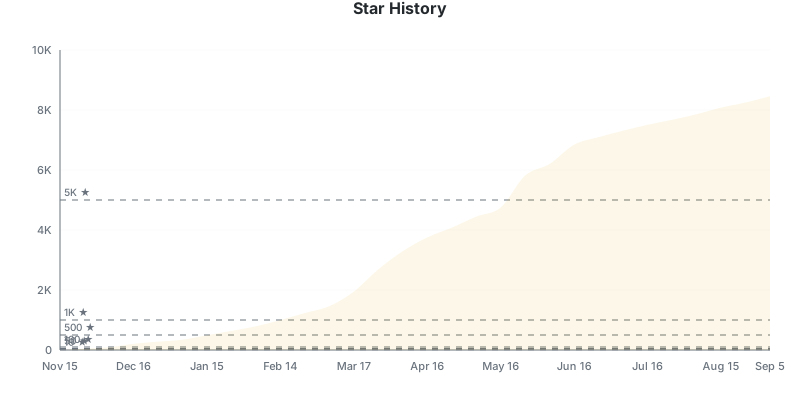](https://github.com/igareck/vpn-configs-for-russia)
|
||
|
||
## <img src="https://media.giphy.com/media/v1.Y2lkPWVjZjA1ZTQ3Z25rOXRoeW1xODR1dWh2b3UycTd6YnB0Y2hlMTZtaDluZW1uNnl4ZyZlcD12MV9zdGlja2Vyc19zZWFyY2gmY3Q9cw/CeYEKonyFQyzWhxmvd/giphy.gif" width="40"> DISCLAIMER
|
||
|
||
> *The author is not the owner/developer/provider of the VPN configurations listed. This is an independent information review and testing results.*
|
||
>
|
||
> *This post is not an advertisement for VPN. All material is intended solely for informational purposes, and only for citizens of those countries where this information is legal, at least for scientific purposes. If you can’t read this, close this page immediately!*
|
||
>
|
||
> *The author has no intention, does not encourage, does not encourage or condone the use of VPNs or any other programs under any circumstances.*
|
||
>
|
||
> *Any use of these VPN configurations is the responsibility of the user.*
|
||
>
|
||
> *Disclaimer: The author is not responsible for the actions of third parties and does not encourage the illegal use of VPN.*
|
||
>
|
||
> *The author is not responsible for the accuracy, completeness and reliability of the published data. All coincidences are random. All information is provided “as is” and may not be accurate.*
|
||
>
|
||
> *Use in accordance with local regulations.*
|
||
>
|
||
> *Use a VPN only for legal purposes: in particular, to ensure your online security and secure remote access, and under no circumstances use this technology to bypass blocks.*
|
||
>
|
||
> *The project is non-commercial, free, all presented “payment” information was found randomly somewhere on the Internet, copied “as is” to demonstrate a possible example and does not belong to the author.*
|
||
>
|
||
> *Advice - close this page, remove all VPNs from your computer, install MAX and Yandex on all devices so that they can “catch” even in a parking lot, and use only Internet resources that are allowed by your Internet provider, you get the idea.*
|